First-hand Digital / Binary / Blitz / Margin check · 8 October 2026
Exnova: Digital Options, Binary, Blitz and Margin Trading
Exnova exposes Digital as a current, named product alongside Binary, Blitz and Margin. The demo terminal shows their different tickets, price and expiry controls, open-position values and margin settings. Explore how each workflow operates, plus account access, deposits and verification.
01 / Account access
Exnova Official Site, Login and Registration
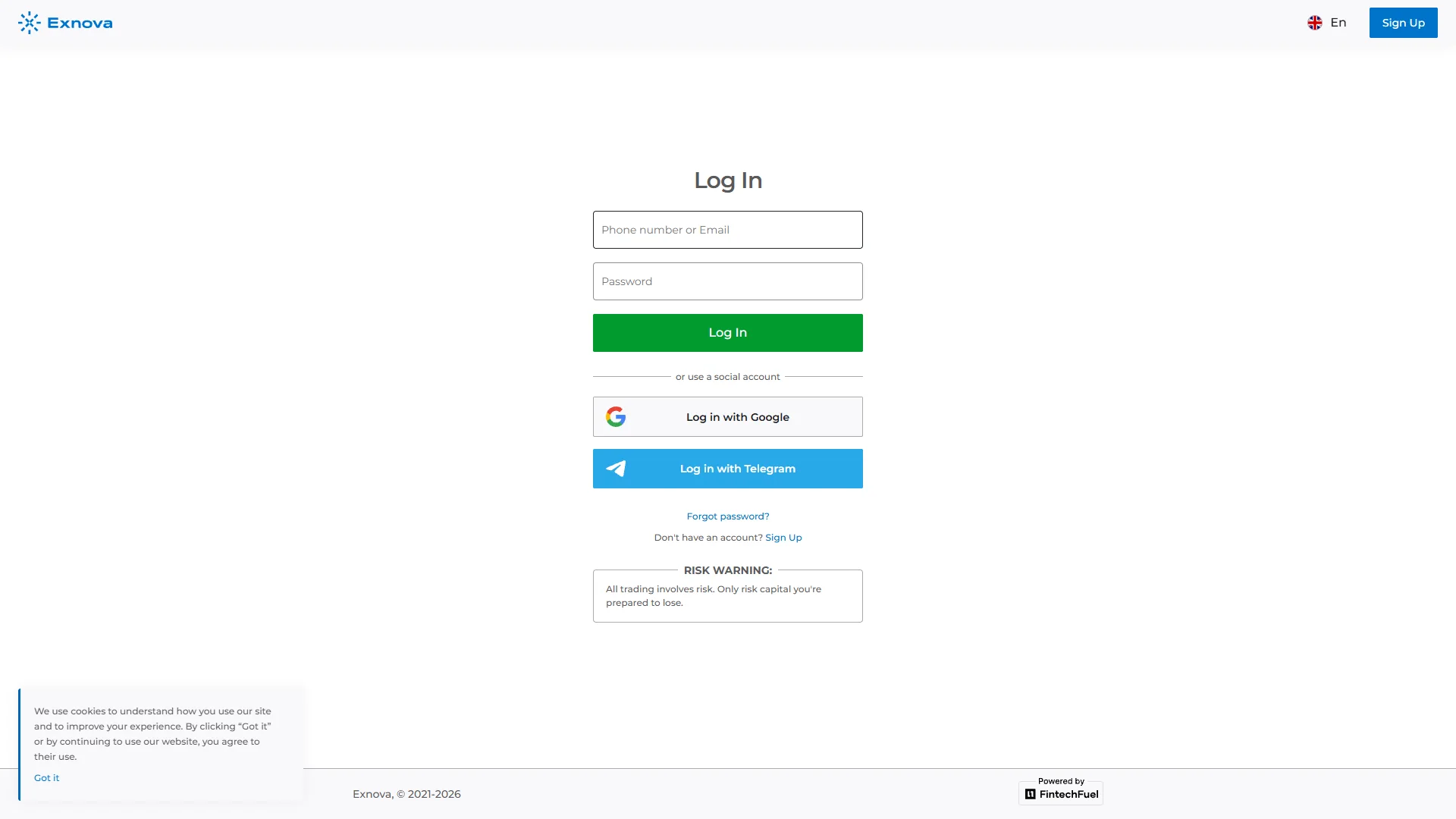
The public brand website is exnova.com; its web trading interface is reached through trade.exnova.com. The English sign-up screen offers an account-registration path, while the login view presents an email/password flow and account-recovery access. These screens were captured on 8 October 2026.
Exnova publishes access from the browser and a mobile-app route. Availability of the account and each trading product depends on applicable terms and the account’s jurisdiction. The presence of a working login page is not equivalent to eligibility for every trader or country.
From registration the interface leads to a logged-in workspace with separate demo and real balance contexts. The rest of this page follows the checked demo terminal, keeping the product ticket as the reference for the controls that appear before and during a trade.
02 / Four distinct contracts
Digital, Binary, Blitz and Margin: Exnova’s Product Map
The asset selector explicitly separates the options side from the margin side. Within the options terminal, our current capture shows Digital, Binary and Blitz as distinct choices. That matters because a return percentage, 5-second duration or leverage setting seen in one mode cannot be transferred to another.
Directional entry, expiry and an open-position valuation. The interface also exposes Nearest Strike and Current Price display modes.
Digital controls →Another options ticket with direction, expiry and position details; it is not the same product tab as Digital.
Binary ticket →The checked EUR/USD OTC demo ticket displayed a five-second option. Durations are instrument- and session-specific.
Five-second evidence →Bitcoin-PerpFuture and other instruments use leverage, TP/SL and an open position rather than an options expiry ticket.
Margin example →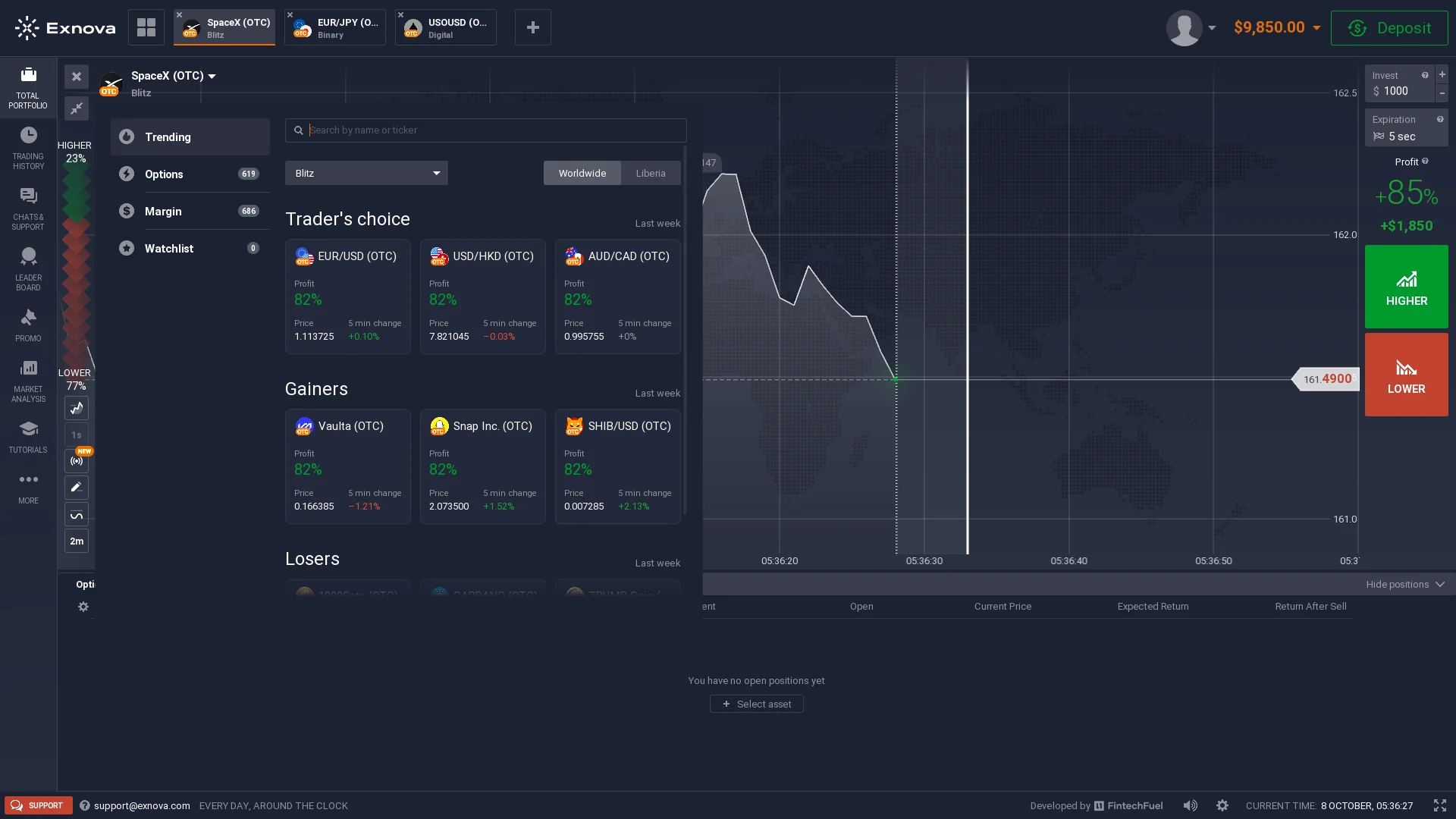
03 / Main Digital Options topic
Exnova Digital Options: Strike, Direction and Expiry
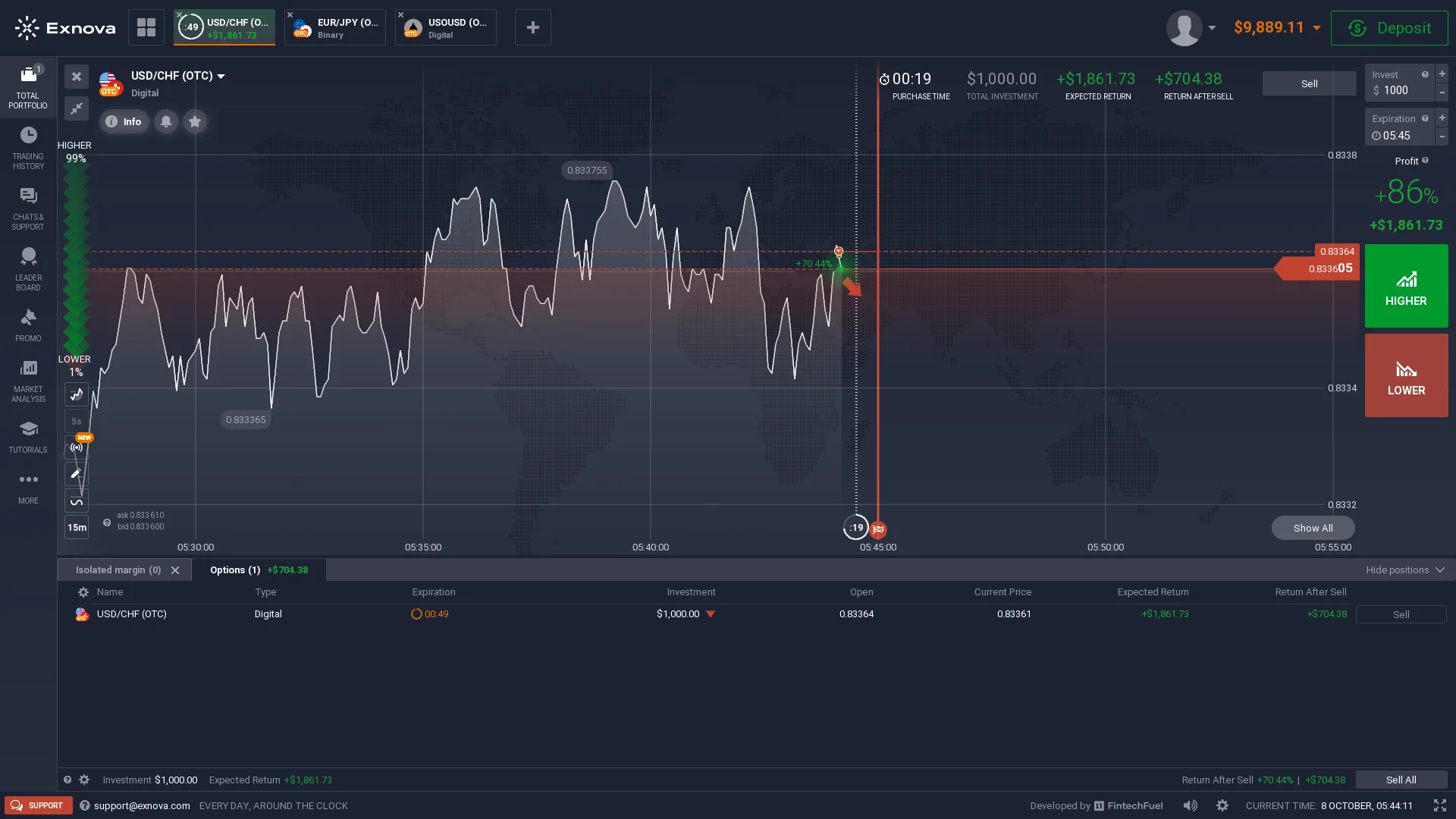
Digital is the exact product label visible in Exnova’s current terminal. On the checked USD/CHF (OTC) ticket, the trader chooses an investment amount and a defined expiry while the chart displays the option’s live price context. Higher and Lower are the two directional choices.
The trade screen also displays the Expected Return associated with the selected position. That number reflects the option’s displayed conditions at that moment; it is not a permanent percentage for Exnova or a forecast of realized profit.
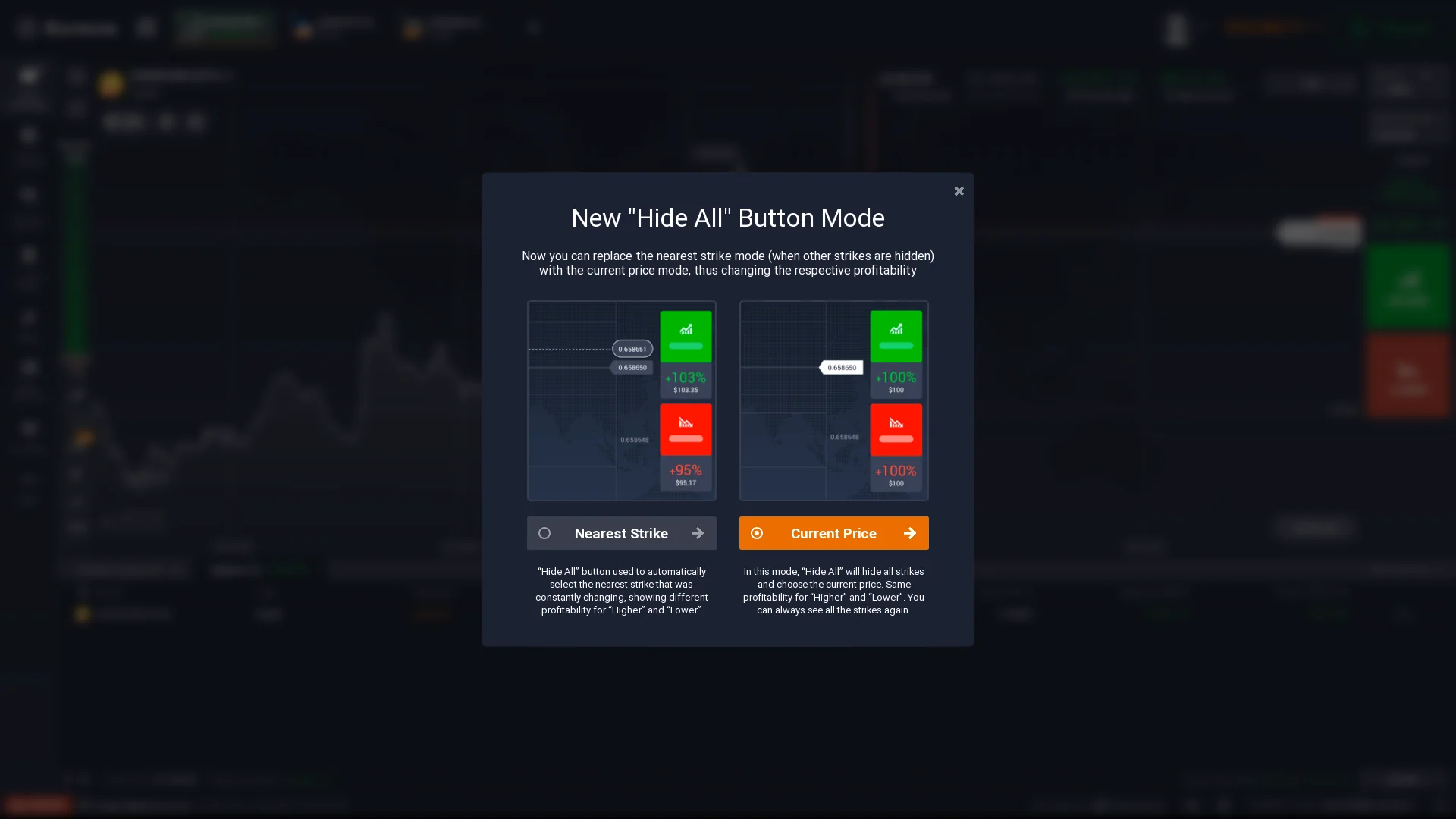
One particularly specific feature is Exnova’s dialog offering Nearest Strike and Current Price display choices. Its explanation explicitly connects the selected view with how Higher/Lower profitability is displayed. This gives Digital a meaningful price/strike dimension beyond a generic one-button Up/Down example.
The live product is actually named Digital, and its expiry, direction, strike/reference-price display and open-position values make it directly relevant to our coverage of digital-options mechanics. Expiry time and Digital vs Binary terminology are explained separately in our contract guides.
04 / During the trade
Digital Open Position: Expected Return vs Return After Sell
The captured Digital position separates two different financial figures. Expected Return describes a conditional outcome displayed for the option’s expiry. Return After Sell represents the live value associated with selling the option early at the price shown on that screen. They describe different states of the same open trade.
In our 8 October demo capture the ticket displayed $1,000 Total Investment, +$1,861.73 Expected Return and +$704.38 Return After Sell. Those are live interface figures from an open option, not a record of completed earnings. The values can change while the trade remains open.
This distinction is especially useful for understanding how Exnova’s Digital panel works: its expiry payoff information sits beside an early-sale value. A trader viewing an open option should not read the early-sale figure as the final expiry payout, or vice versa. The live ticket is the relevant display for the current position.
05 / Separate options tab
Exnova Binary: Expiry and Directional Outcome
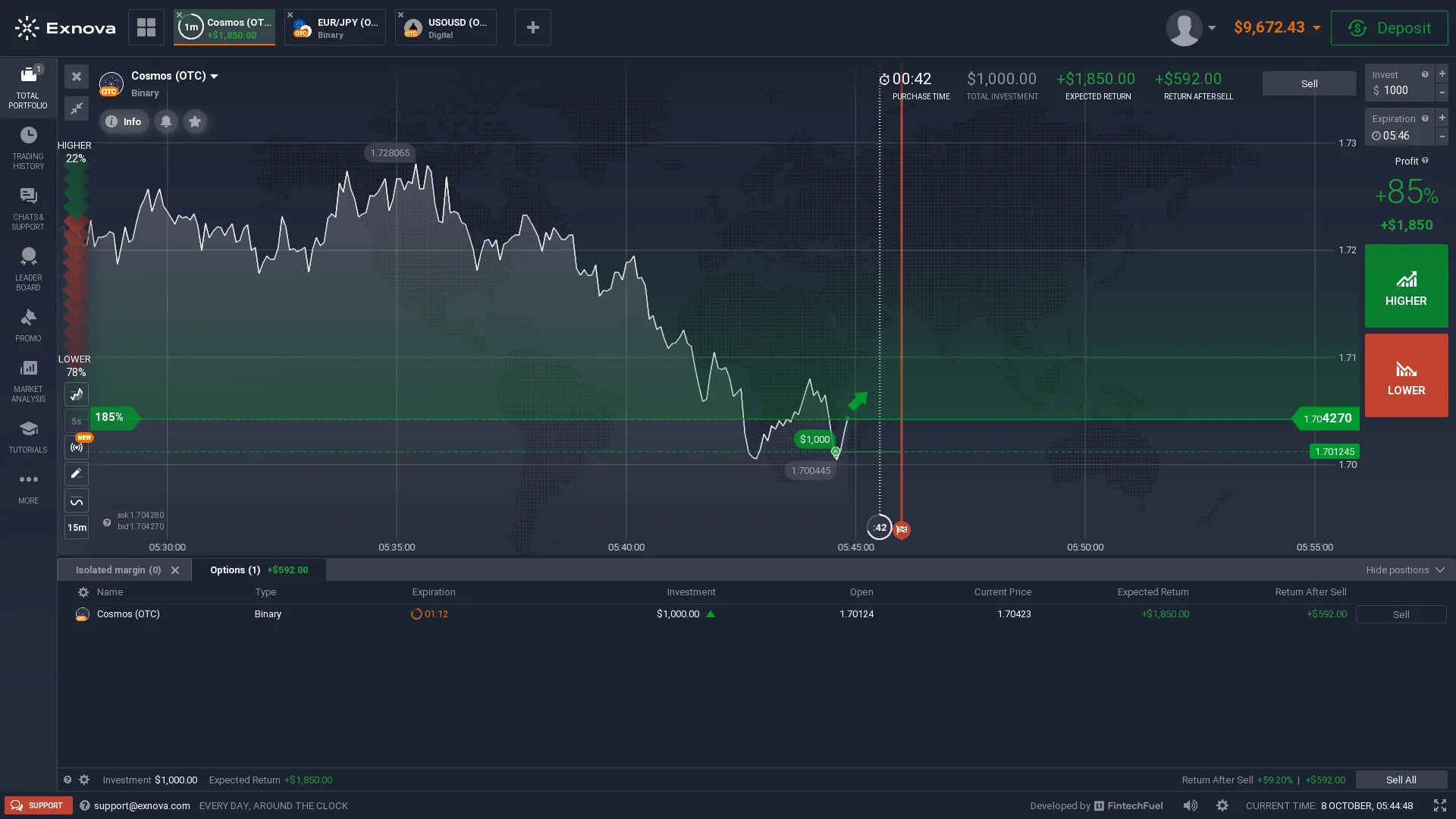
Exnova also labels a separate option mode Binary. The checked Cosmos (OTC) ticket exposes an expiry choice, a direction and a displayed outcome. The active-position area also shows expected return and a sale-value field where available for that position.
The important fact is the platform’s own product separation. Exnova’s Digital and Binary tabs can look related because both use directional, time-bounded option decisions. They are not interchangeable labels in the navigation, and their available instruments, price controls and returns should be checked in the selected mode.
Our broader Digital Options vs Binary Options guide explains how naming differs across providers. For Exnova we use the current tab names rather than treating every option as one generic binary contract.
06 / Short expiry evidence
Exnova Blitz: Observed Five-Second OTC Ticket
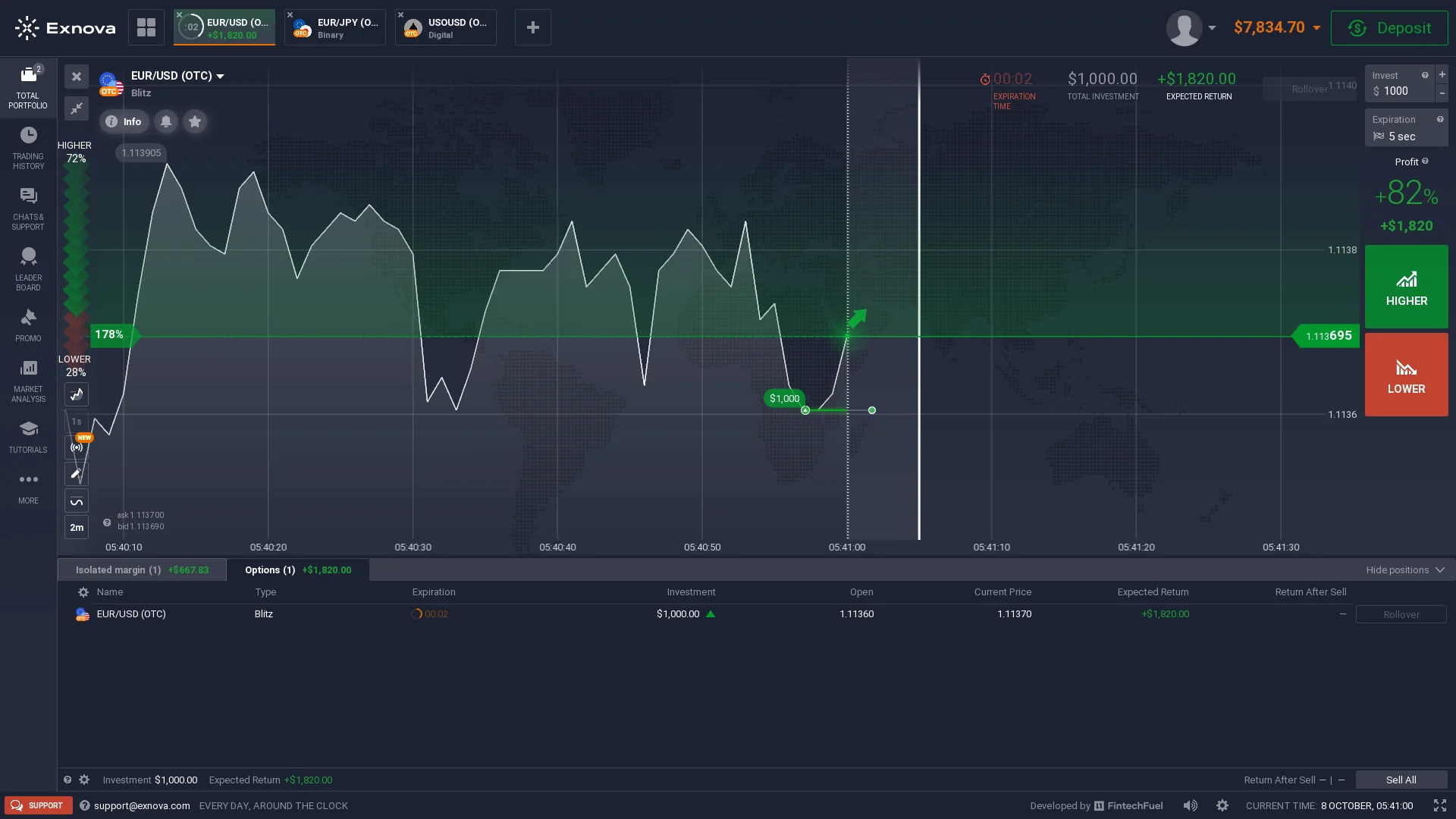
In Blitz, the current EUR/USD (OTC) demo ticket displayed a five-second duration. The screen showed the short expiry choice within the trading interface; the point of this evidence is a real five-second setting, not a claim that every market or account has the same choice.
That makes Blitz distinctly different from the Digital position examined above. The very short holding period changes the trading workflow and the speed at which an option reaches its result. It does not convert an open Blitz ticket into a guaranteed outcome or imply a universal return rate.
Exnova presents the product through a dedicated Blitz category, so its duration and payoff must be read from that selected ticket. Users comparing it with other short-time products can also see our OTC trading guide for the role of platform-defined OTC markets.
07 / Different position mechanics
Bitcoin-PerpFuture: Margin, Leverage and TP/SL
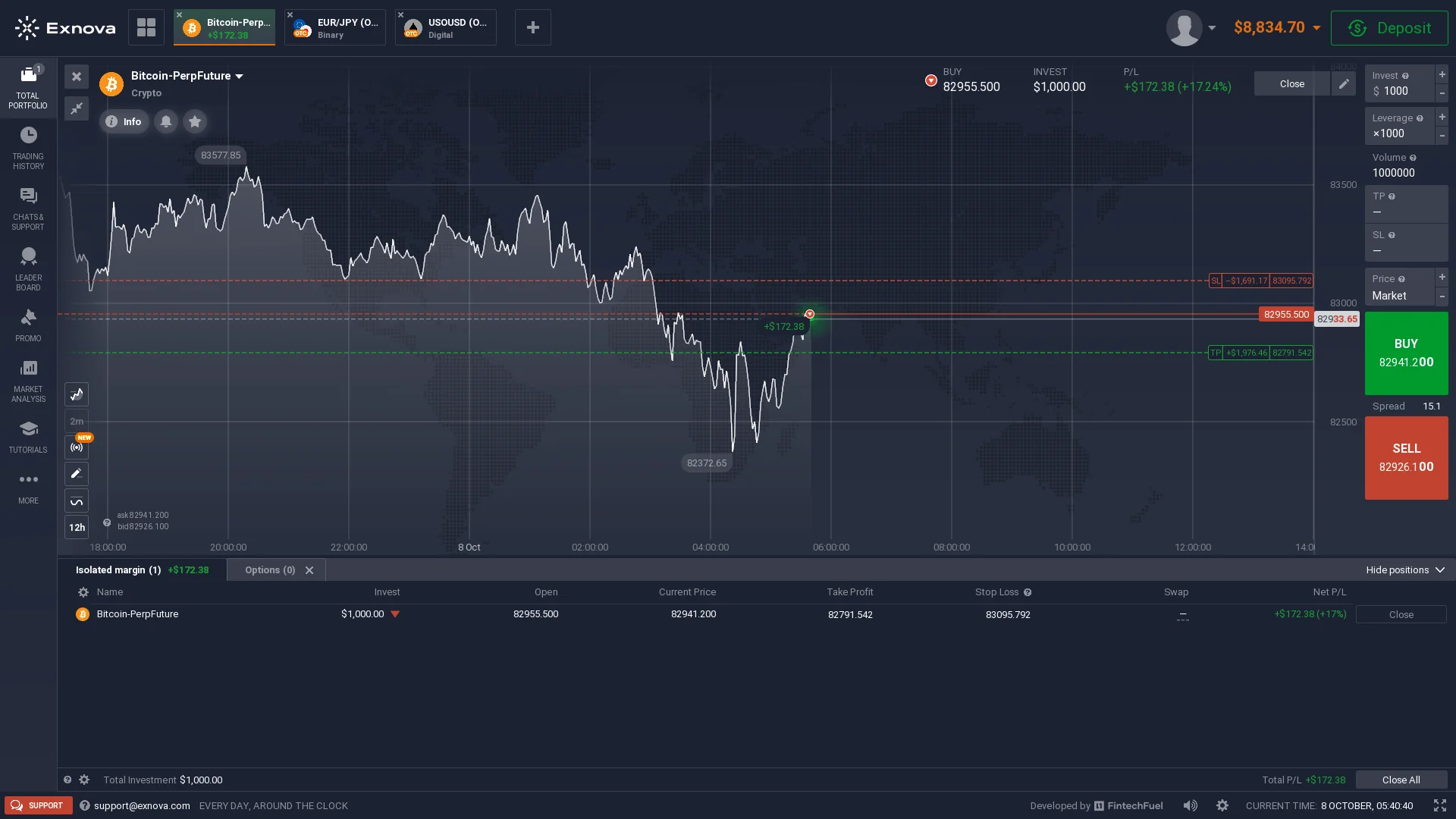
Margin instruments use a different panel. Our Bitcoin-PerpFuture capture shows an isolated-margin workspace with leverage, entry/current price, Take Profit, Stop Loss and P/L. An open perpetual-futures position is not a fixed-expiry Digital option.
The checked setting displayed x1000 leverage in that demo session. This is a selected interface value for the demonstrated instrument; it should not be generalized as Exnova’s default multiplier, or as available across every market and jurisdiction.
The market position can be managed with price-based controls rather than resolved only at a predetermined option expiry. Margin magnifies exposure and makes risk behavior fundamentally different from a fixed-investment option. For a generic product distinction, see Digital Options vs CFDs.
08 / Finding instruments
Asset Finder: OTC and Options/Margin Categories
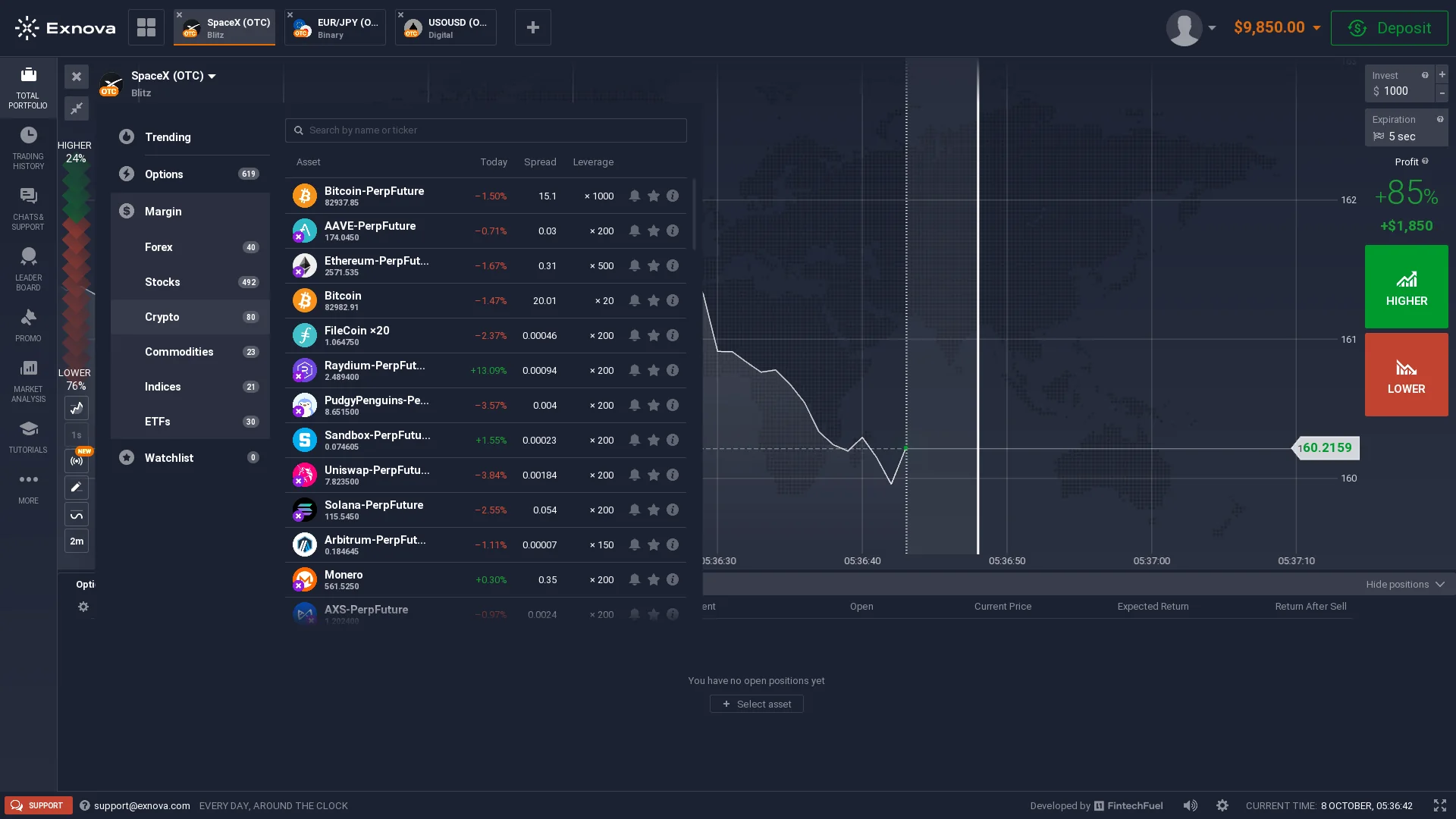
The asset finder in our October session grouped instruments by product family and exposed categories such as currency pairs, stocks, crypto assets, commodities, indices and ETFs, with OTC-labeled instruments where shown. The availability of an asset also depends on the selected trading mode: a category appearing in the overall terminal does not automatically mean it can be traded under Digital, Binary, Blitz and Margin alike.
Exnova’s public website advertises 250+ assets. That is a published catalogue figure, while the logged-in account screenshot documents specific instruments and filters visible on 8 October. In each product the available asset list, timing and displayed terms are determined by the current terminal rather than by one universal number.
09 / Practice environment
Exnova Demo Account and Trading Interface
Exnova advertises a free practice account and a starting demo balance of $10,000. Our 8 October recording follows the actual demo workspace across Digital, Binary, Blitz and Margin, including trade tickets, active positions, controls and changing position states. The observed account balance changes as demo positions move through the interface.
In the demonstration, the Digital product exposes an open-position return view, the Binary tab has its own ticket, the Blitz selector shows five seconds on one OTC instrument, and the margin area displays isolated-margin trading parameters. These are different pieces of hands-on evidence; they demonstrate navigation and operating controls rather than implying equivalent settlement or performance.
A practice account is a convenient way to study how amount, selected instrument, direction, expiry and risk controls are presented. The differences between practice balances and live accounts are covered in Demo vs Real Account; this page concentrates on Exnova’s actual interface.
10 / Account cashier
Deposit Methods: Card, Binance Pay and Crypto Networks
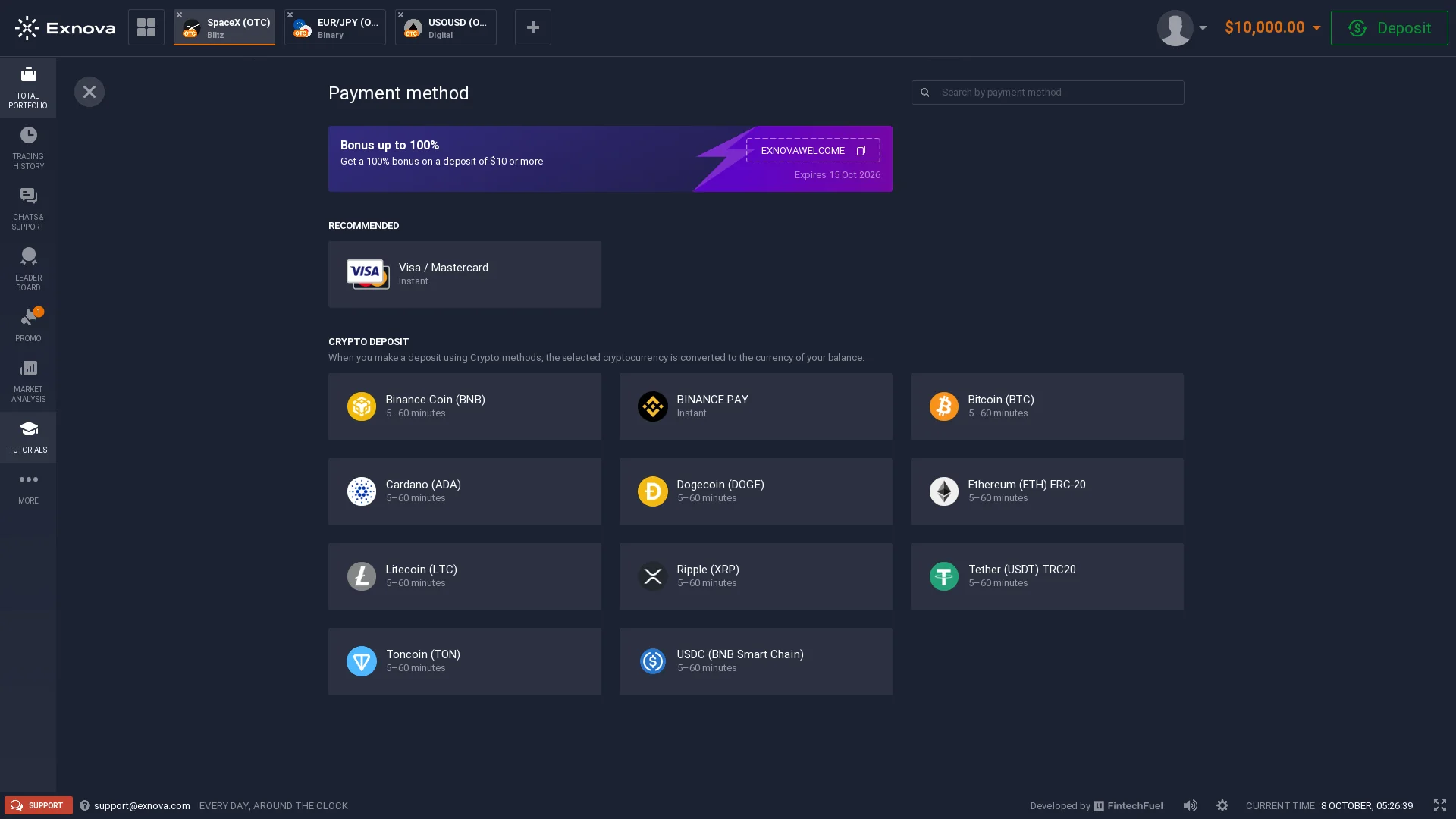
The deposit panel captured on 8 October lists Visa/Mastercard and multiple crypto or crypto-service routes. Visible choices include Binance Pay, BTC, BNB, ADA, DOGE, ETH (ERC-20), LTC, XRP, USDT (TRC20), TON and USDC on BNB Smart Chain. The selected network matters when funding with cryptocurrency.
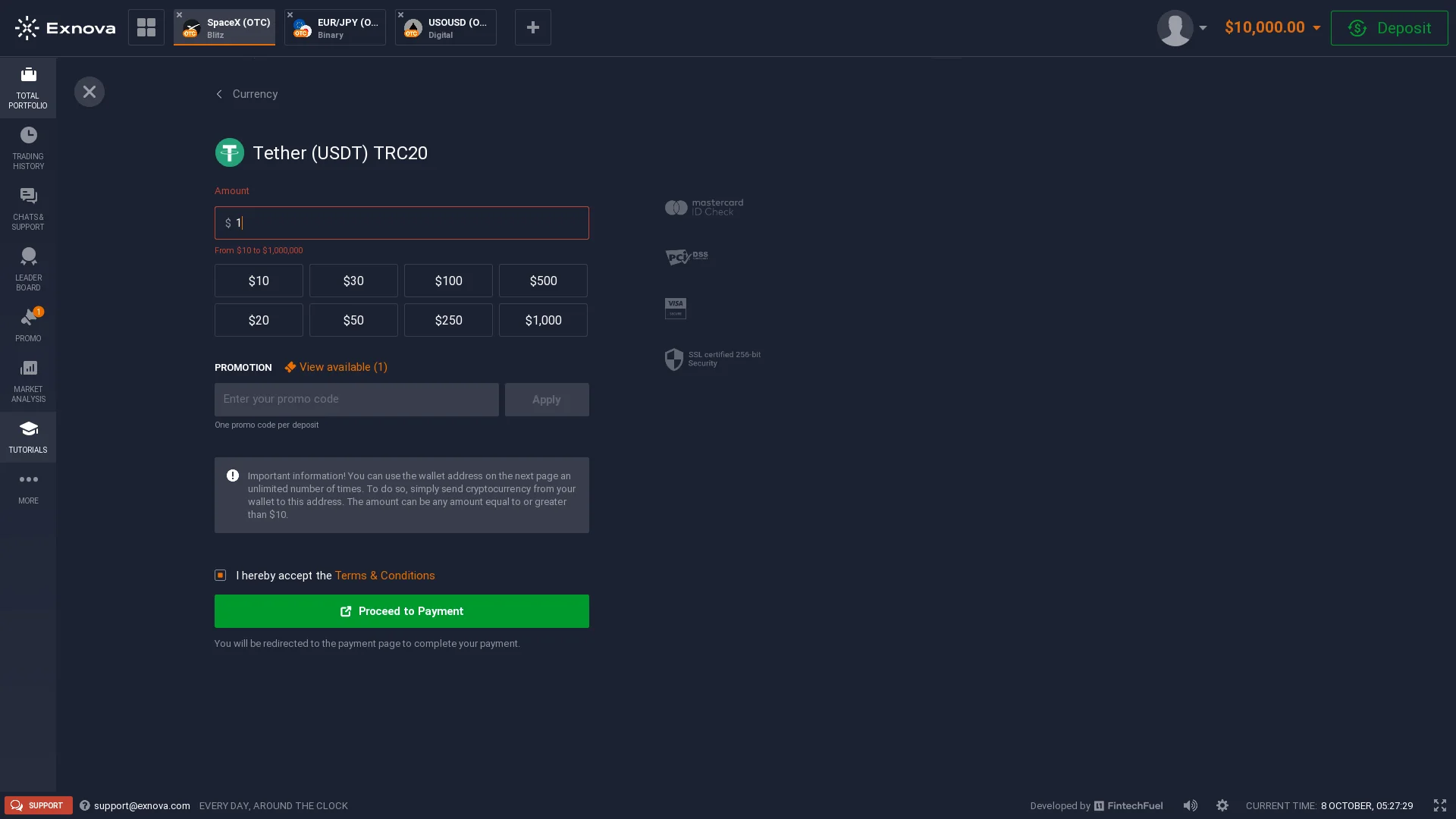
Exnova’s public site lists a $10 minimum deposit. The cashier can present payment-method-specific rules, amounts and processing information. A separate USDT TRC20 form in our evidence shows that the selected asset and network lead to their own transfer step rather than one uniform crypto deposit route.
The promotional banner visible during the session carried an expiry date of 15 October 2026, so it is a dated display rather than a standing bonus condition. Exact promotions and funding routes can change with account, jurisdiction, payment provider and time.
11 / Payment conditions
Exnova Withdrawals and Account Payment Conditions
Withdrawal conditions sit within Exnova’s payment and account documentation. The official legal-document index currently provides separate entries for Withdrawal Policy, General Fees, Payment Policy and AML/KYC Policy. These are distinct contractual topics: payment acceptance, withdrawals, applicable charges and verification are not one single account feature.
The account cashier shows payment-provider and currency choices for deposits. Withdrawal methods and settlement rules can be conditional on the account, location, provider and required identity checks. The current Withdrawal Policy and General Fees text are the relevant contractual reference for the precise method minimum, charge or processing condition that applies at the time of the request.
For a user dealing with a delayed payment, the sequence also matters: platform-request status, provider processing and final receipt may be different events. Our Trading Platform Withdrawal Problems guide explains the records and escalation route to keep alongside the relevant provider policy.
Policy documents: Exnova’s current official Terms & Conditions index links the Withdrawal Policy, General Fees, Payment Policy and AML/KYC Policy. Method-specific values should be read from the version applicable to the account.
12 / Identity workflow
Exnova Verification: Personal Details, ID and Jumio
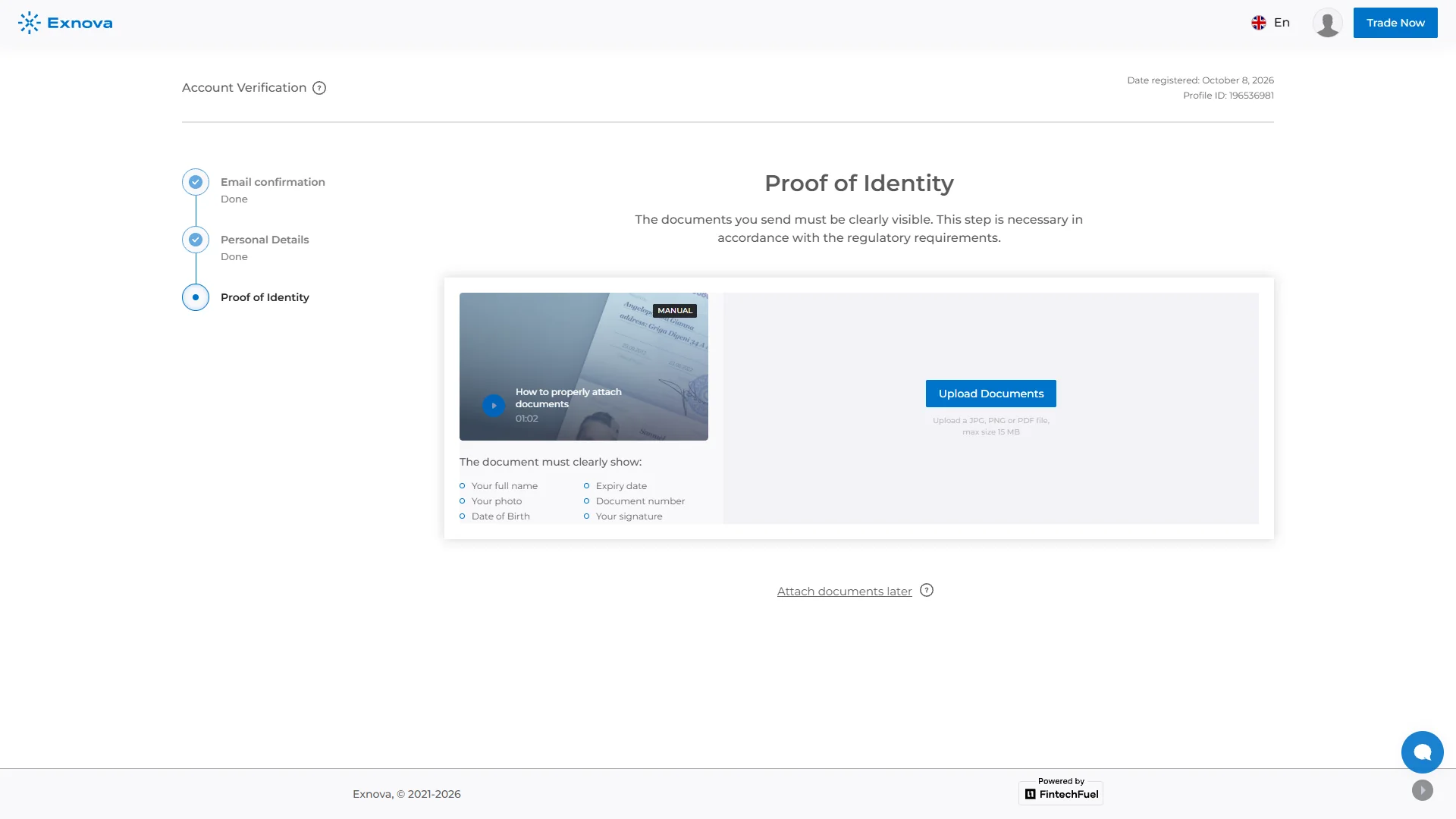
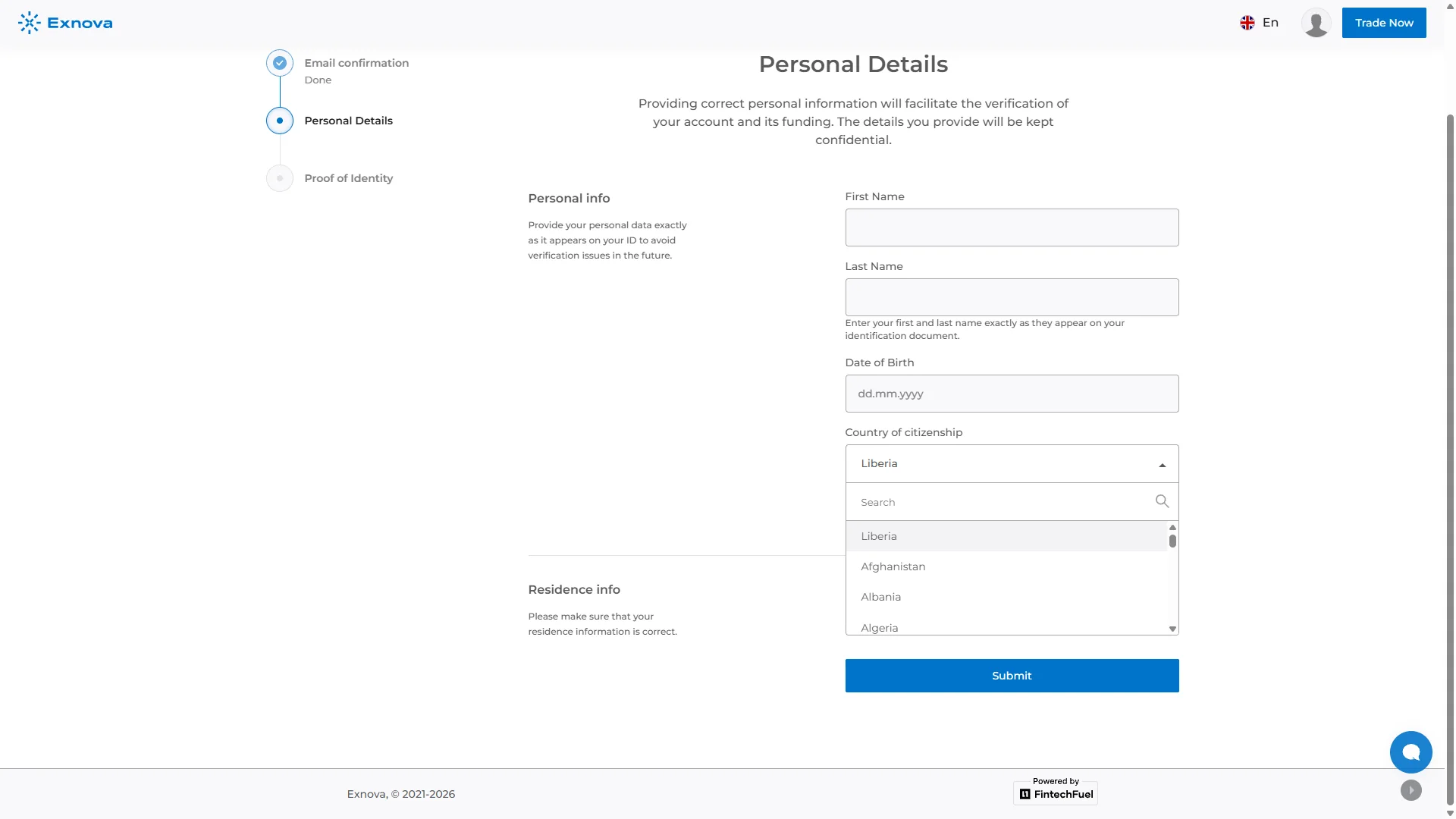
Exnova’s account verification flow is visibly staged. The checked web form presents email confirmation, personal details and proof of identity steps. The personal-details page requests identifying information and shows a citizenship selector, followed by a document submission area.
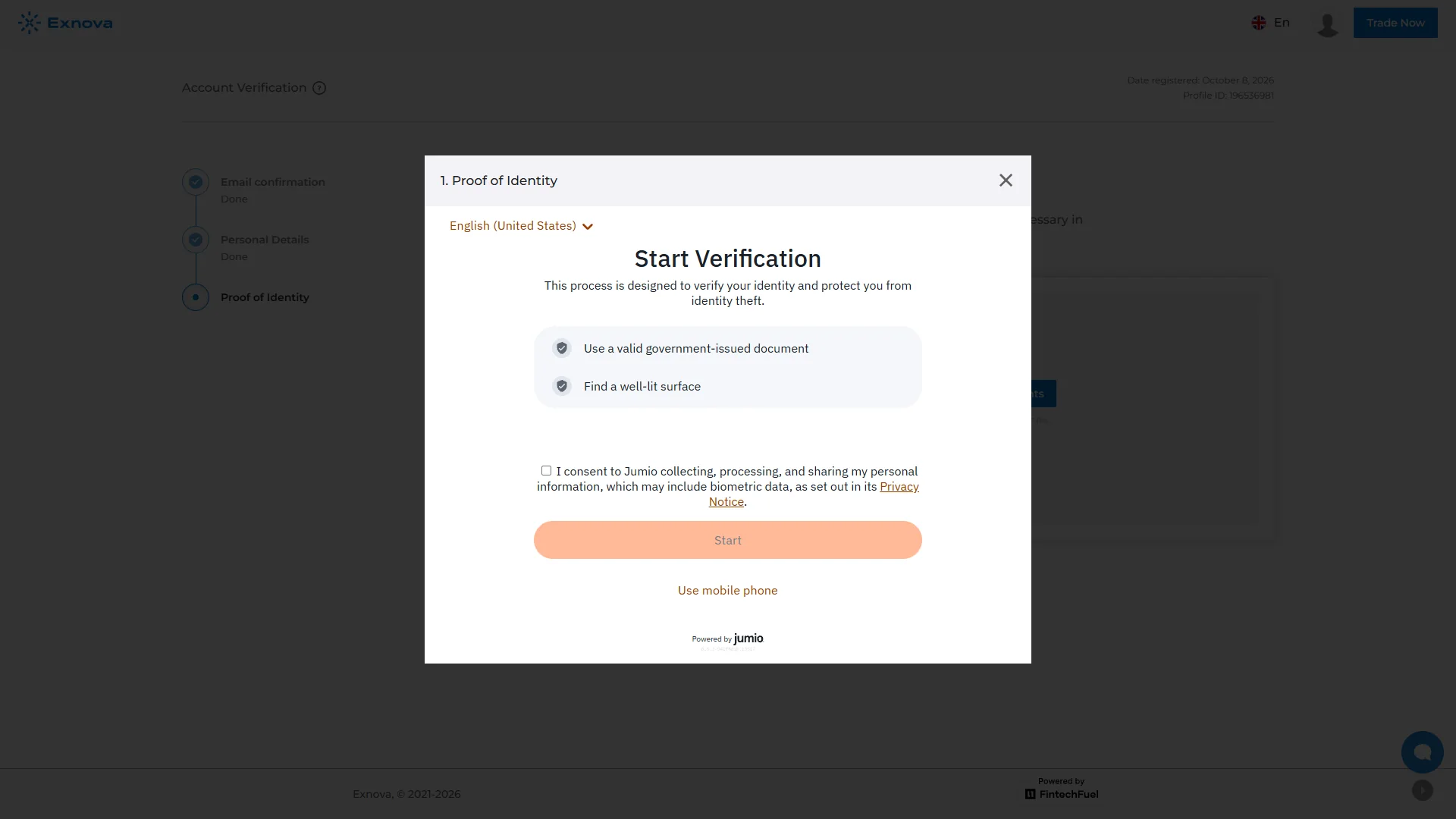
A later verification overlay offers entry to an identity process using Jumio and a camera permission prompt. These screens demonstrate where personal and document checks appear in the account journey. The exact prompts may differ by the selected verification route and account state.
Current Exnova legal navigation also includes an AML/KYC Policy, while its privacy material explains handling of account and identity information. The public policy and the actual account request together determine the documents required for that profile.
13 / Company and access
Operator, Legal Terms, Apps and Availability
Exnova’s current legal-document index names Digital Smart LLC at a registered address in Nevis. The same current public site identifies payment transaction handling by DIGITAL SMART CY LIMITED in Cyprus, company business number HE 410889. These are the identities stated in Exnova’s present public legal material.
The site’s legal section contains distinct documents for order execution, risk disclosure, withdrawal, fees, margin trading and account terms. Their existence does not by itself establish a government licence or authorize access in every jurisdiction. Company registration, financial-product rules, payment services and customer eligibility are separate questions.
The main Exnova site promotes access from different devices, including a mobile-app route; the observed browser terminal presents the modes discussed here. The applicable user agreement, account location and selected product determine the practical eligibility to open an account and access its features.
Exnova’s risk disclosure warns that financial products can result in losing deposited funds. Digital, Binary, Blitz and especially leveraged Margin have materially different controls, and the trade ticket should be read with the product’s current conditions. For our evidence and publication process see How We Verify Digital Options Platforms.
Primary sources: Exnova official website, current Exnova legal documents and the firsthand browser captures dated 8 October 2026.
Practical questions
Exnova FAQ
Does Exnova have a Digital options mode?
Yes. The current logged-in terminal expressly labels a product tab Digital. Our 8 October 2026 demo capture shows a USD/CHF (OTC) Digital ticket with investment, expiry, expected return and an open-position sale-value field.
What does Exnova show before entering a Digital position?
The Digital ticket displays the instrument, investment amount, expiry and directional choice with a current return display. Its interface also provides Nearest Strike and Current Price display choices; the active-position screen then shows expected return and return after sell.
How are Digital and Binary separate in the current Exnova interface?
Exnova lists Digital and Binary as separately labeled modes. Both can use Higher/Lower decisions, but the checked interface has different mode-specific tickets and the selected instrument and price/expiry controls must be read within each mode.
Can an Exnova Blitz ticket show five seconds?
Yes. Our 8 October 2026 demo screen showed a five-second Blitz duration for EUR/USD (OTC). The available duration can vary with the instrument and session.
What does Return After Sell mean on Exnova’s open-position panel?
It is the currently displayed value associated with selling the open option before expiry. It is distinct from Expected Return, which describes the conditional outcome at the option’s scheduled expiry.
Does Exnova provide a demo balance?
Exnova’s current public site advertises a free practice account with $10,000 virtual balance. Our October 2026 evidence was captured in the demo environment across Digital, Binary, Blitz and Margin workflows.
Which payment methods appear in Exnova’s checked deposit menu?
The October 2026 cashier screen displayed Visa/Mastercard, Binance Pay, BTC, ETH ERC-20, USDT TRC20 and several other supported assets and networks. The route and conditions depend on the selected payment method and account.
Which company and identity-verification process are shown for Exnova?
Exnova’s current legal page identifies Digital Smart LLC in Nevis and the Cyprus payment-processing entity DIGITAL SMART CY LIMITED (HE 410889). The logged-in verification workflow shows personal details, proof of identity and a Jumio verification entry.
Exnova · Digital Options
Digital, Binary and Blitz tickets, plus a separate margin workspace
Open Exnova to inspect the live product labels, current account options and terms applicable to your account.