First-hand platform check · October 2026
ExpertOption: Official Site, Demo, Digital Options & Withdrawals
ExpertOption combines a fixed-time Digital Options Trading Mode with a separate Stocks Mode inside the same account. We checked the $10,000 DEMO balance, SELL/BUY ticket, timing controls, OTC assets, completed deal history, stock-order workflow, cashier, withdrawals, KYC, social features, education and app access directly.
ExpertOption Official Site, Sign Up, Login and Demo
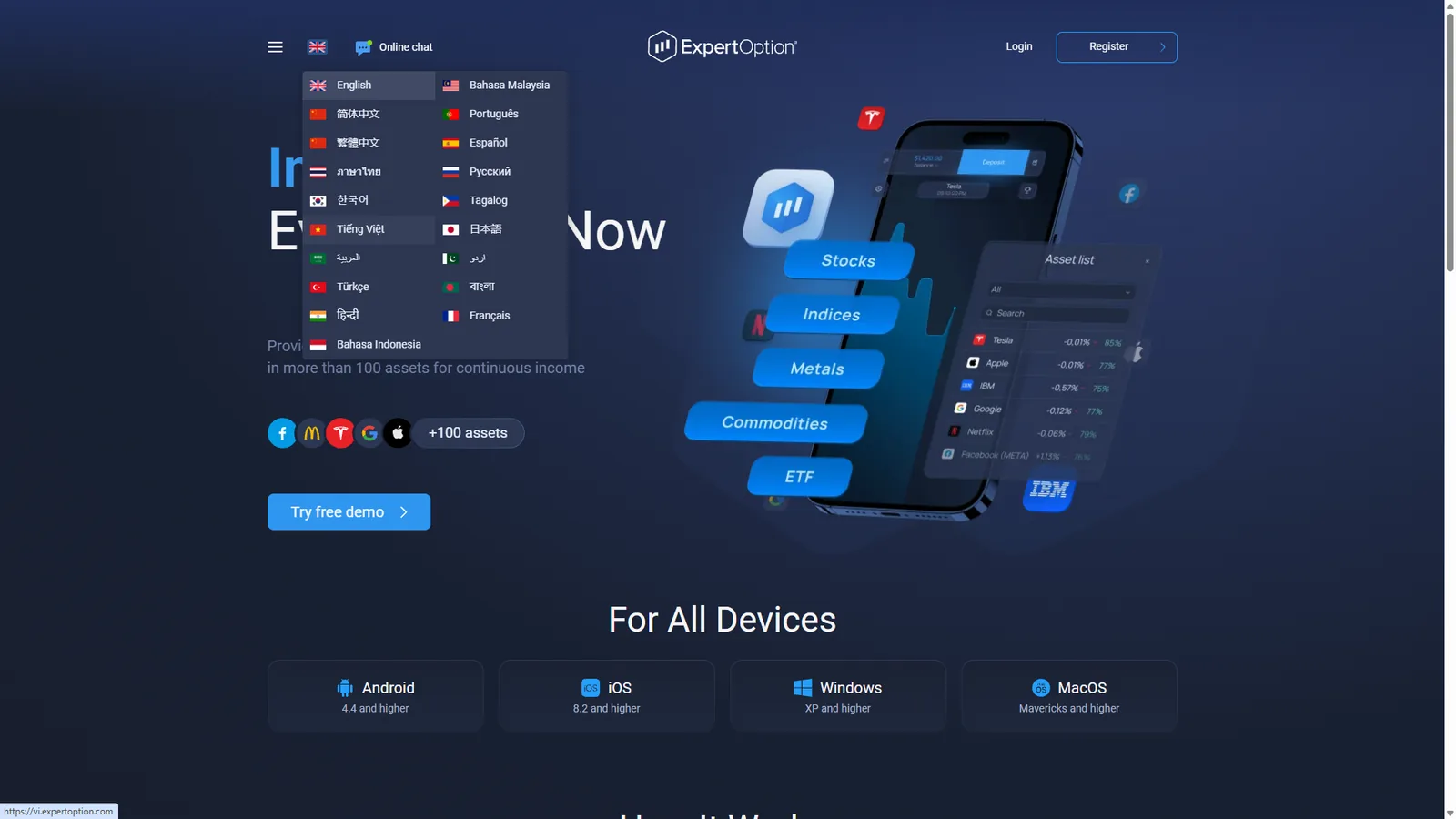
The public ExpertOption website we checked is expertoption.com. It provides Login and Register access, a free-demo entry point and links to browser, mobile and desktop versions.
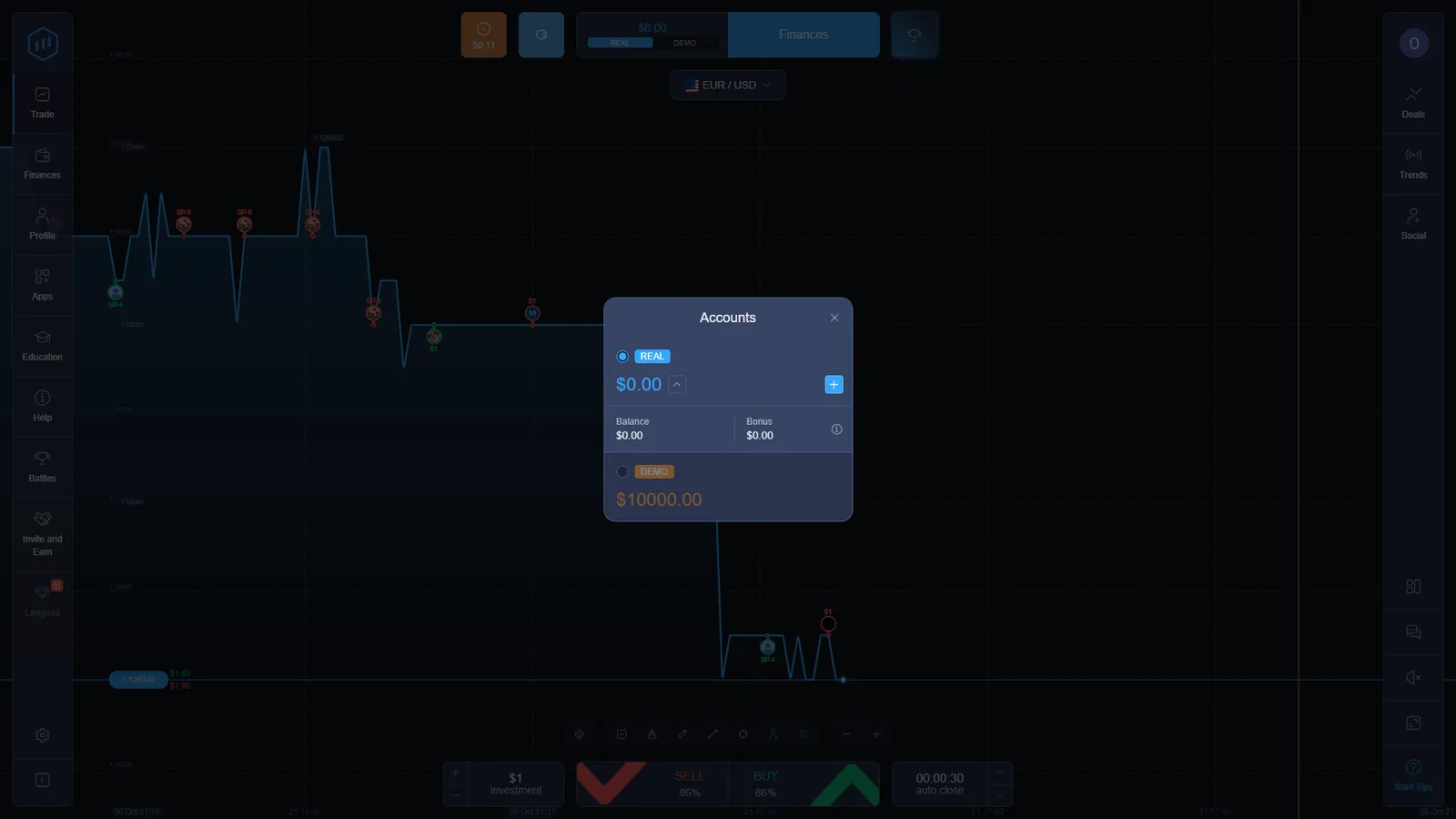
The current public site advertises more than 100 assets, a $10 minimum deposit and a $1 minimum trading amount. Inside the account, a REAL / DEMO selector separates the funded balance from the practice environment.
Our checked DEMO account displayed $10,000 in virtual funds. That account became the basis for the first-hand product evidence on this page.
Is ExpertOption a Digital Options Platform?
ExpertOption’s own cardholder-storage agreement uses the description “Digital Options.” In the checked account, the standard Trading Mode presents a fixed-time directional contract with an investment field, displayed percentage, SELL and BUY controls and an automatic closing time.
The account also contains a separate Stocks Mode. We therefore do not flatten every ExpertOption product into one Digital Options definition. The Digital Options label maps to the fixed-time Trading Mode we tested, while the stock workflow has a different order ticket, fee model and position-management logic.
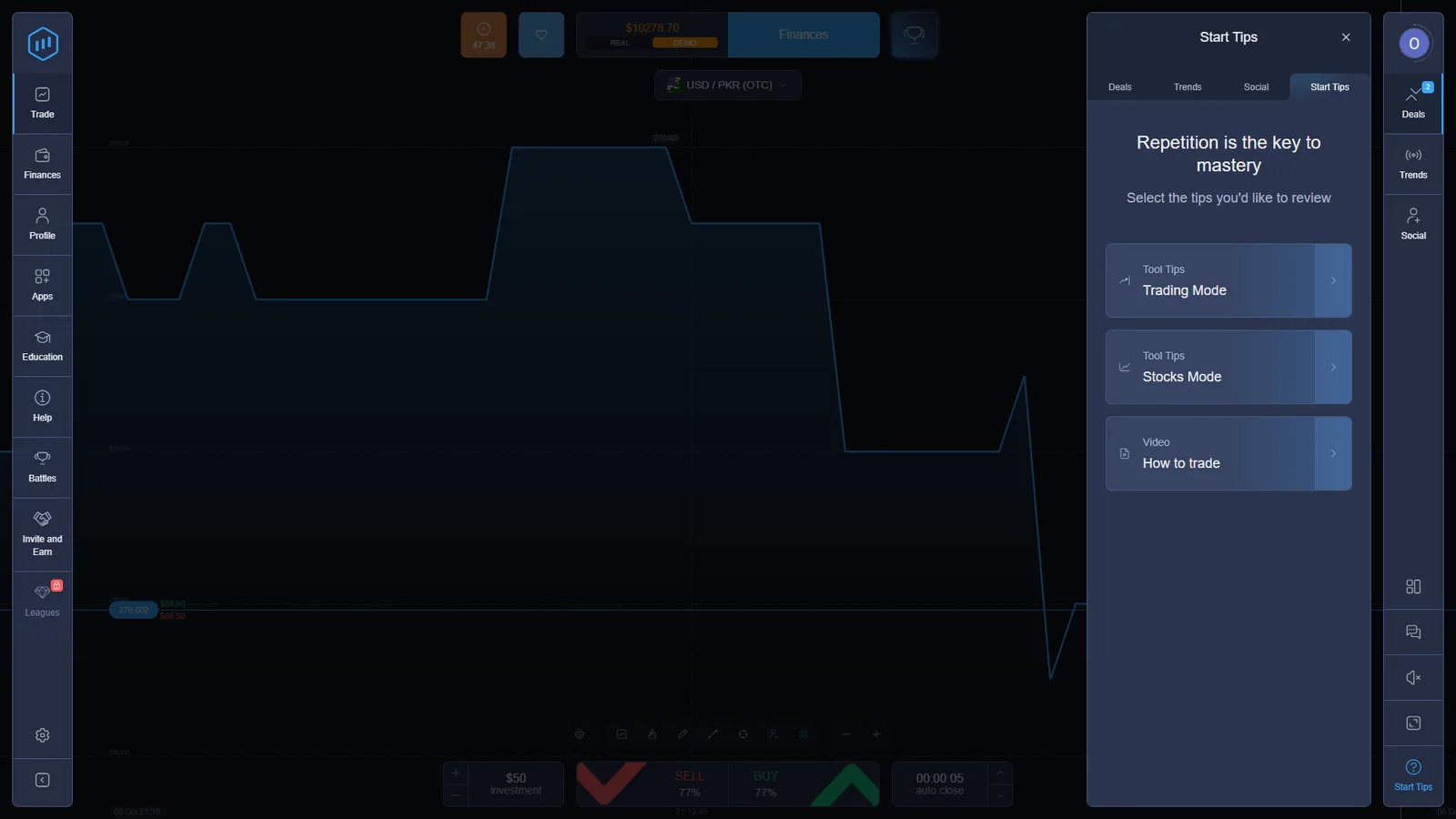
The checked Start Tips panel listed Trading Mode and Stocks Mode, plus a How to trade video. Unlike the Tickz account we tested, this ExpertOption panel did not show a separate Events Mode entry.
For the wider terminology question, see Digital Options vs Binary Options.
ExpertOption Trading Mode: SELL/BUY, Payout and Auto-Close
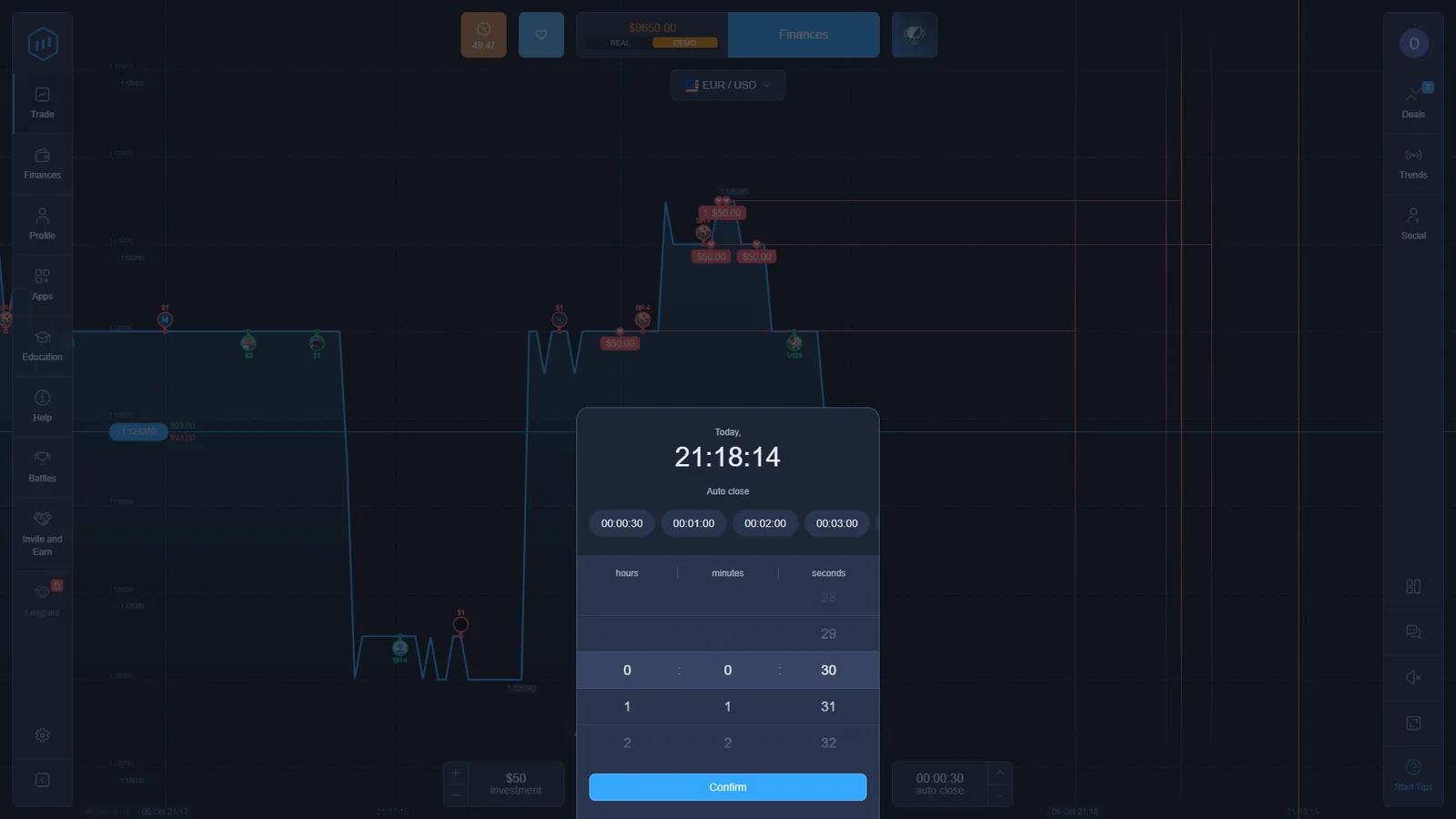
Our EUR/USD DEMO ticket used the same compact structure throughout the test: choose the asset, set the investment, read the displayed payout, choose SELL or BUY and select the auto-close timing.
In the checked session the ticket repeatedly displayed $50 virtual investments and an 86% displayed payout on EUR/USD. The timing picker exposed quick choices of 30 seconds, 1 minute, 2 minutes and 3 minutes together with a custom clock control.
The percentage and timing choices are session- and instrument-specific. We treat the values shown in the ticket as dated first-hand evidence rather than permanent platform specifications.
ExpertOption Assets, OTC Markets and Short Timing Choices
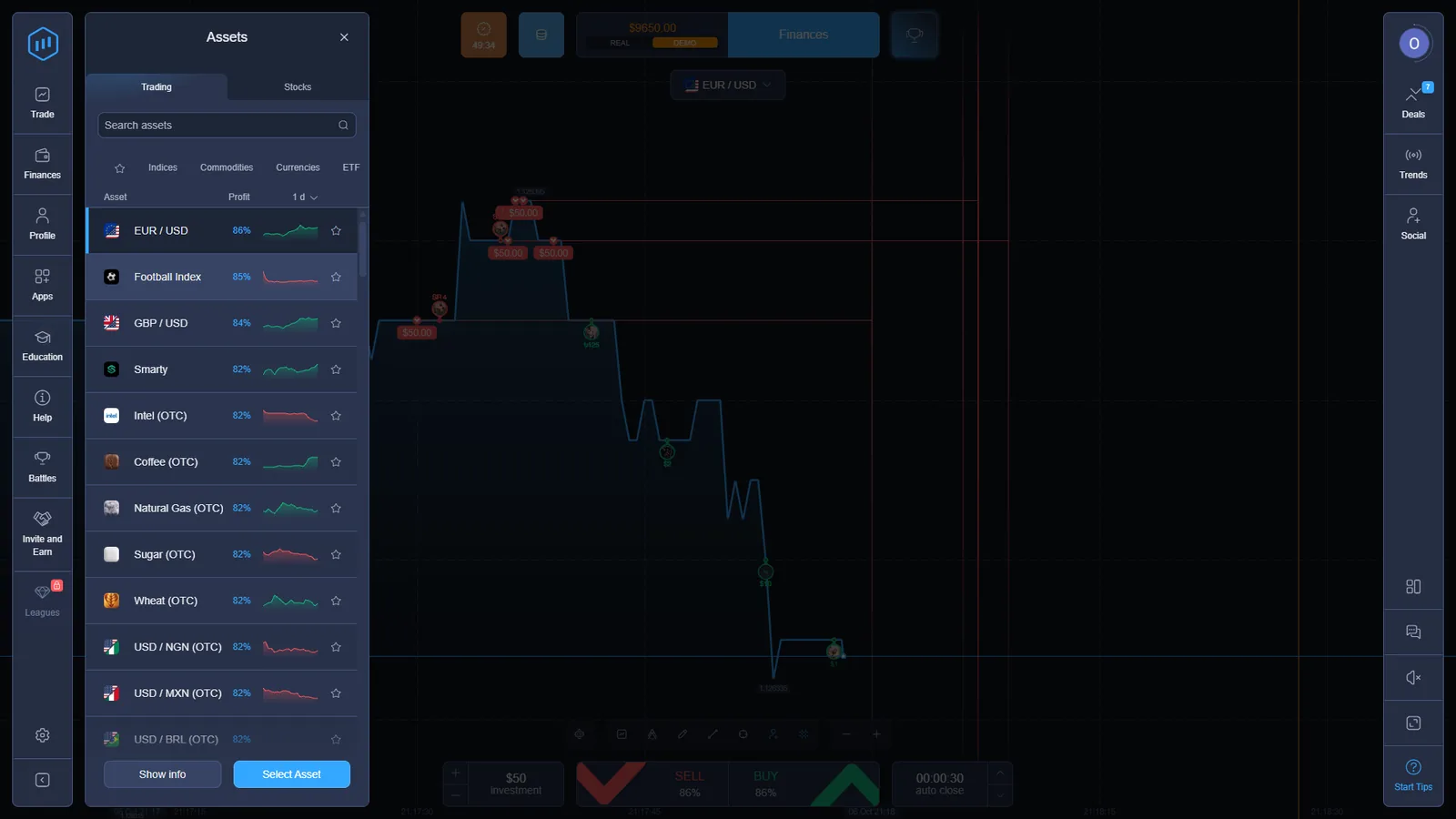
The Trading asset selector we checked contained regular and OTC-labelled instruments. Visible examples included EUR/USD, GBP/USD, Intel (OTC), Coffee (OTC), Natural Gas (OTC), Sugar (OTC), Wheat (OTC), USD/NGN (OTC), USD/MXN (OTC) and USD/BRL (OTC).
The same selector displayed different percentages beside different instruments. EUR/USD showed 86% in the captured session, GBP/USD 84%, while several OTC entries displayed 82%.
Timing also changed with the selected instrument. On a checked USD/PKR (OTC) ticket, the quick auto-close choices included 5 seconds, 15 seconds, 30 seconds and 1 minute. This is one reason we record the active ticket instead of publishing one universal ExpertOption expiry range.
For the separate mechanics of OTC-labelled markets, see OTC Weekend Trading.
ExpertOption Demo Account and Completed Deal Evidence
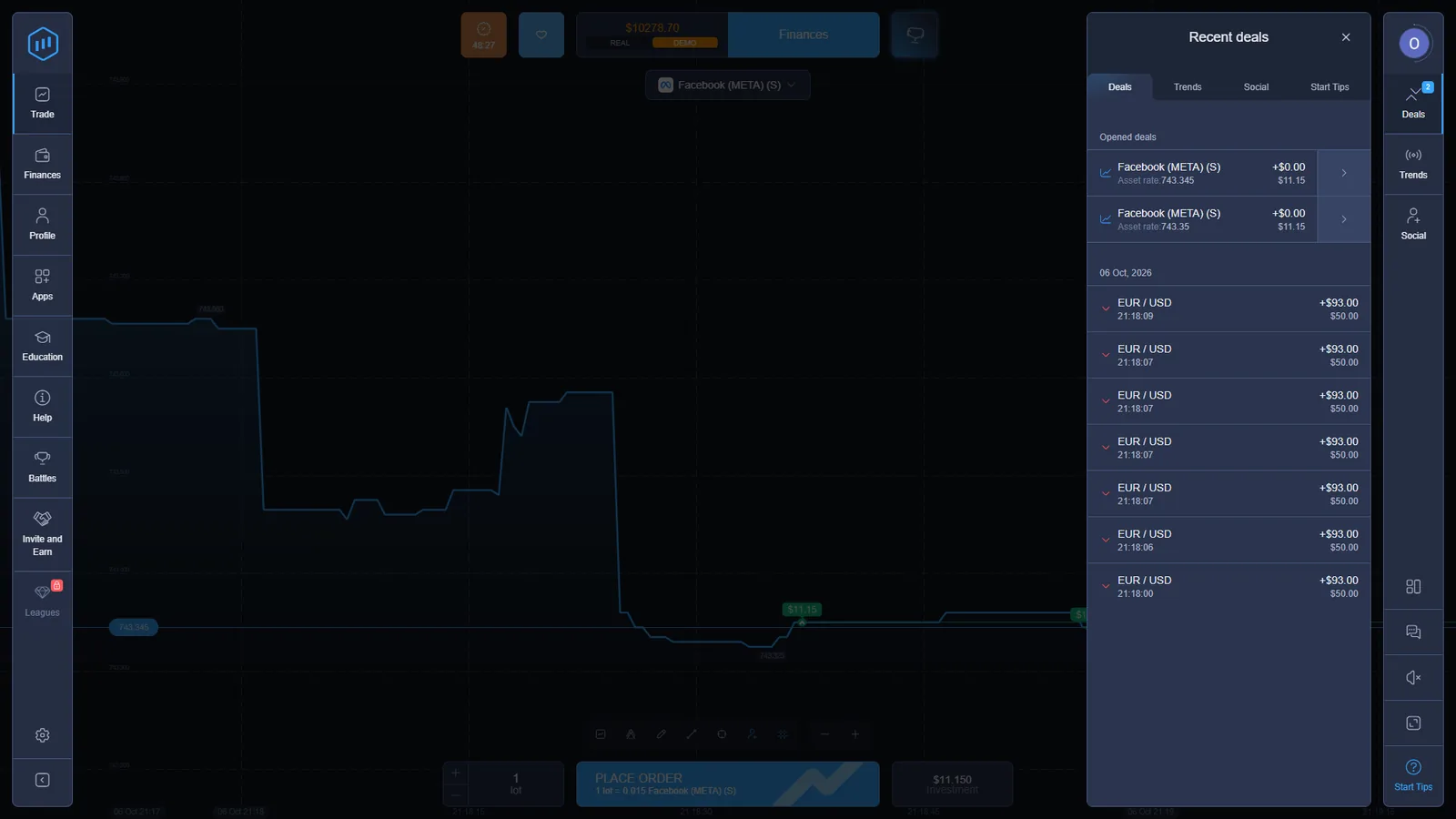
The DEMO account we checked displayed $10,000 before testing. During the session we opened repeated fixed-time positions and captured the resulting records in Recent Deals.
That history is useful because it documents more than the presence of a trade ticket. It shows that positions were accepted, reached a recorded outcome and were written into the account’s deal history.
ExpertOption Stocks Mode: Lots, TP/SL, Fees and Manual Close
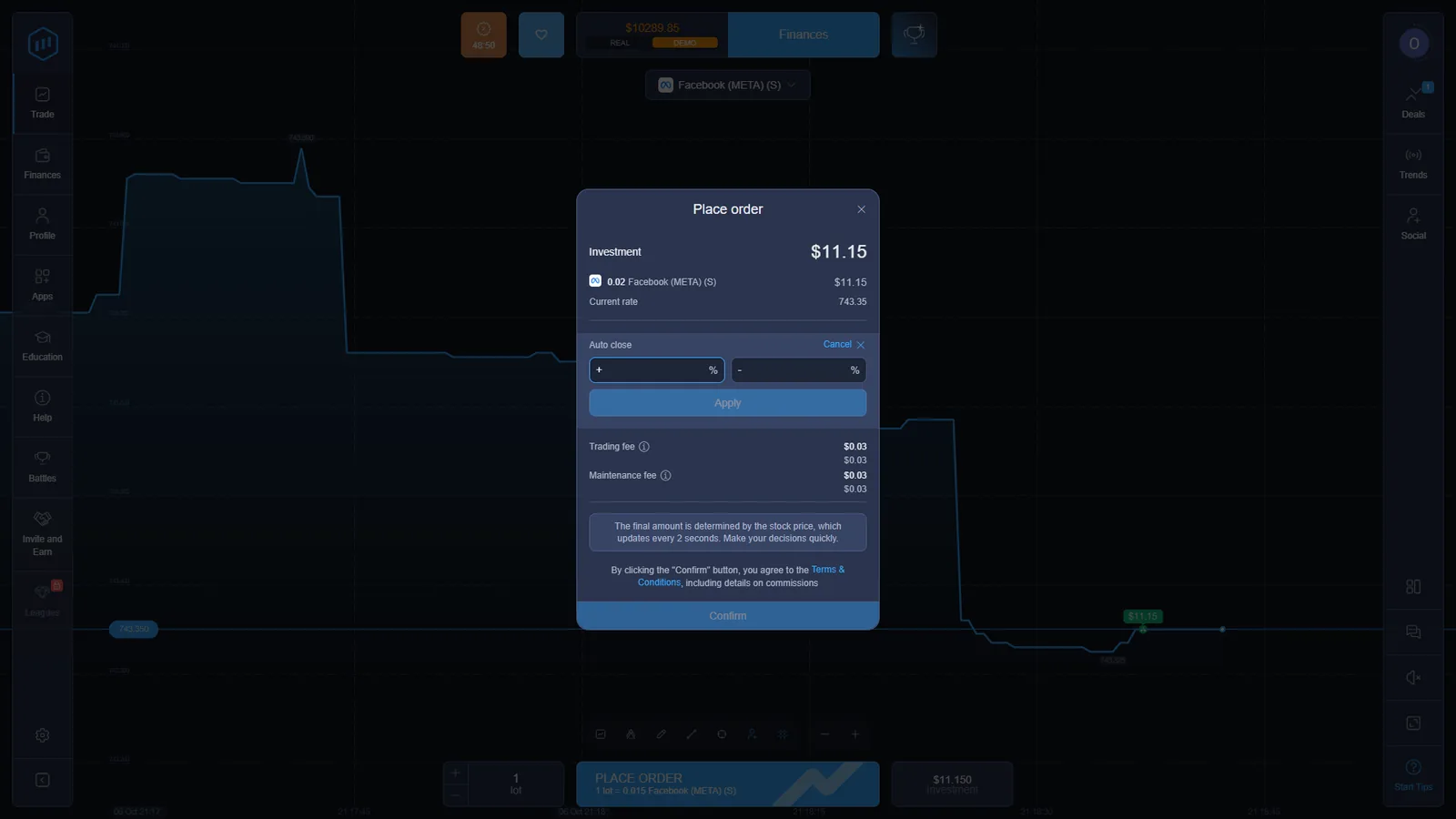
Stocks Mode is materially different from the fixed-time Trading Mode. The stock order workflow we captured used a share-linked instrument, lot quantity, current rate, investment value, take-profit and stop-loss fields, explicit charges and a normal open-position record.
For Facebook (META), one captured order displayed 0.02 lots, an investment value around $11.15, and separate trading fee and maintenance fee values. The order window also states that the stock price updates every two seconds.
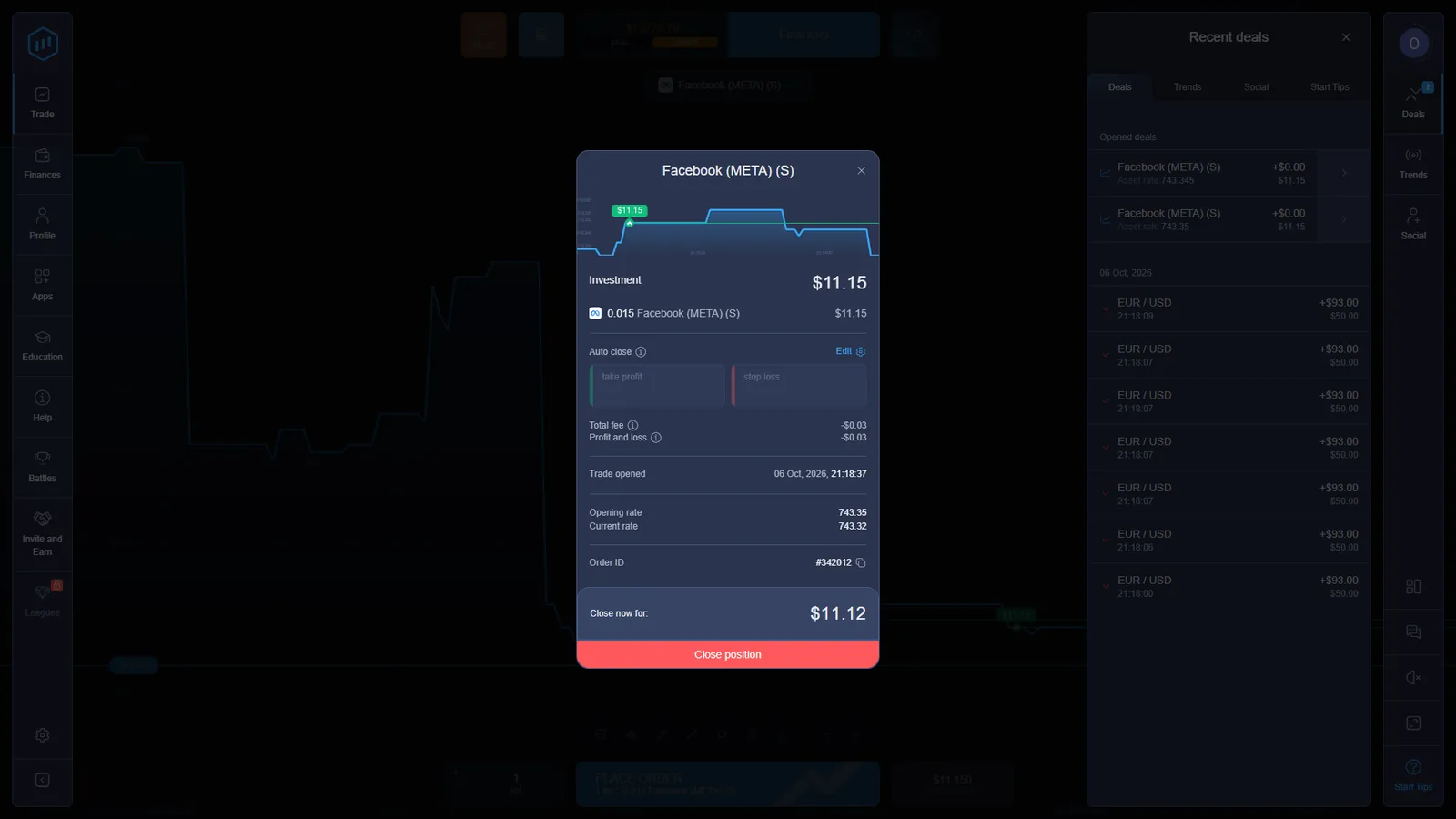
After opening, the position details displayed the trade-opened time, opening rate, current rate, Order ID and a live Close now for amount with a manual Close position button.
ExpertOption Terms define Stock Trading as non-leveraged CFD trading. They also state that commission charges are based on the overall trade value, with admin and maintenance fees potentially applicable. This source-level description matches the fee fields visible in the checked UI.
For the contract-level comparison, see Digital Options vs CFDs.
ExpertOption Account Types: Micro, Basic, Silver, Gold, Platinum and Exclusive
ExpertOption currently publishes six account levels. The official Account Types page lists Micro from $10, Basic from $50, Silver from $500, Gold from $2,500, Platinum from $5,000 and Exclusive by invitation.
The tiers also change account limits. The published maximum number of simultaneously open deals rises from 10 / 20 / 30 / 50 / 100 to no limit across the six levels, while the maximum deal amount rises from $100 to $3,000. Gold, Platinum and Exclusive are marked for priority withdrawal.
These are current published account-tier conditions, separate from the first-hand DEMO balance and cashier values documented elsewhere on this page.
Primary source: current ExpertOption Account Types page.
ExpertOption Deposits, Payment Methods and the Bonus Shown in Our Account
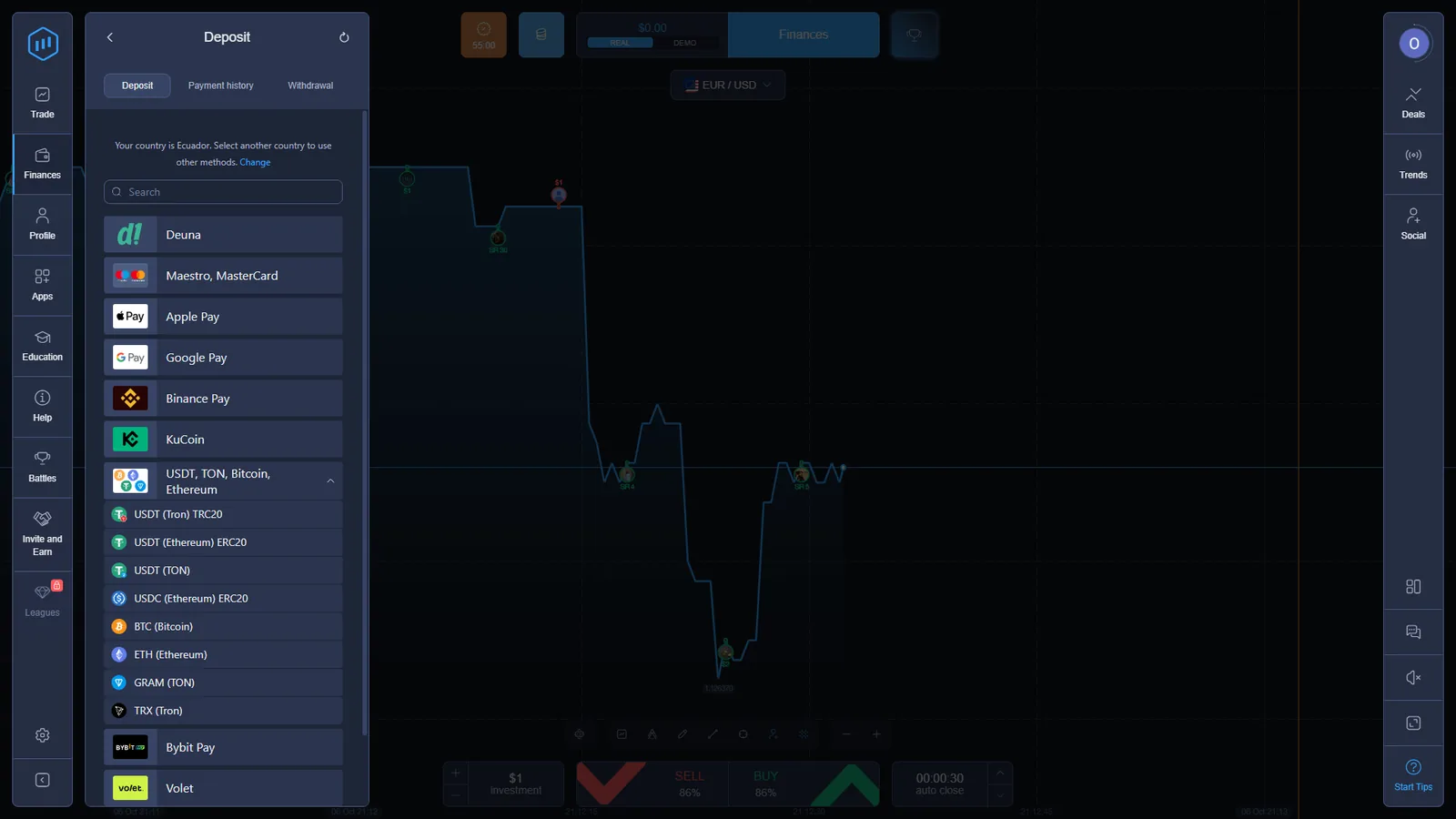
The cashier in our checked account identified the country as Ecuador and displayed a $10 minimum deposit. Visible routes included Deuna, Maestro/Mastercard, Apple Pay, Google Pay, Binance Pay, KuCoin, USDT on several networks, USDC, Bitcoin, Ethereum, TRX, Bybit Pay and Volet.
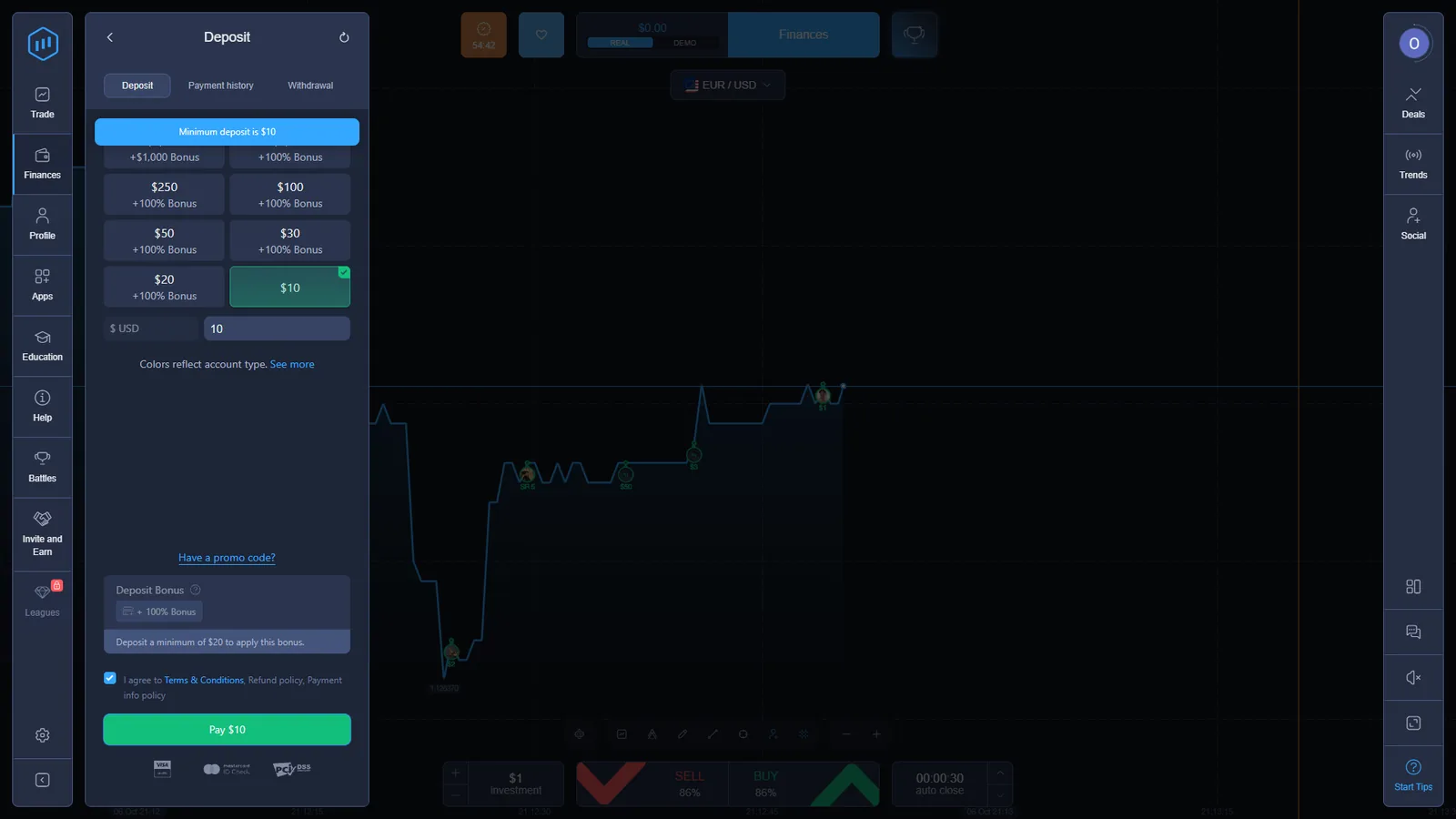
A $10 Google Pay flow opened a confirmation screen for $10 USD, confirming the minimum in the current cashier rather than only on the marketing site.
The same deposit interface also displayed a session-specific +100% Bonus option. The note under that offer stated that a minimum $20 deposit was required to apply the bonus. We report that as the offer displayed in this checked account, not as a permanent universal promotion.
ExpertOption Fees: “0%” on the Homepage vs Charges Reserved in the Terms
The current ExpertOption homepage advertises “0% Commissions” and “0% Fees.” That marketing line does not describe every charge or conditional deduction contained in the formal Terms, and it does not describe the separate Stocks Mode fee model we observed directly.
A $50/month dormant-account fee; the right to deduct up to 20% commission from a withdrawal amount under the anti-fraud/transaction-cost clause; and a $10 account-closure charge in the listed closure circumstances. Stock Trading is separately subject to commission based on trade value, with admin and maintenance fees potentially applicable.
The withdrawal education page says ExpertOption does not charge withdrawal fees and notes that payment providers may charge their own fees. We therefore do not present the Terms’ up-to-20% clause as a normal withdrawal fee. The useful finding is narrower: the marketing/education layer and the contractual layer use different fee language, so the applicable condition has to be read in context.
Our first-hand Stocks Mode evidence independently showed explicit trading fee and maintenance fee fields on the stock order workflow.
Primary sources: current ExpertOption homepage; Terms & Conditions; withdrawal education guide.
ExpertOption Withdrawals and KYC: 2 Days in the Interface, 5 Days in the Policy
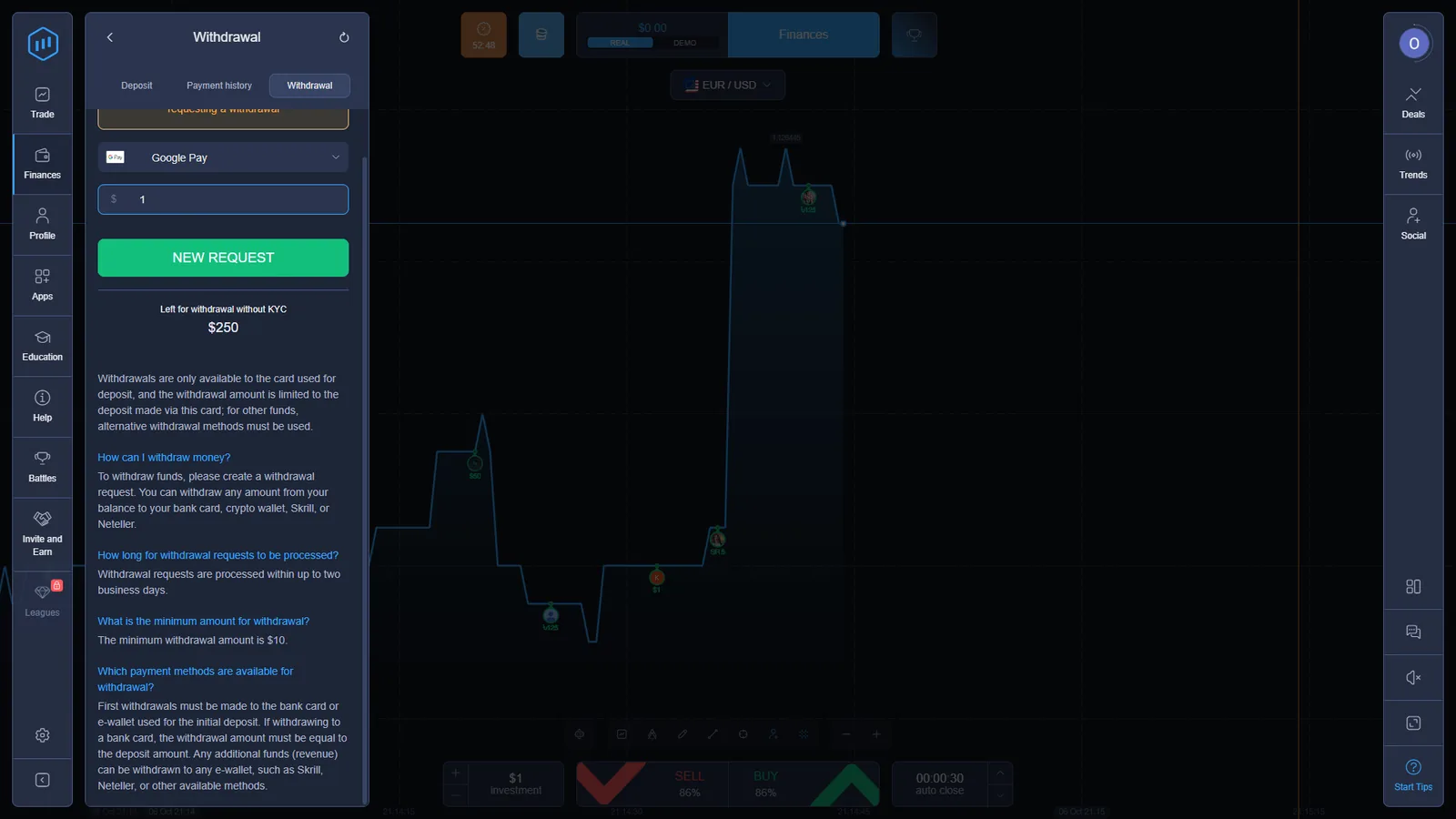
The withdrawal interface states a $10 minimum withdrawal and says requests are processed within up to two business days. The current ExpertOption withdrawal guide publishes the same two-business-day processing statement.
The formal Return & Refund Policy is broader: it says processing may take up to five business days and reserves the company’s right to increase that period. We keep both current statements visible because they come from different official layers.
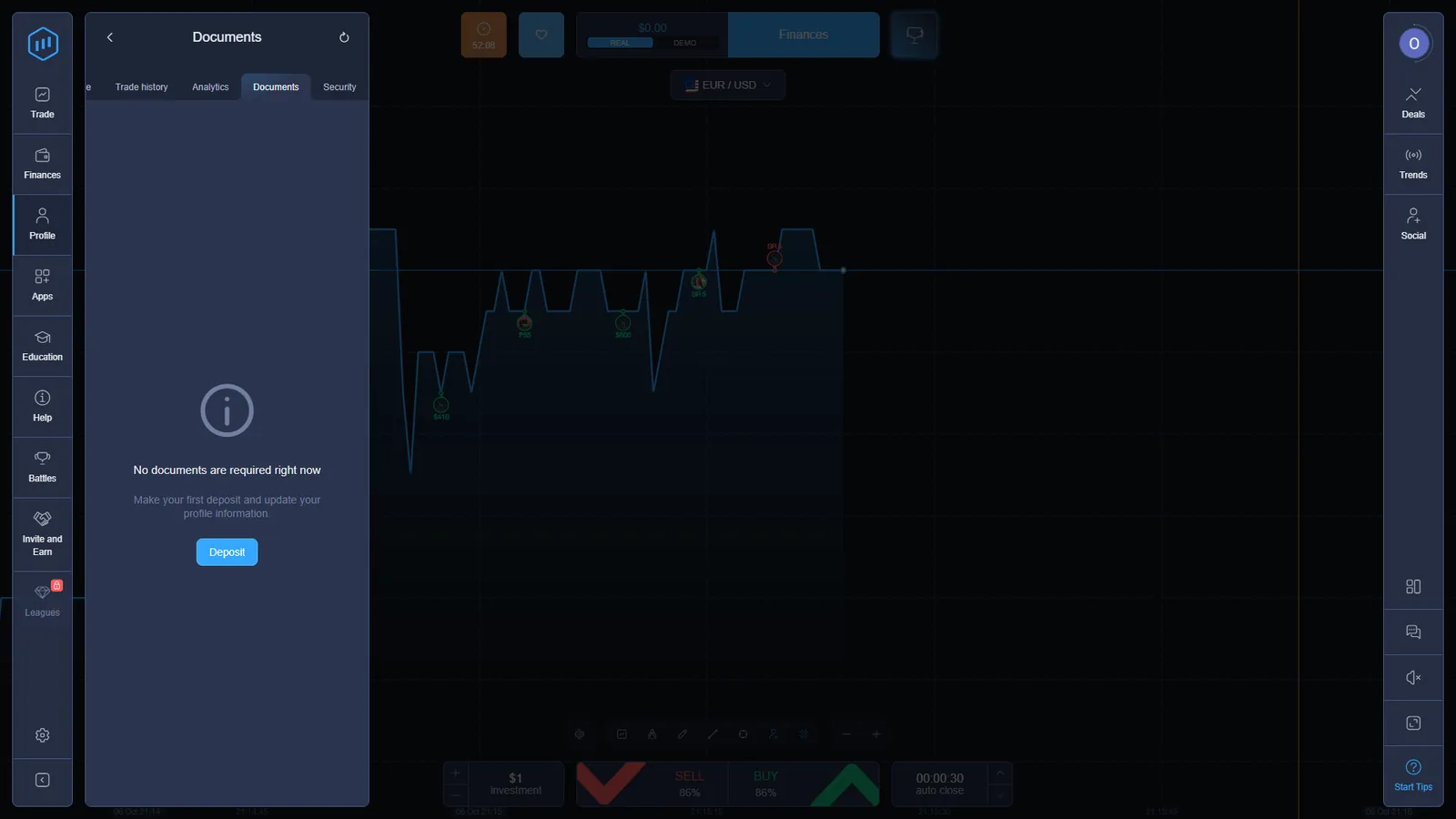
The checked account also displayed “Left for withdrawal without KYC $250” and described return-to-source rules for the initial card deposit. Separately, the Documents screen said no documents were required at that moment and instructed the account holder to make the first deposit and update profile information.
The FAQ explains that verification is tied to the deposit method and occurs after a deposit. For withdrawal troubleshooting, see Withdrawal Problems.
ExpertOption Financial Commission Membership and VerifyMyTrade Audit
The Financial Commission currently lists ExpertOption as an Active member, with a registration date of 7 February 2022 and a Compensation Fund limit of up to €20,000 per complaint under the fund’s rules.
The distinction matters: the Financial Commission describes itself as an independent dispute-resolution and self-regulatory organization specializing in financial markets. Membership and its compensation process should not be presented as a governmental financial-services licence.
€20,000 is not blanket account protection or deposit insurance. The Compensation Fund is tied to eligible Financial Commission judgments when a member does not comply with a decision, and the fund rules contain exclusions. Coverage therefore cannot be assumed for every ExpertOption dispute, trading loss or account balance.
ExpertOption’s own regulation page also says the platform passed VerifyMyTrade execution-quality standards based on an audit of 5,000 order executions. We treat that as a source-verified execution-audit statement rather than as proof of every future order or price outcome.
Financial Commission membership provides an external complaint route. Any Compensation Fund payment depends on the applicable complaint, judgment and fund rules rather than acting as general insurance for ExpertOption accounts.
Primary sources: Financial Commission ExpertOption member record; ExpertOption Regulation page.
ExpertOption Social Trading, Education and Account Features
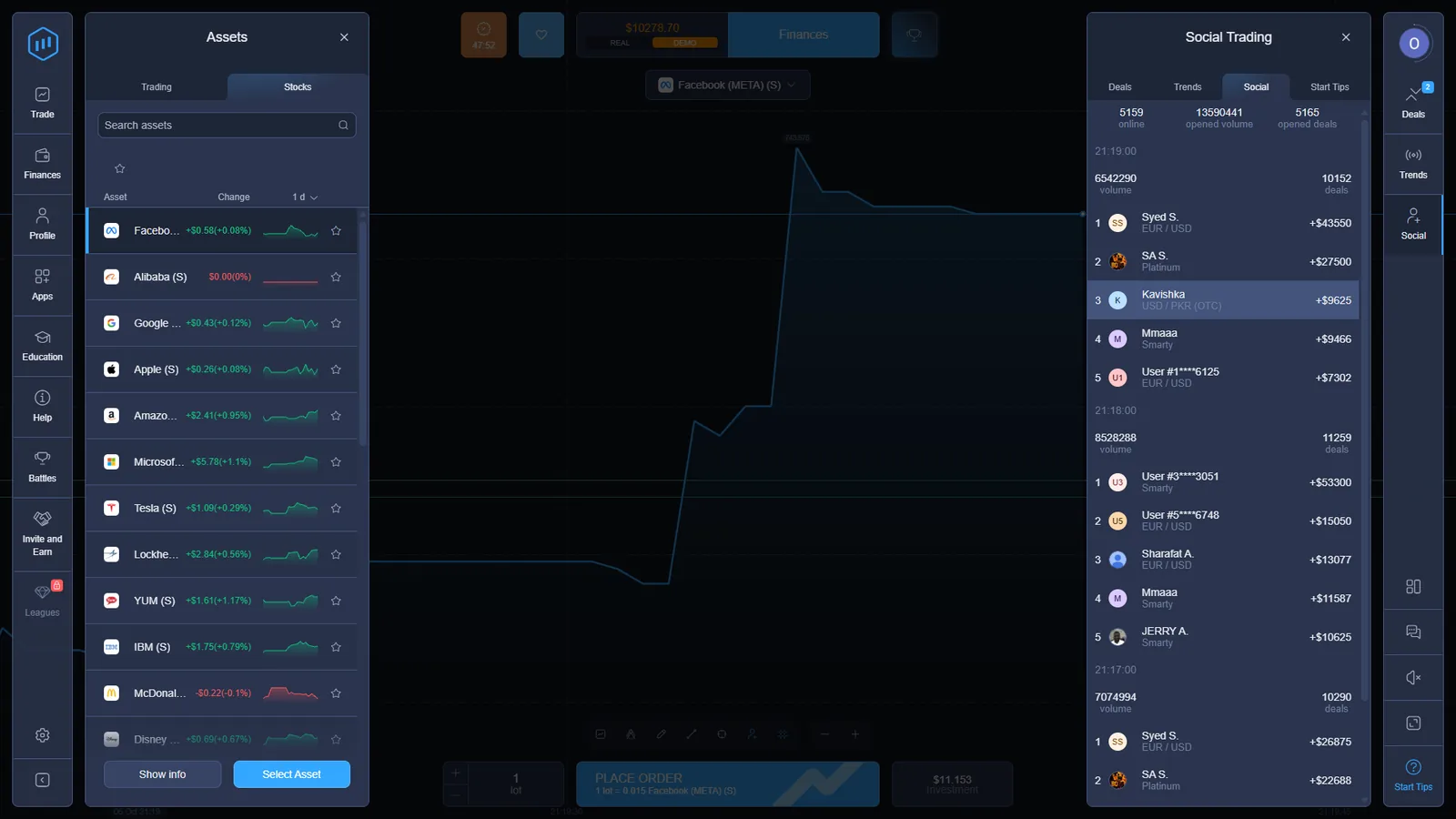
ExpertOption’s account has several visible layers outside the trade ticket. The right-side Social panel showed live-looking trader activity, open volume and recent deals during our check, while the left navigation exposed Battles and a dedicated Education area.
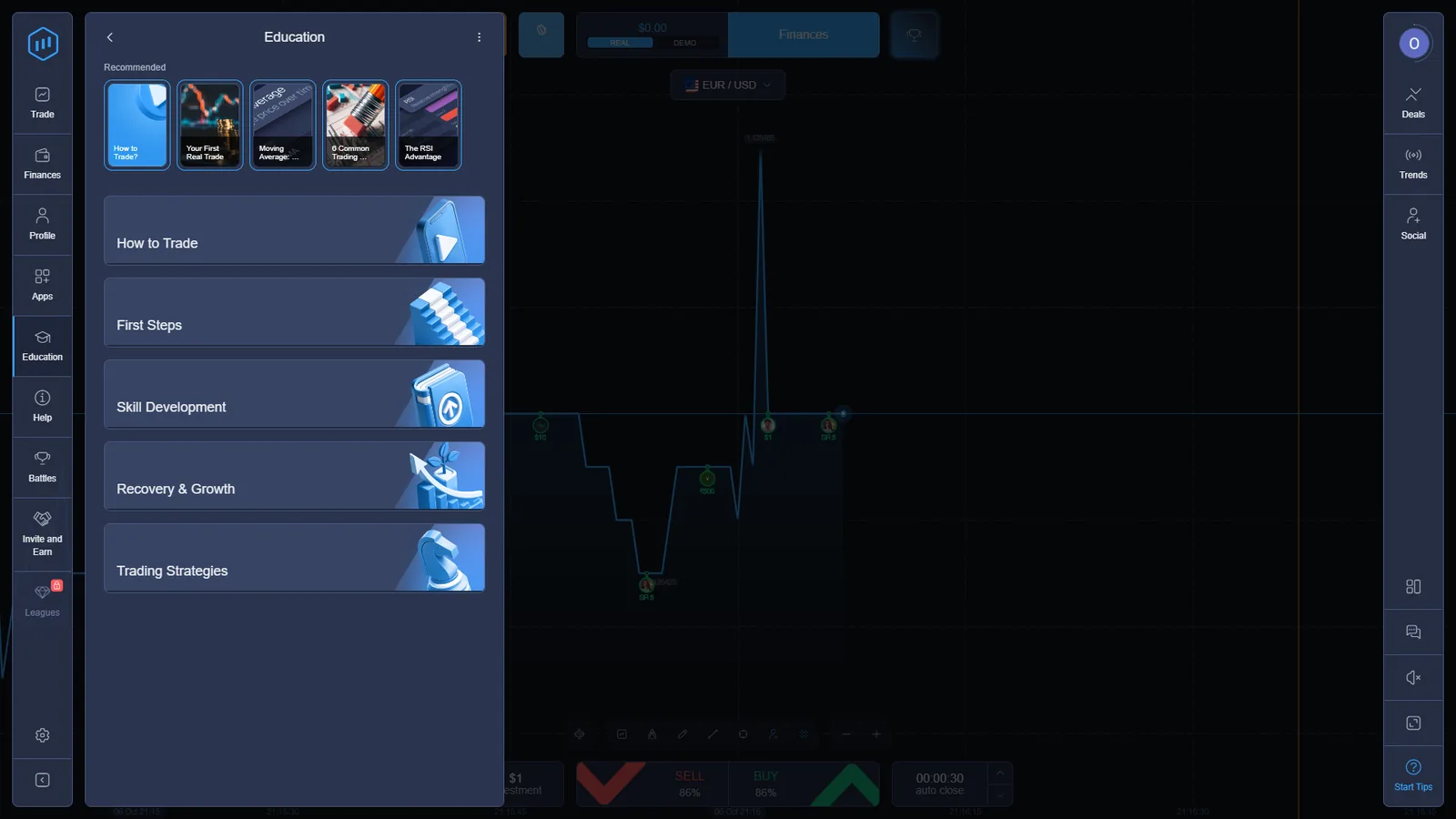
The Education panel was notably more prominent than on the closely matching EO Broker account we checked. It contained sections such as How to Trade, First Steps, Skill Development, Recovery & Growth and Trading Strategies.
ExpertOption’s current Features page also lists 4 chart types, 25 technical indicators and trend-line tools. We treat those as current published platform capabilities; the first-hand evidence on this page focuses on the trade, Stocks, cashier and account workflows we directly captured.
The current ExpertOption About page lists 24/7 customer support through online chat and help@eo.support.
These features are part of the current account architecture, but they do not change the contract mechanics documented above: fixed-time Trading Mode and a separate Stocks Mode remain distinct workflows.
ExpertOption Android, iOS, APK, Windows and macOS Access
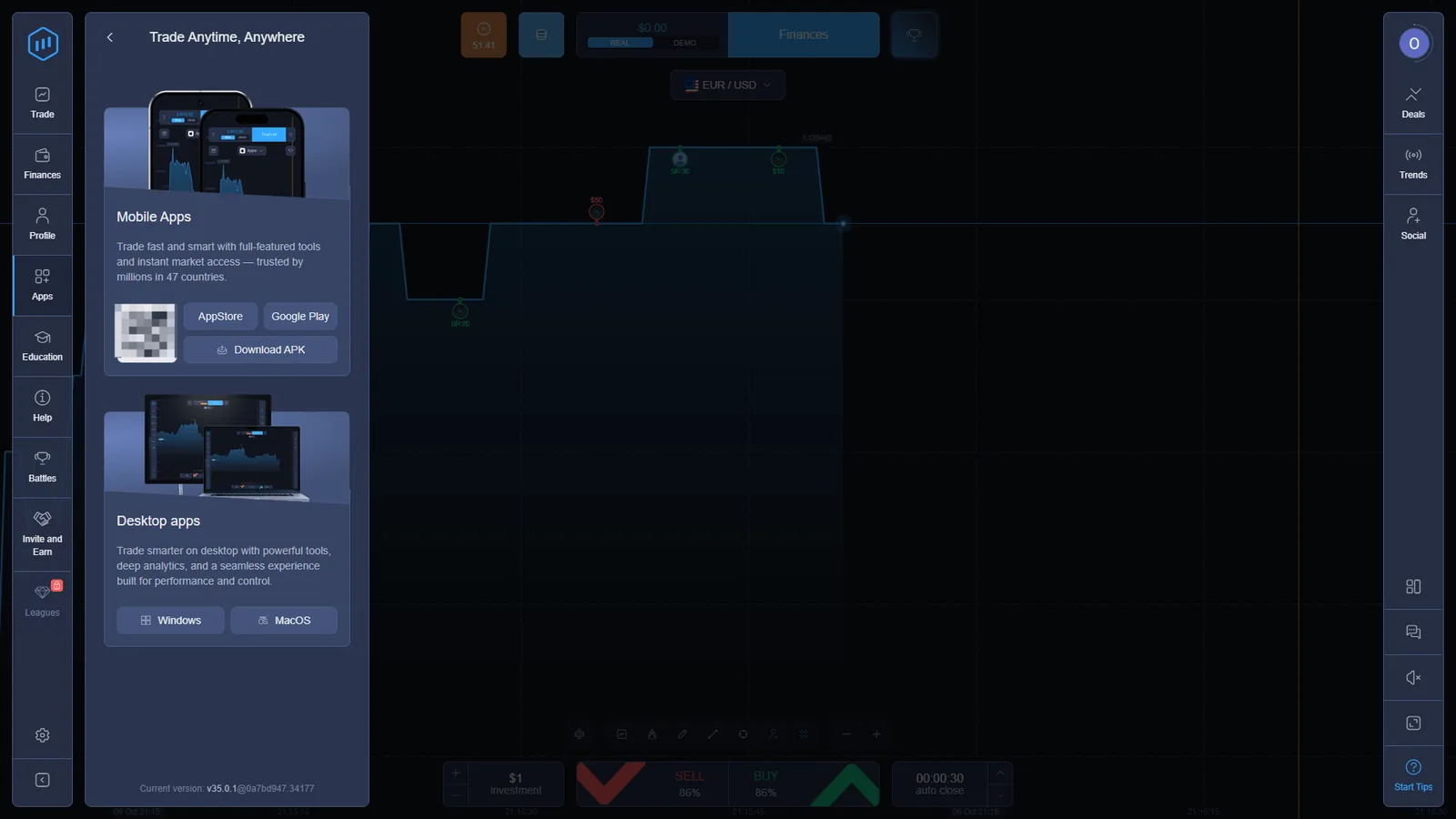
The checked Apps panel exposed mobile routes for App Store, Google Play and Download APK, plus desktop options for Windows and macOS. The public ExpertOption features page describes the same multi-device model and also provides browser access.
Because the affiliate route supplied for this project is a general ExpertOption route, every commercial button on this page uses that same approved tracking URL rather than inventing separate device or registration parameters.
Who Operates ExpertOption? EOLabs LLC and Highmax Ltd
Current ExpertOption Terms state that the site is operated by EOLabs LLC, Company No. 377 LLC 2020, with transactions processed under the laws of Saint Vincent and the Grenadines. Current payment and privacy documentation identifies Highmax Ltd in Gibraltar as payment agent for EOLabs LLC.
This operator/payment-agent layer is the same one currently disclosed by EO Broker. That is stronger evidence than UI similarity alone, but legal identity should still be kept separate from assumptions about technical infrastructure, pricing or execution.
The public site also publishes a long restricted-country list. Availability should therefore be checked against the current ExpertOption registration flow and legal documents rather than inferred from whether the website loads in a browser.
Before funding any trading account, see our platform verification checklist.
ExpertOption and EO Broker: What Matched in Our Checks
Across the areas we tested, ExpertOption and EO Broker used a near-identical account architecture: the same left/right navigation pattern, Trading and Stocks modes, asset selectors, Finances, Deals, Social, Battles, app panel and very similar order workflows. Branding and colours differ.
Current official documents for both brands identify EOLabs LLC, Company No. 377 LLC 2020, and identify Highmax Ltd as payment agent. Both brands also use “Digital Options” in their cardholder-storage agreements.
The overlap is substantial, but it still does not establish a shared backend, identical pricing feed, ownership relationship or a particular white-label technology arrangement.
See the separate EO Broker platform check for the longer similarity finding and its own first-hand evidence.
ExpertOption FAQ
What is the official ExpertOption website?
The public ExpertOption website we checked is expertoption.com. Commercial buttons on this page use the approved ExpertOption tracking route supplied for DigitalOptions.co.
Does ExpertOption have a demo account?
Yes. We opened DEMO mode directly and the checked account displayed $10,000 in virtual funds. We used that environment to document Trading Mode, timing controls, assets, completed deal history and Stocks Mode.
Does ExpertOption offer Digital Options?
Yes. ExpertOption cardholder documentation describes the service as “Digital Options.” The checked Trading Mode uses a fixed-time SELL/BUY ticket with an investment amount, displayed payout and auto-close timing.
What ExpertOption account types are available?
The current Account Types page lists Micro from $10, Basic from $50, Silver from $500, Gold from $2,500, Platinum from $5,000 and Exclusive by invitation. The tiers also differ in maximum simultaneous deals, maximum deal amount and priority-withdrawal access.
What is the ExpertOption minimum deposit?
The checked cashier displayed a $10 minimum deposit, and the current ExpertOption FAQ also states a $10 minimum deposit. Payment methods vary by account and region.
What is the ExpertOption minimum withdrawal?
The current ExpertOption FAQ states a $10 minimum withdrawal. The checked withdrawal screen said requests are processed within up to two business days, while the formal Return & Refund Policy allows processing to take up to five business days and says that period may be increased.
What does ExpertOption’s Financial Commission membership mean?
The Financial Commission lists ExpertOption as an Active member registered on 7 February 2022. Its Compensation Fund can provide up to €20,000 per complaint when an eligible member fails to comply with a Financial Commission judgment. This is not blanket account protection or deposit insurance, and the fund rules contain exclusions, so coverage cannot be assumed for every dispute.
How is ExpertOption related to EO Broker?
Our first-hand checks found their user-facing interface architecture to be near-identical across the areas tested, and official documents identify the same operator, EOLabs LLC, and payment agent, Highmax Ltd. Those facts do not by themselves establish a shared backend, pricing feed or white-label relationship.
Digital Options · Stocks Mode · cashier · withdrawals
Open ExpertOption and Check the Current Account Conditions
Use the current ticket, Stocks order window and cashier as the controlling source for dynamic payout percentages, timing, fees, payment methods and account requirements.