Direct platform check · October 2026
Quotex Digital Options: Demo, Payouts, Expiry & Withdrawals
Quotex provides a browser-based Digital Options platform with a demo account, asset and expiry controls, displayed payout percentages, deposits, withdrawals and identity verification. We checked the trading terminal, account area, cashier, withdrawal panel and KYC flow directly.
Quotex Official Platform, Sign Up and Login
The current official platform access domain is qxbroker.com. Its registration page asks for country or region of residence, account currency, email and password, and includes age and Service Agreement confirmations.
After account access, Quotex separates demo and live balances and provides navigation for trading, payments, withdrawals, account settings, market information and other platform features. Profile information, document verification and security controls are handled inside the account area.
Primary source: current QxBroker registration page.
Quotex Demo Account and $10,000 Virtual Balance
During our check, the account selector displayed DEMO ACCOUNT — $10,000.00. The demo uses the same general terminal structure: asset selection, chart, trade amount, timing controls and Up/Down direction.
This is useful for learning the order workflow before using real funds. The official Special Conditions page also describes unlimited demo practice with $10,000 on the balance.
Tested in demo · October 2026
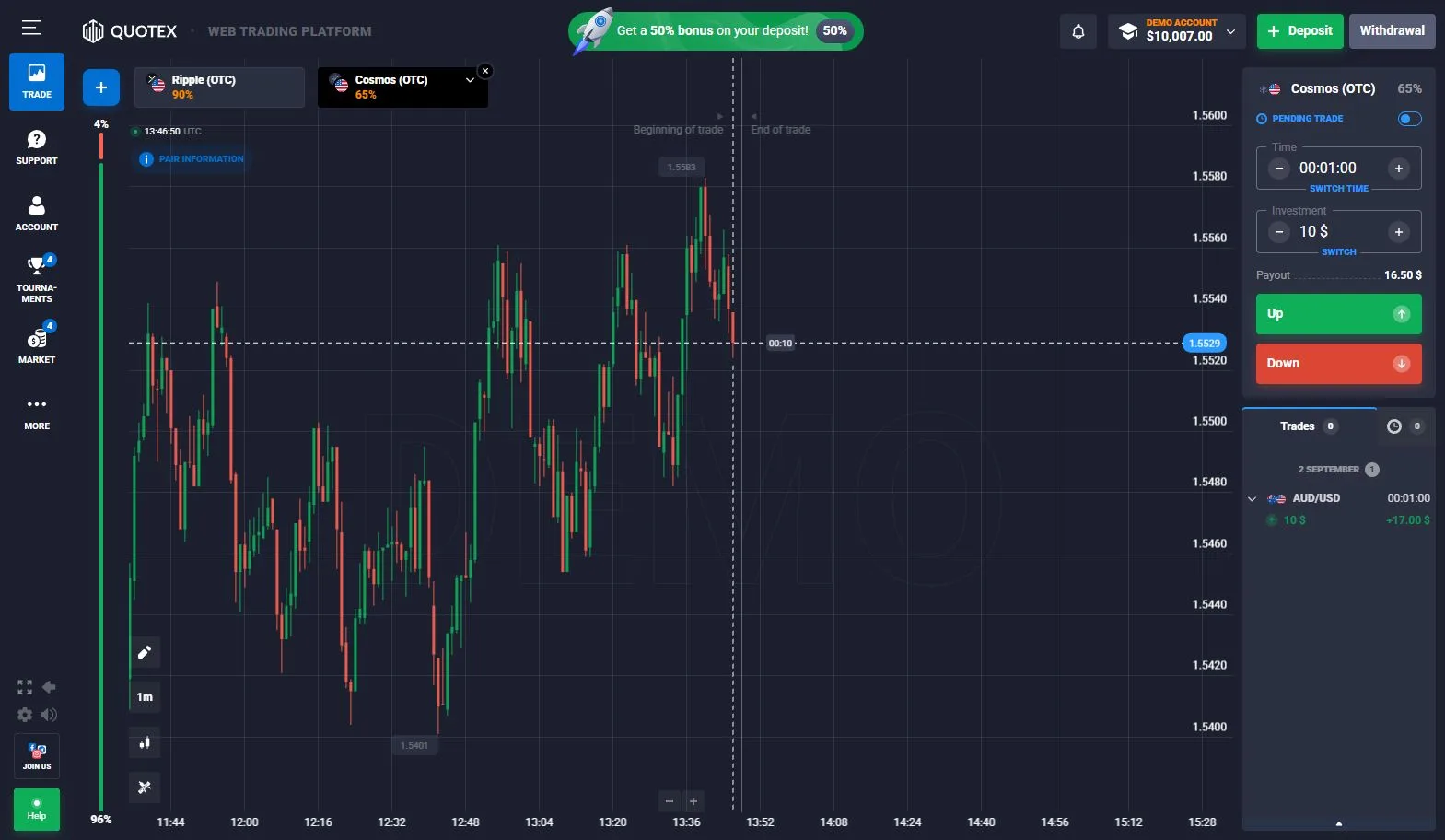
How Quotex Digital Options Work
Quotex describes its core product as Digital Options. In the terminal we checked, the workflow is straightforward: choose an asset, set the investment amount, choose the trade time or expiry, select Up or Down, open the position and wait for settlement.
The official Service Agreement uses the contractual term Digital Trading and defines it as a contract (binary option) based on the price movement of an underlying asset over a certain period. That legal wording is broader than the product label shown to users, so we keep both terms in their original context.
Quotex’s current Special Conditions page states a minimum trade amount of $1 and says the available order amount ranges from $1 to $1,000. This figure comes from the official source rather than our account screenshot.
Primary sources: Special Conditions · Service Agreement.
Quotex Assets, Payouts and OTC Markets
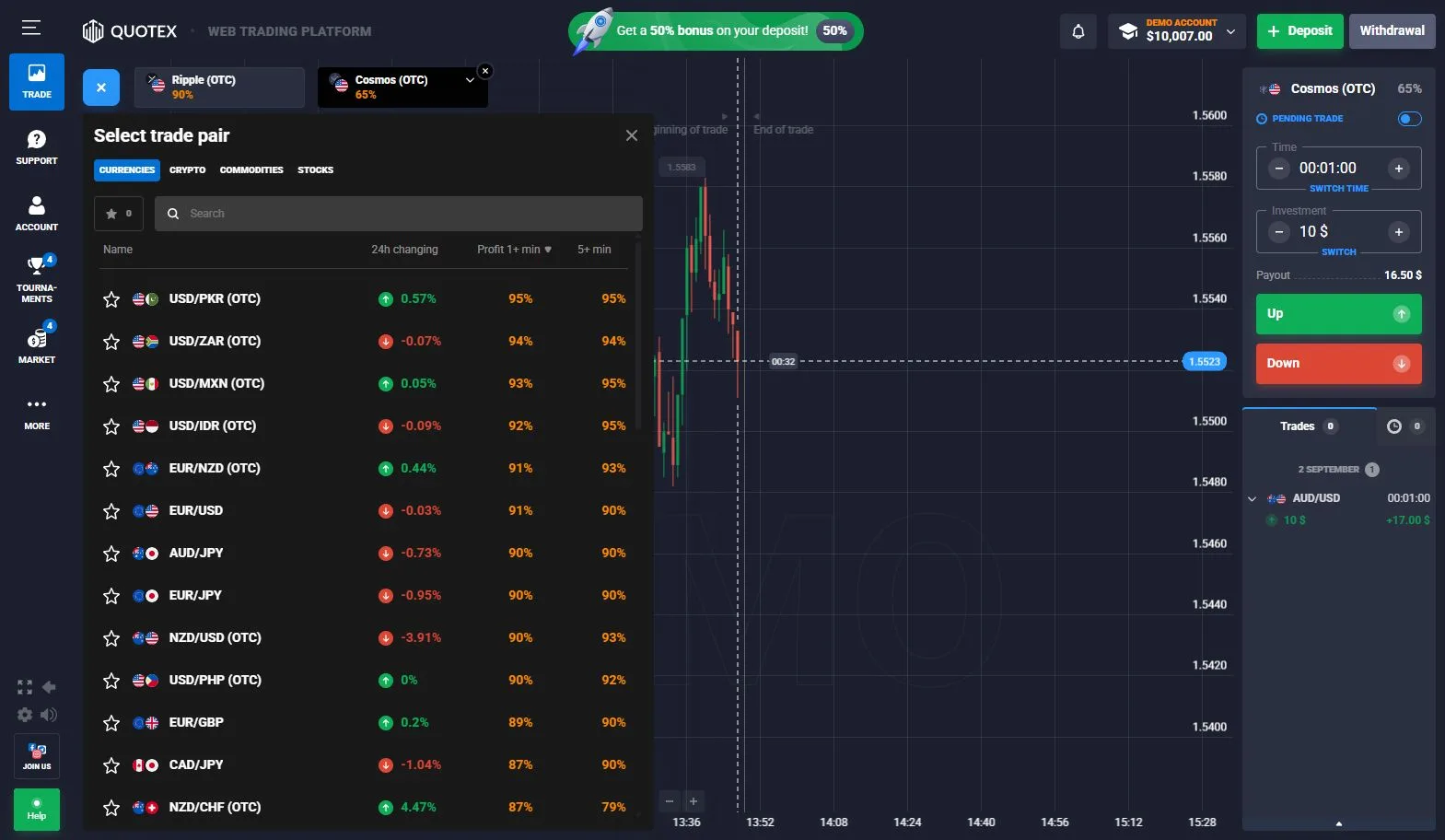
The asset selector we checked displayed multiple instruments together with different percentage values. Some instruments were explicitly labelled OTC.
These percentages are dynamic platform values, not permanent specifications. Quotex’s FAQ says the potential return is displayed after the asset, amount and trade time are selected and can reach up to 98%, but our evidence is more useful for the practical point: different instruments can show different percentages in the same session.
Before opening a new position, the relevant value is the percentage displayed in the current ticket.
Quotex Expiry Controls and Trade Timing
Expiry is part of the contract setup. The terminal includes a dedicated timing control that determines when the position is settled.
Available timing choices can vary with the product, selected asset and current platform configuration. We therefore document the selector we observed rather than treating one screenshot as a permanent list of all Quotex expiry times.
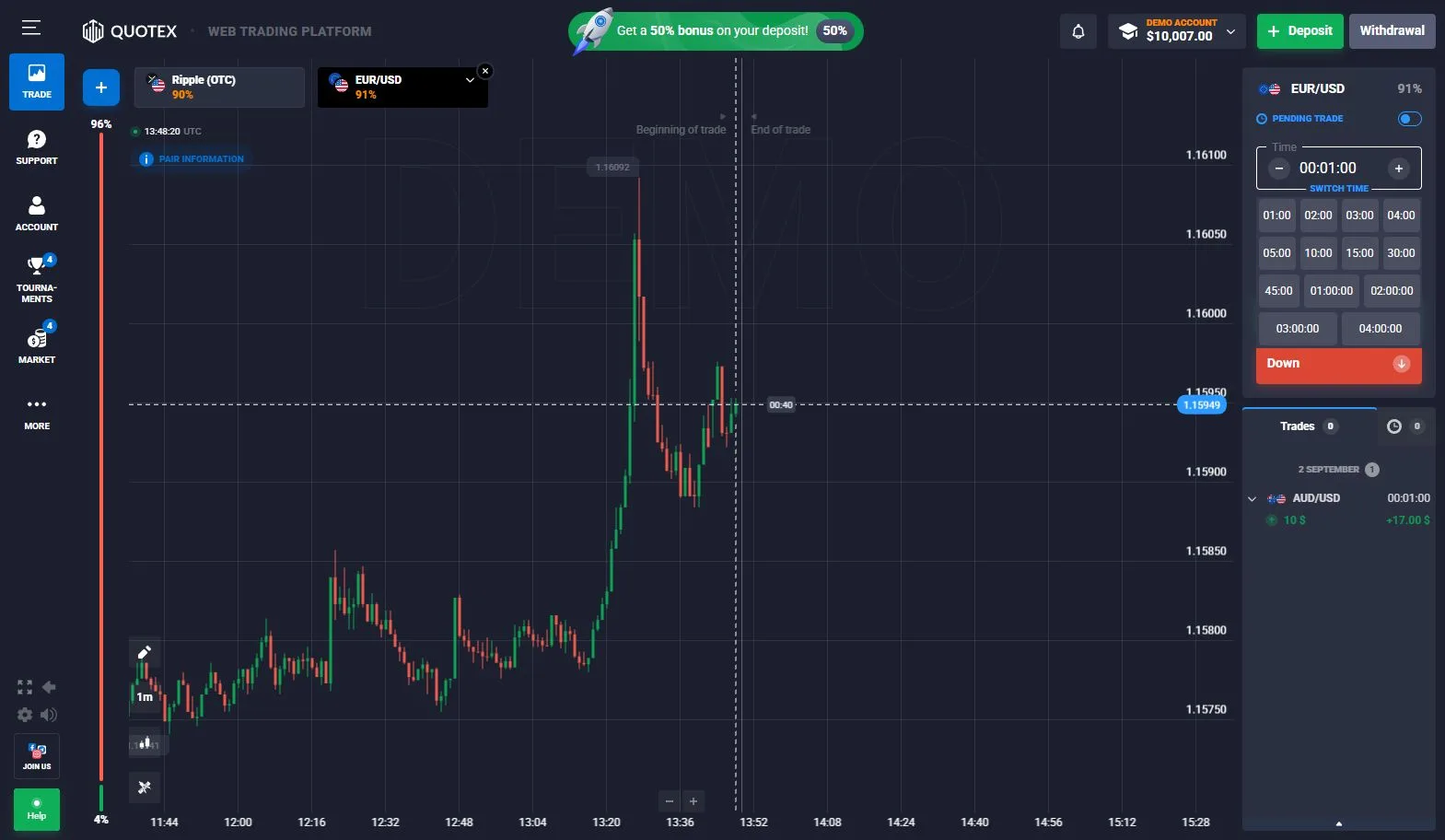
Our Quotex Demo Trade Check
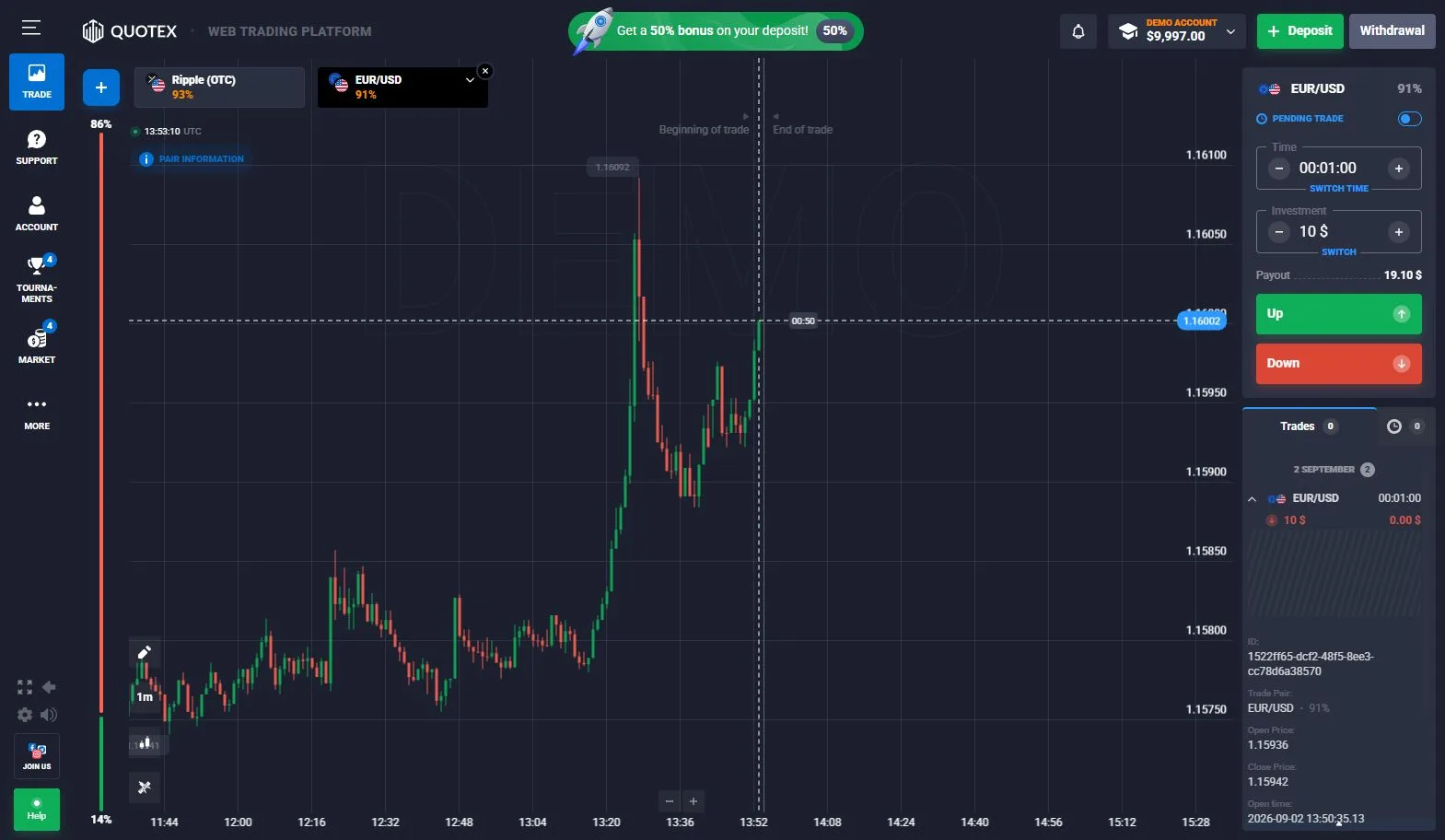
We completed a demo position and followed it through settlement into the platform history. The useful evidence here is the full workflow: order setup, open position, settlement and the completed history record.
Demo results document platform behavior. They are not a forecast of real-money results.
Completed demo test
Deposits and Payment Interface
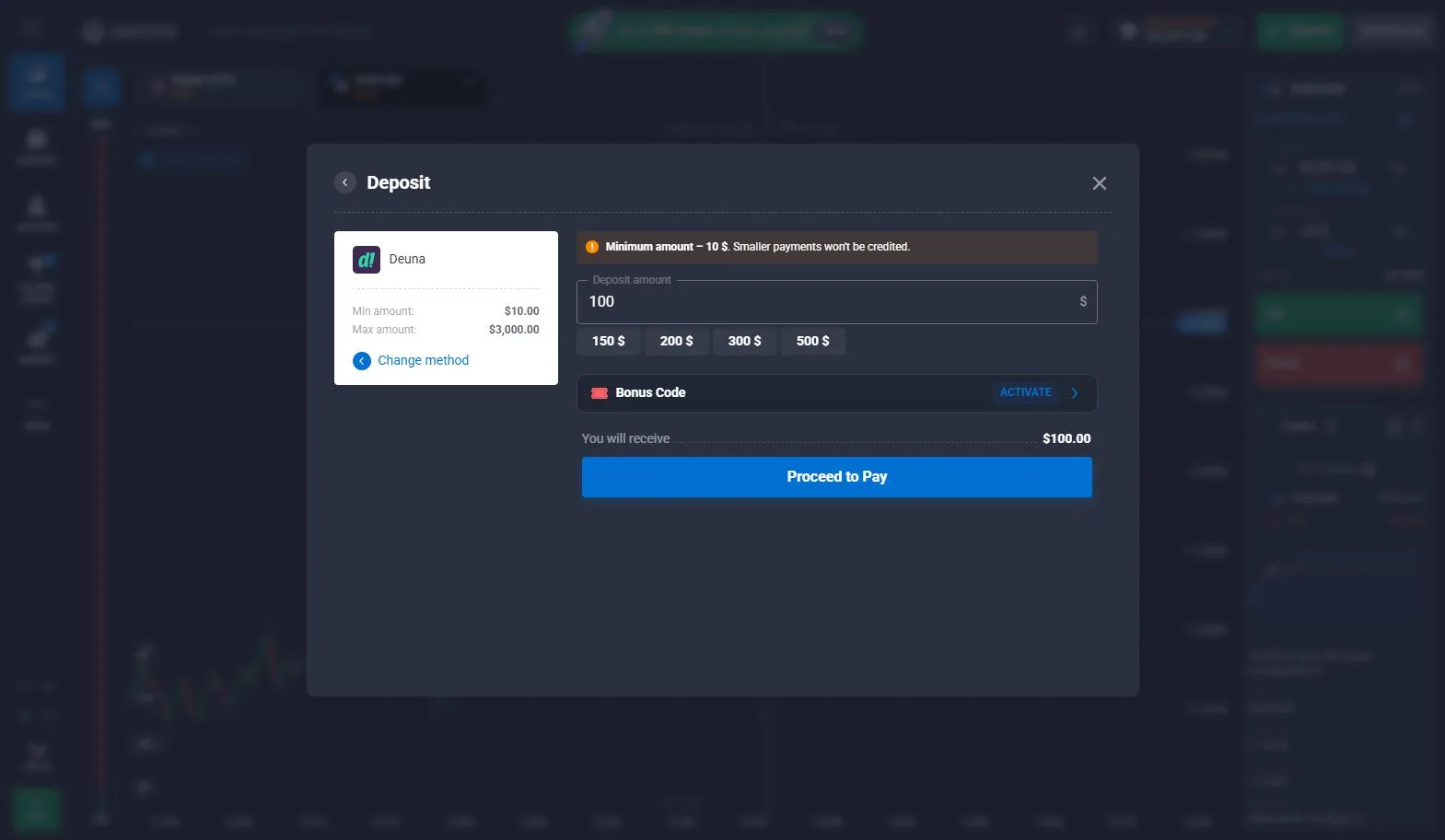
The account contains a dedicated cashier for funding. During our check, the payment area displayed the methods and conditions available to that account.
The current Quotex FAQ states a $10 minimum deposit. Payment methods and method-specific limits can vary by account, country, currency and provider, so we report the cashier as account-specific evidence.
This is an observed cashier check; the screenshot documents the available funding interface and displayed conditions.
Quotex Withdrawals, Minimum Amounts and Fees
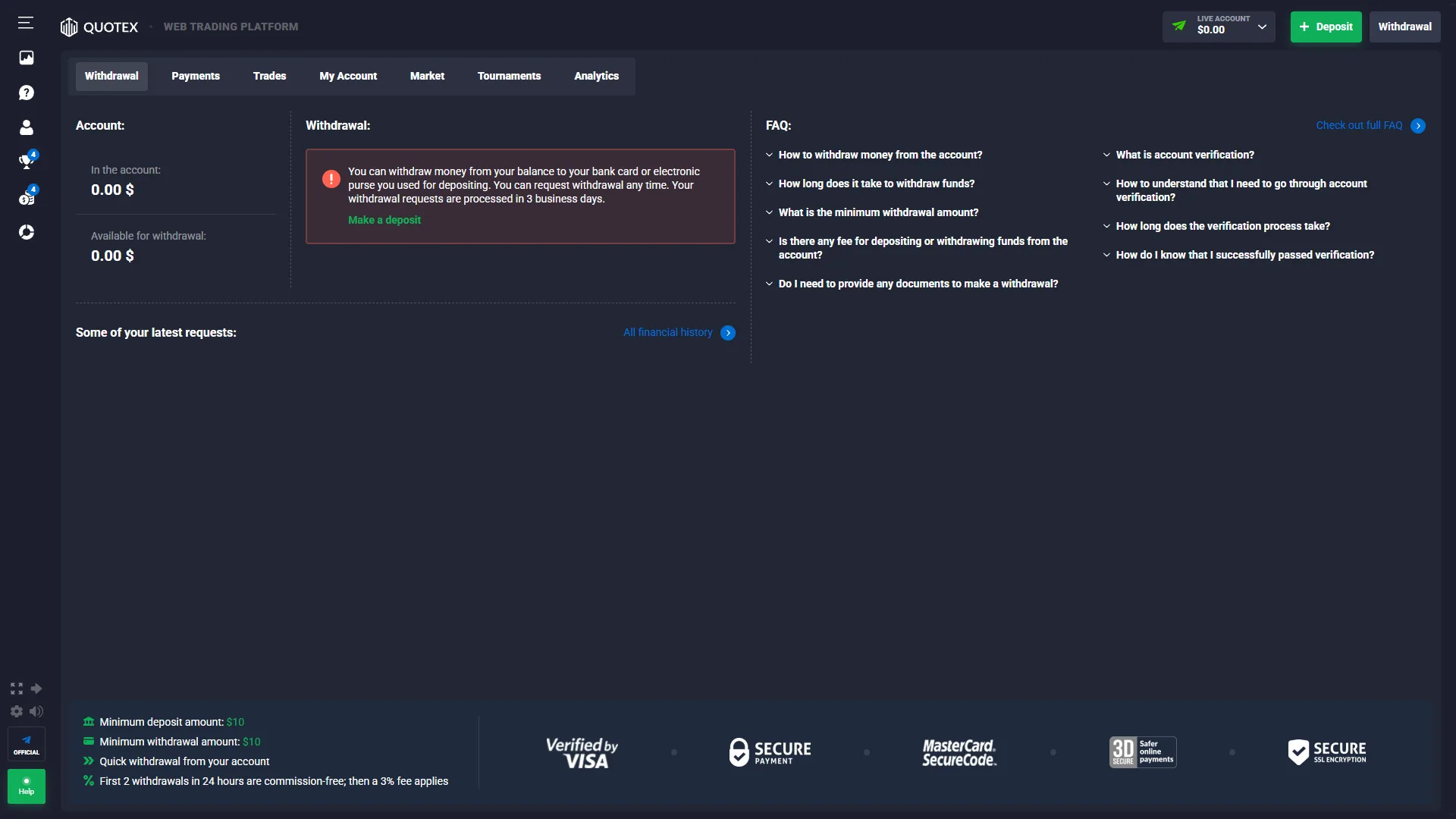
Our logged-in withdrawal page displayed $10 minimum deposit, $10 minimum withdrawal, and a rule that the first two withdrawals within 24 hours are commission-free, after which a 3% fee applies.
The same screen stated that funds can be withdrawn to the bank card or electronic purse used for depositing and showed a processing statement of 3 business days.
The official FAQ gives broader source-level context: average processing of 1–5 days, minimum withdrawal starting at $10 for most payment systems, and cryptocurrency minimums starting at $50 and potentially higher for some currencies.
Withdrawal interface observed
Primary source: current Quotex FAQ.
Quotex Verification and KYC
Quotex includes identity verification inside the account. Our checked profile displayed Not verified and a dedicated document-verification area. We then opened the verification flow powered by Sumsub.
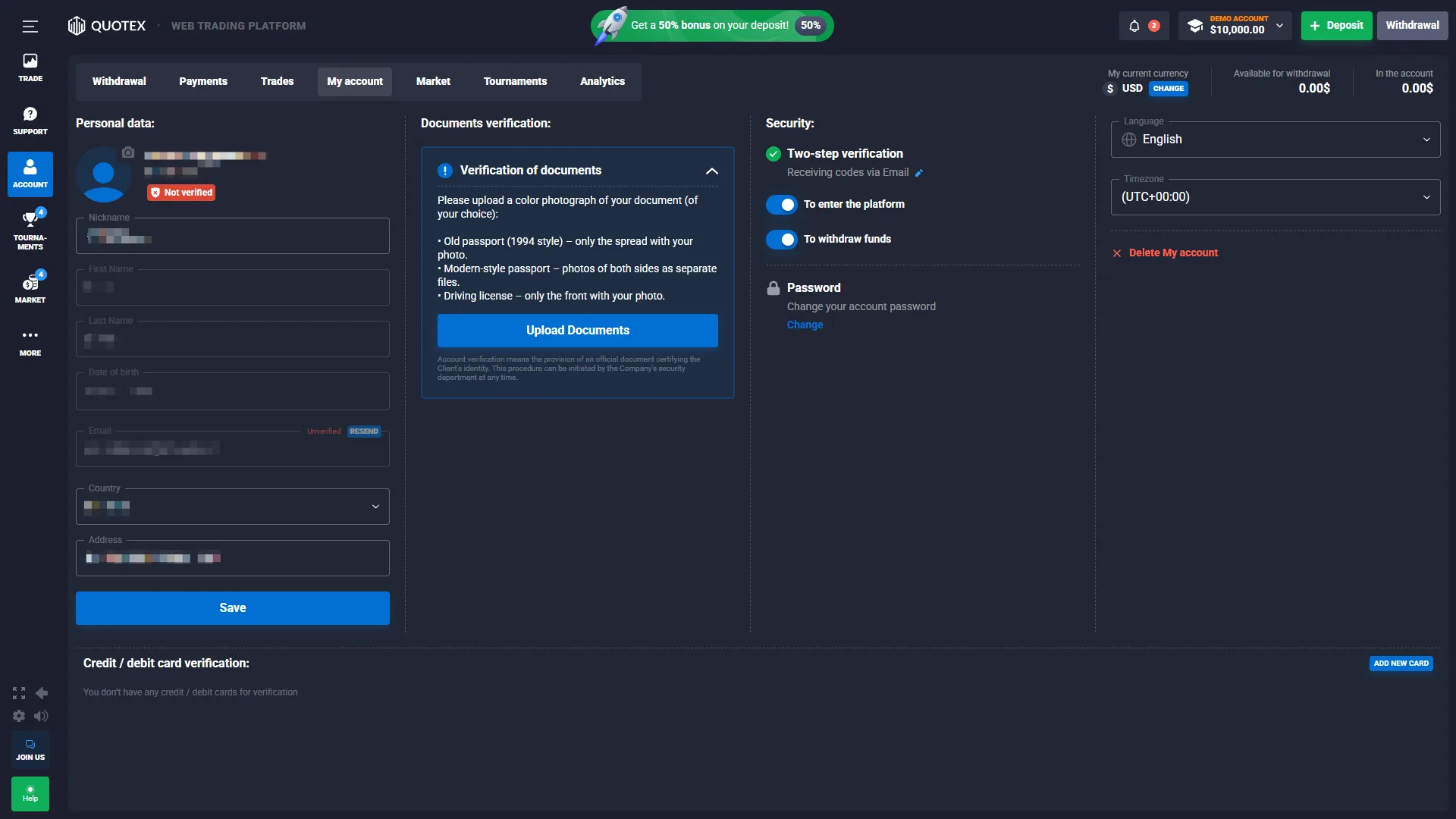
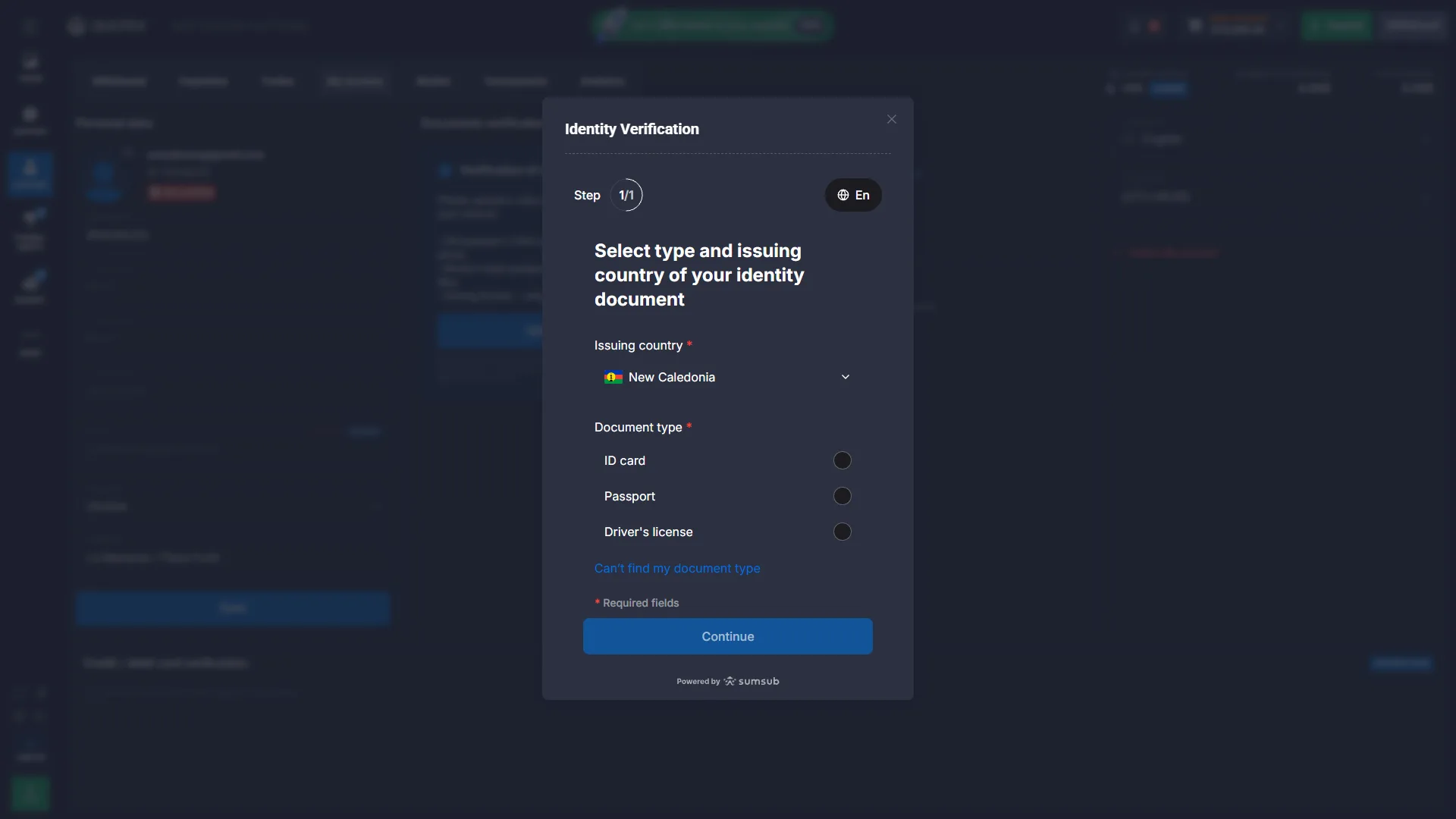
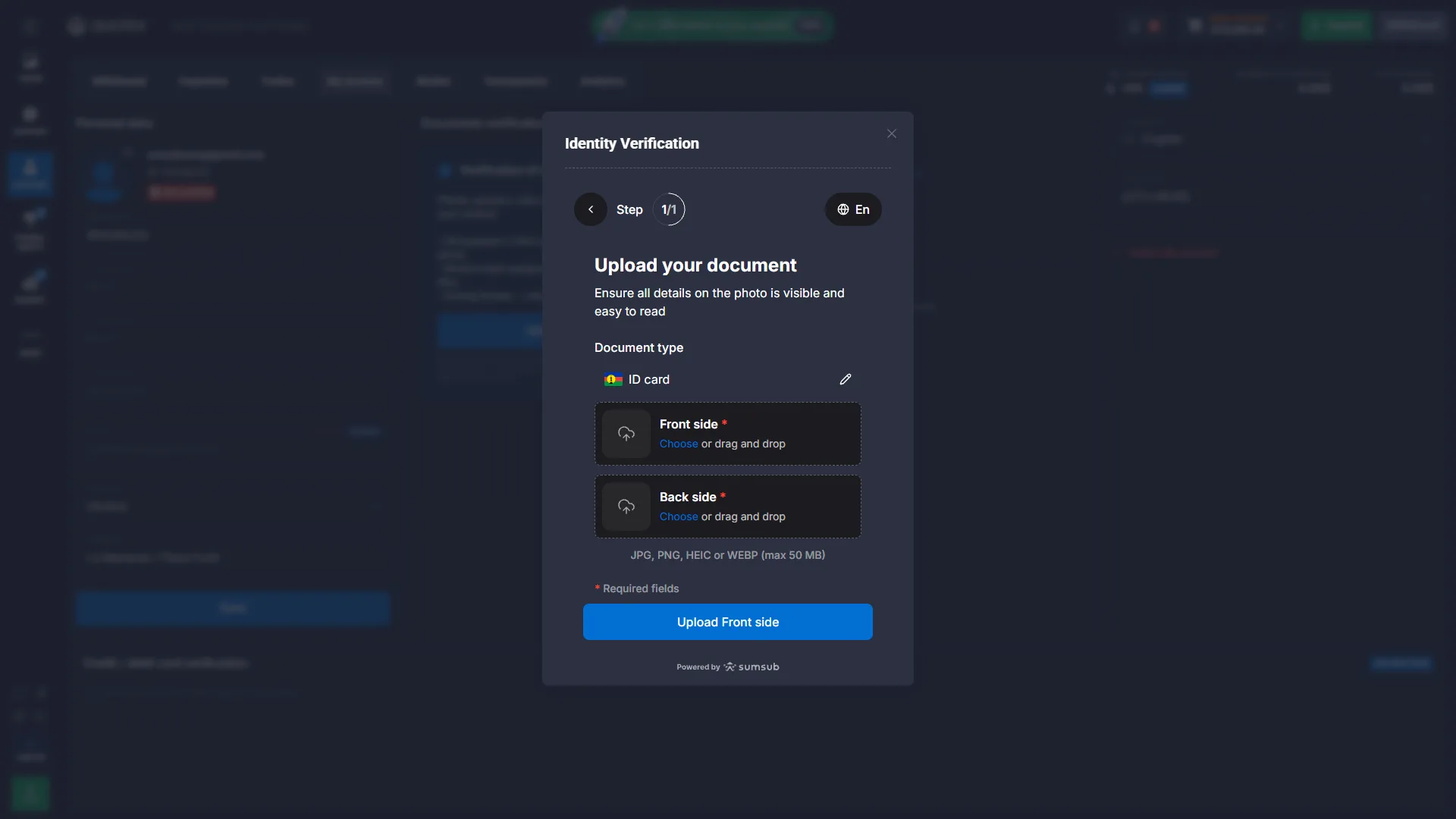
The observed flow was: complete the required account identity information, confirm residence or issuing-country information, select a document type, then upload the requested images.
The current Quotex FAQ says verification may be requested by the company and can include identity documents, a selfie and proof of residence. It gives a verification processing period of up to five business days after requested documents are received.
Account Security and Trading Tools
Our account showed two-step verification using codes received by email, with separate security controls associated with platform access and withdrawals.
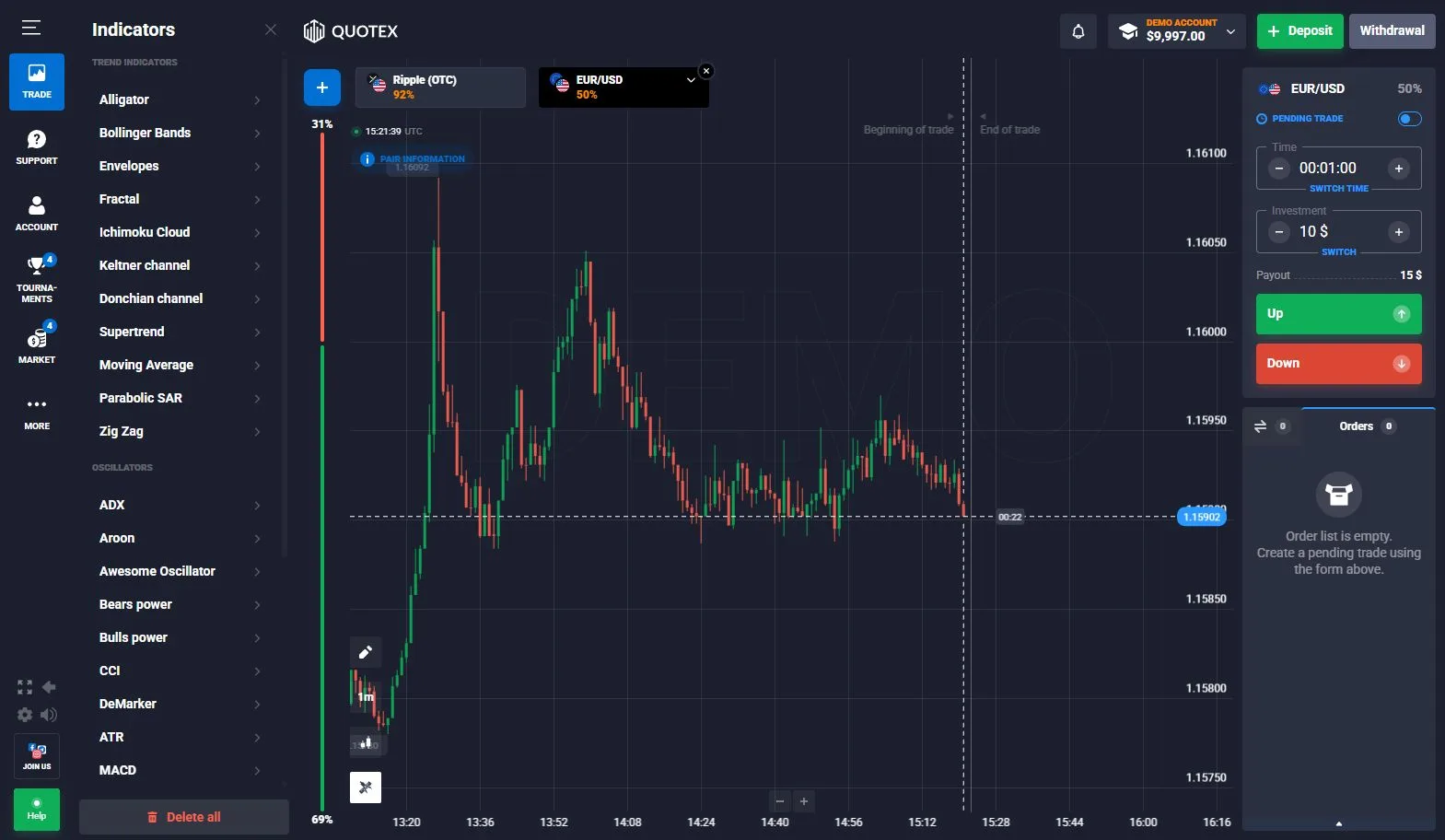
The trading terminal also includes built-in chart tools and indicators. These are platform features rather than evidence of a particular trading outcome.
Quotex App, Mobile Browser and PWA Access
Quotex can be used in a browser and currently provides several installation routes. Its official device page offers Google Play, a PWA option and an Android APK. For iPhone and iPad, Quotex’s own current guidance directs users to mobile browser/PWA installation rather than an official native App Store listing.
This page’s first-hand testing concentrates on the browser platform, where we performed the demo, account, cashier, withdrawal and verification checks.
Primary sources: official device/PWA page · official iOS guidance.
Operator Information, Eligibility and Restrictions
The current QxBroker registration page identifies ON SPOT GROUP LLC, Main Street, P.O. Box 625, Charlestown, St. Kitts and Nevis. The current Service Agreement PDF instead identifies the contracting company as ON SPOT LLC GROUP at the same address.
We keep that naming difference visible because both forms currently appear in Quotex primary sources.
The registration page says services are unavailable in the USA, Canada, Hong Kong, EEA countries, Israel and Russia, and to persons under 18. The Service Agreement contains a longer restricted-residency list, so eligibility should be checked against the current registration flow and legal documents before opening or funding an account.
Being able to load a website in a browser is not the same as being eligible to use the product.
Trading Risk and Product Limits
Digital Options involve the possibility of losing the amount committed to an unsuccessful trade. Quotex’s FAQ describes three possible outcomes: a successful directional result, a loss limited to the amount committed to the option, or return of the amount where the relevant price finishes unchanged.
The percentage shown before entry is a platform condition, not a prediction that the trade will succeed. A completed demo trade documents the platform workflow rather than likely real-money performance.
See Responsible Trading for the site’s broader risk and eligibility framework.
How We Checked Quotex
Our October 2026 check covered the demo terminal, asset selector, displayed payout percentages, expiry controls, completed demo trade history, indicators, account profile, cashier, withdrawal interface, document verification and two-step security settings.
Dynamic values are reported with their check context rather than treated as permanent platform specifications. See How We Verify for the evidence vocabulary used across DigitalOptions.co.
Quotex FAQ
What is Quotex Digital Options?
Quotex describes Digital Options as time-limited contracts based on the price movement of an underlying asset. The user selects an asset, trade conditions and expected direction before opening the position.
Does Quotex have a demo account?
Yes. We accessed and tested the Quotex demo trading environment directly.
How much virtual money is available in Quotex demo?
The demo account we checked displayed $10,000 in virtual funds.
What is the minimum Quotex deposit?
The current platform and official Quotex FAQ state a $10 minimum deposit.
What is the minimum Quotex withdrawal?
Our account displayed a $10 minimum withdrawal. The official FAQ says withdrawals start at $10 for most payment systems and at $50 for cryptocurrency, with some cryptocurrency minimums potentially higher.
Does Quotex require identity verification?
Quotex has an identity-verification system, and we opened the document-verification flow in our account. The official FAQ says verification may be requested when required rather than describing it as an identical mandatory step for every account at one fixed point.
How do expiry times work on Quotex?
Expiry defines when the Digital Options position is completed and settled. The available duration is selected before opening the trade and can vary with the current product configuration.
Can Quotex payout percentages change?
Yes. Our asset-selector evidence showed different displayed percentages, and the official FAQ says returns depend on factors including the selected asset and trading time.
Current platform check
Check the current Quotex conditions before opening a position.
Our screenshots document the platform we checked in October 2026. Dynamic payouts, assets, payment methods and account requirements can change.