BinoDex · BinoPartner · Publisher program
BinoDex Affiliate Program
Promote BinoDex through BinoPartner. Compare RevShare levels, configure Digital Options, Futures and Predictions links, and track your BinoDex affiliate campaigns.
Reviewed using original BinoPartner account screens · Updated 12 Nov 2026 · Alex Vega
BinoDex Affiliate Terms at a Glance
| Feature | What the BinoPartner account shows |
|---|---|
| Trading brand | BinoDex |
| Affiliate platform | BinoPartner |
| Core commission | RevShare, with published 60%, 70%, 80% account tiers |
| Partner-of-partner income | 5% sub-affiliate share on the saved tariff screen |
| CPA and Hybrid | Alternative models are referenced in the partner interface; availability is account-dependent |
| Advertised products in our link generator | Digital Options, Futures, Predictions |
| Start-screen selection | Default, Digital Options, Futures, Predictions |
| Withdrawal example visible in the account | USDT or USDC; multiple network choices; $10 minimum shown |
| First withdrawal | The saved tariff notice specifies three confirmed FTDs |
| Partner tools | Statistics, CSV reporting, tracking links, postbacks, Telegram notifications and team access |
The value of a BinoDex partner account is not just the percentage. A publisher can separate campaigns by audience and inspect which affiliate links contribute clicks, registrations and first deposits. That makes the program more useful to a working website owner than a single generic referral URL.
Join the BinoDex Partner Program
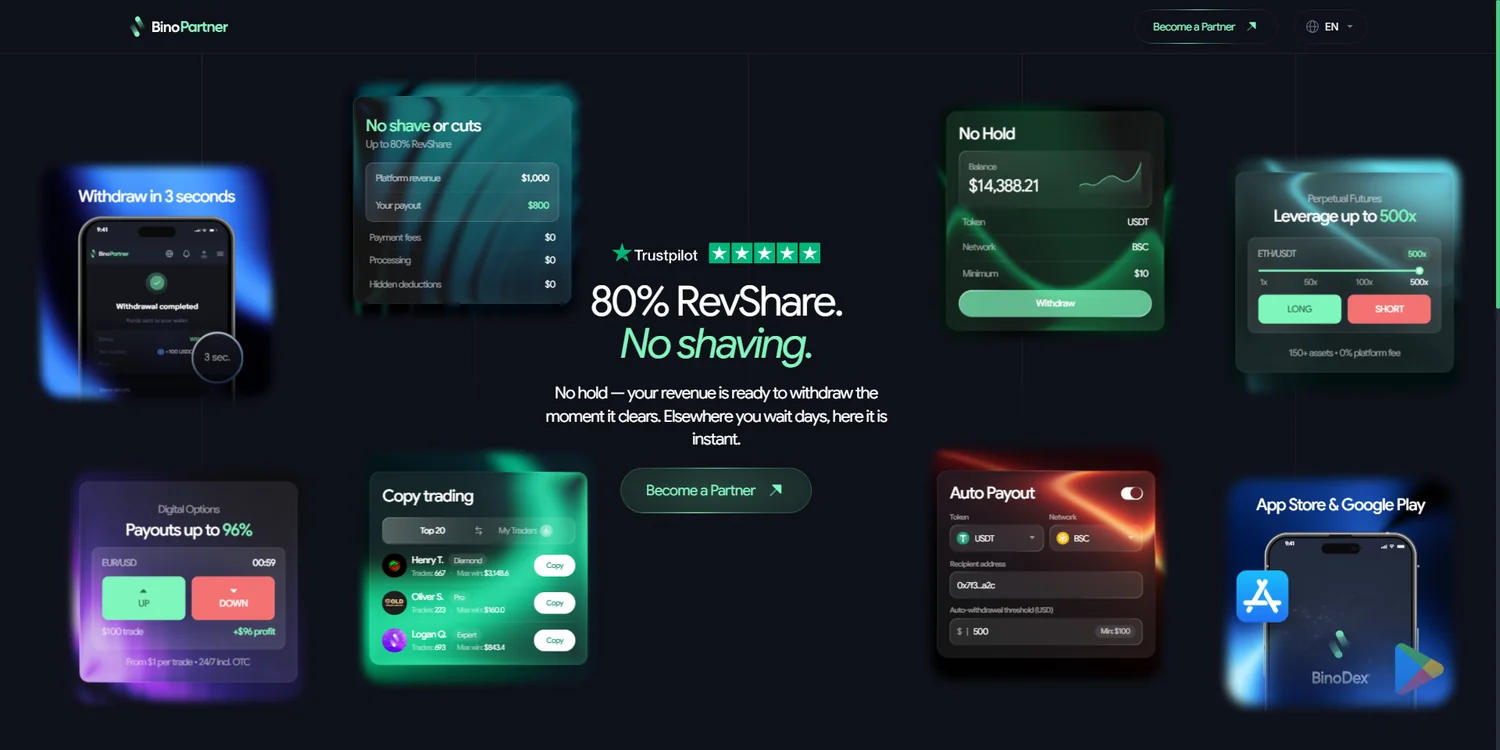
BinoPartner is the affiliate interface used to promote BinoDex. It is distinct from the trading account that a referred customer opens. Publishers joining the program need the partner registration, then the tools used to generate their own BinoDex campaign links.
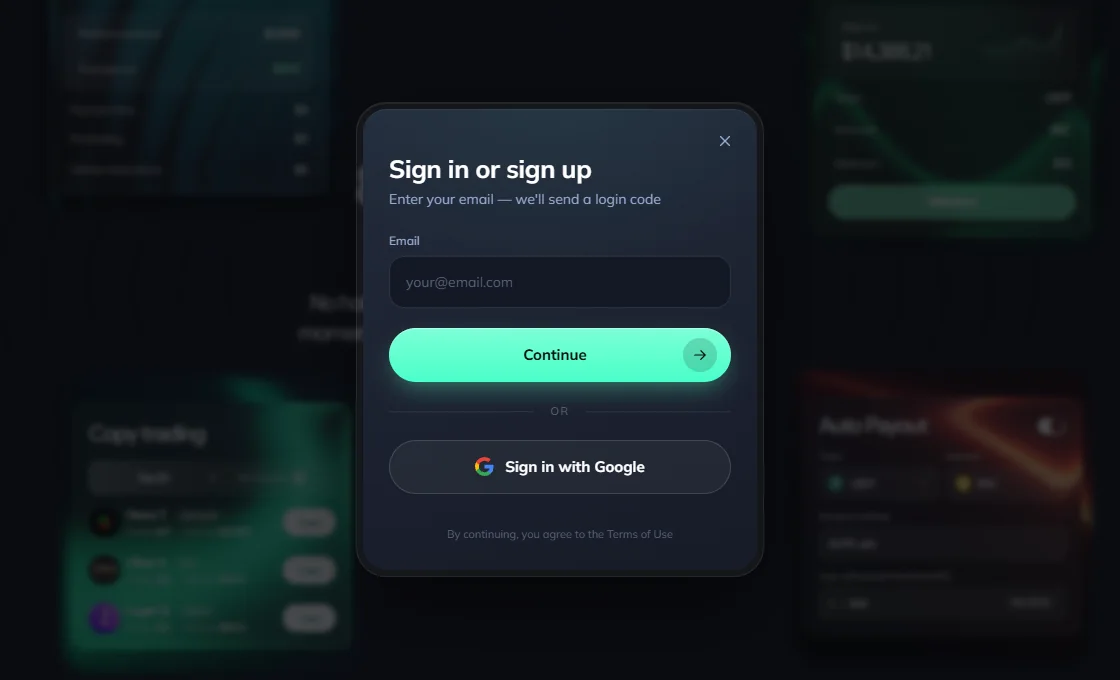
The account screen captured during our review provides email and Google sign-in choices. Once a partner can access the dashboard, the next meaningful step is to create a distinct tracking link rather than send all visitors through a single unlabelled campaign.
A practical setup sequence is to enter the partner account, select the intended reward model, name the campaign, choose its BinoDex offer and select the post-registration landing screen. The next sections show those settings in the dashboard.
BinoPartner RevShare Tiers and Sub-Affiliate Earnings
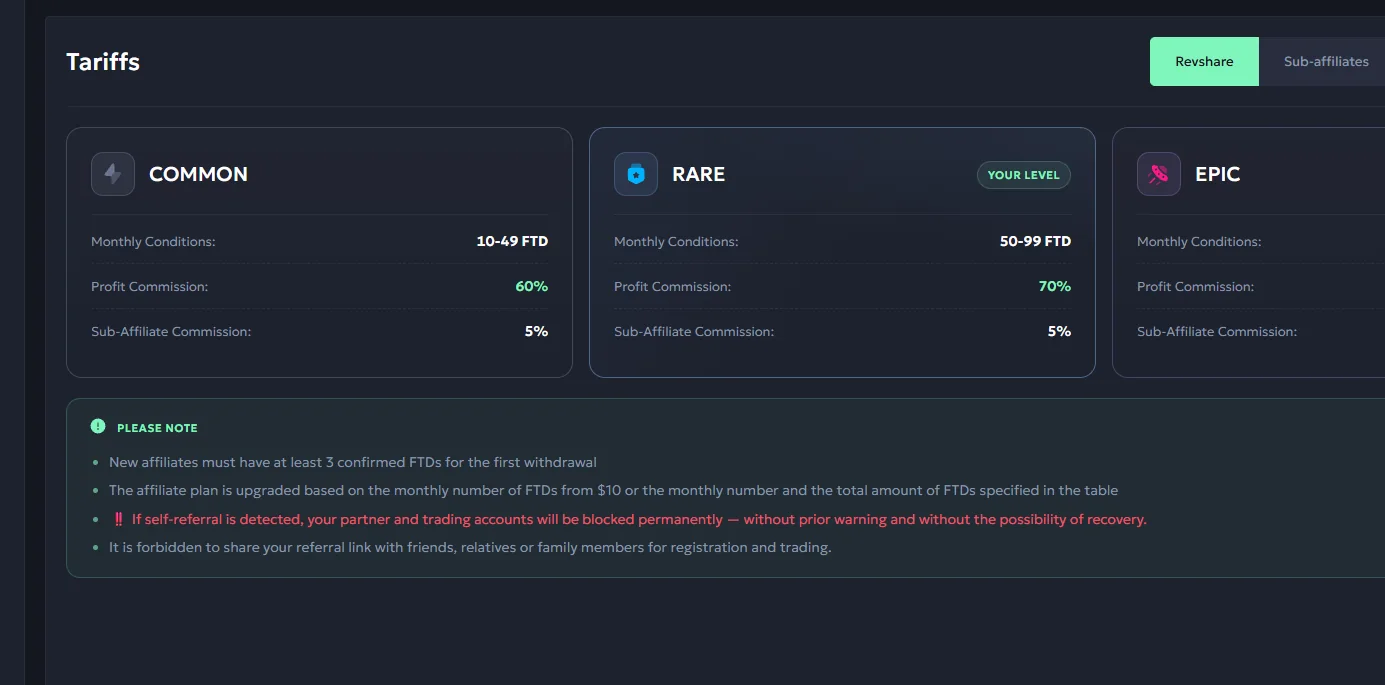
A large advertised percentage means little unless it is tied to a qualification rule. The saved BinoPartner tariff screen presents three RevShare levels linked to monthly first-time depositors (FTDs):
| Tier | Monthly FTD count displayed | RevShare |
|---|---|---|
| COMMON | 10–49 | 60% |
| RARE | 50–99 | 70% |
| EPIC | 100+ | 80% |
The same tariff screen shows a 5% sub-affiliate share. This represents a separate partner-acquisition channel: rather than referring traders directly, an affiliate can introduce another publisher to the partner platform.
The first-withdrawal notice visible in our screenshot specifies at least three confirmed FTDs for a new affiliate. That is a different requirement from the threshold for a published tariff level. Distinguishing the two helps avoid the common mistake of treating a tariff bracket as an automatic payment eligibility rule.
Illustrative commission example: if the commissionable revenue base for a period were $500 and the applicable RevShare were 60%, the resulting share would be $300. This is a formula illustration, not a screenshot of earnings or a promise about how much a visitor will generate.
CPA and Hybrid are mentioned in the platform’s partner tooling, but do not assume a new account automatically receives an active CPA offer. The tariff/offer selection visible to that specific partner account determines which model can actually be used.
Which BinoDex Products Can Affiliates Promote?
Select Digital Options as an offer and choose Digital Options as the first screen. Then compare clicks, registrations and FTD for that link.
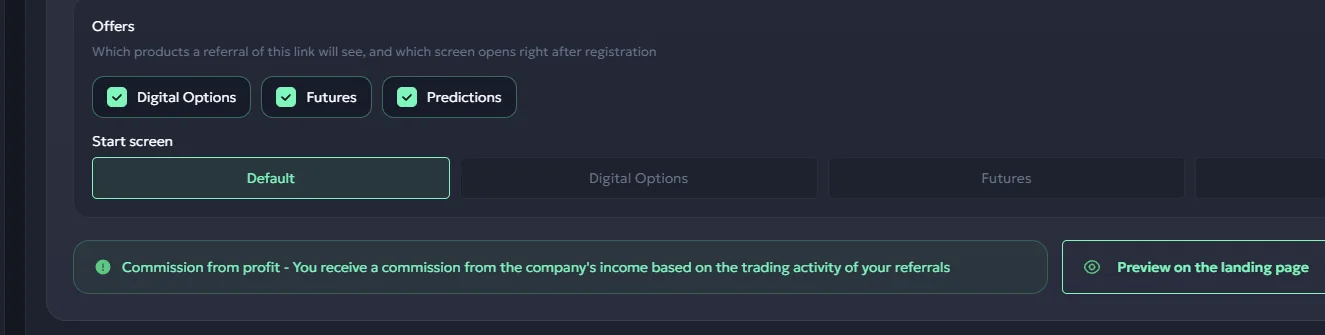
One of the most useful controls in the saved BinoPartner dashboard is found in the link generator. It separates products available through a referral link from the first screen the trader sees after registering.
The three selectable products shown in the captured interface are:
- Digital Options — the relevant destination for digital-options tutorials, platform comparisons and similar audiences.
- Futures — a relevant destination for visitors already interested in derivatives and crypto-futures workflows.
- Predictions — a destination for audiences looking at event-driven prediction markets.
The starting-screen selector separately offers Default, Digital Options, Futures, Predictions. In other words, the referral can be set up with an intended product range and a different initial post-signup destination.
This distinction matters for affiliate traffic. A video about the Futures interface should not have to send its audience into an unrelated starting screen, while a broader overview of BinoDex may be better served by the Default option.
Matching a BinoDex affiliate offer to your content
| Your traffic or content | Product option | Starting screen to consider |
|---|---|---|
| Digital-options guides | Digital Options | Digital Options |
| Crypto-futures content | Futures | Futures |
| Prediction-market articles | Predictions | Predictions |
| Multi-product BinoDex review | Relevant offers together | Default |
These are editorial routing examples based on the interface choices, not measured conversion promises. Publishers can create separately named links and compare real results in their own dashboard.
 Enlarge ↗
Create and Track a BinoDex Affiliate Link
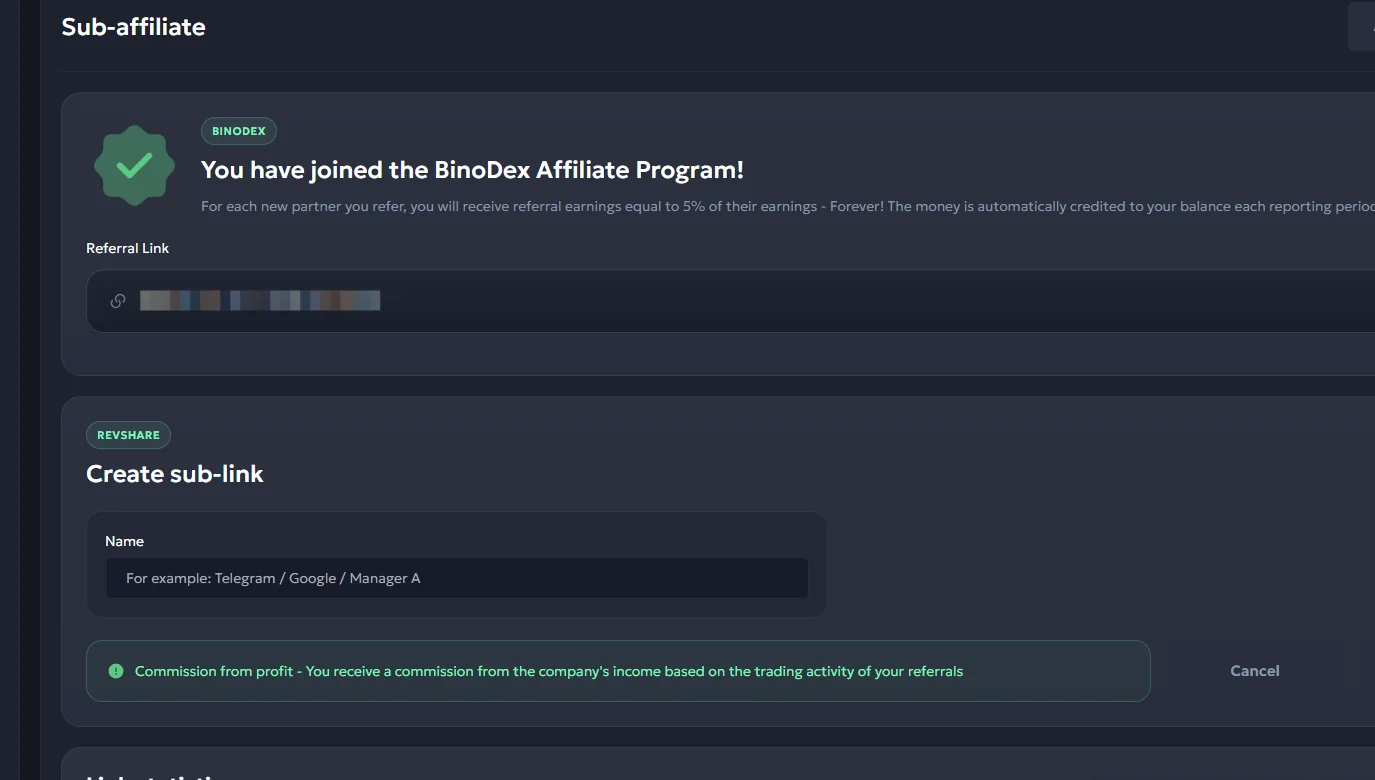
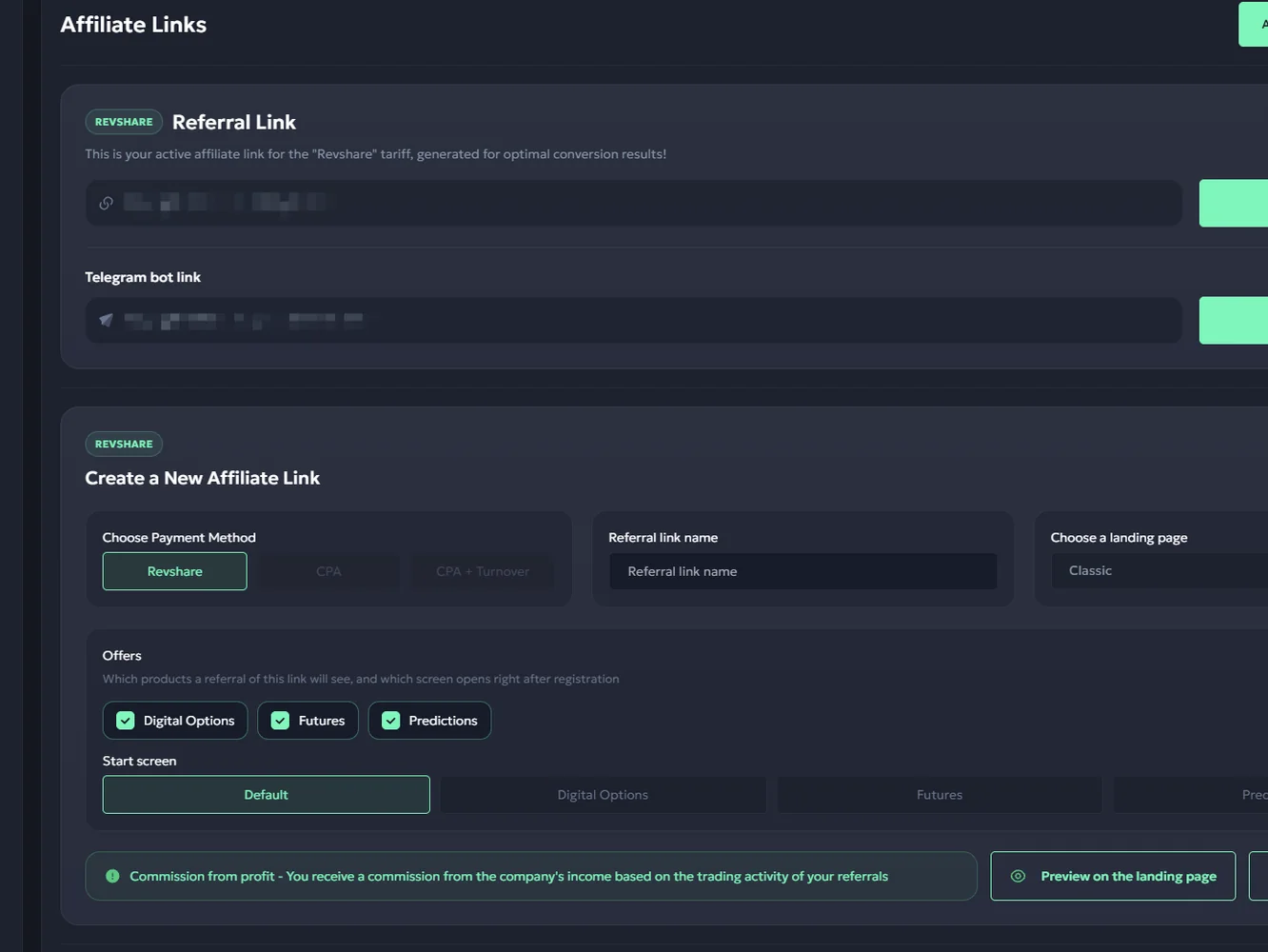
A campaign link is the bridge between your content and your affiliate statistics. The link-creation interface includes fields for a campaign or link name, payment-model selection, a BinoDex offer and a landing/start-screen choice.
A useful workflow for a publisher with several pages is:
- Create a named link for the relevant content group, such as an article about Digital Options.
- Choose the offer and the starting screen that fit that audience.
- Place the resulting BinoDex referral link within the appropriate article or channel.
- Repeat with a different name for a Futures or Predictions audience.
- Review outcomes by link instead of assuming every content source converts identically.
Doing this from the start helps prevent the common reporting problem of putting every click into one indistinguishable campaign. You can measure clicks, registrations and FTDs for each link without relying on external guesswork.
The screenshot includes the possibility of generating links for a Telegram-oriented flow, which is useful when a publisher manages both website content and community traffic.
 Enlarge ↗
Inside the BinoPartner Statistics Dashboard
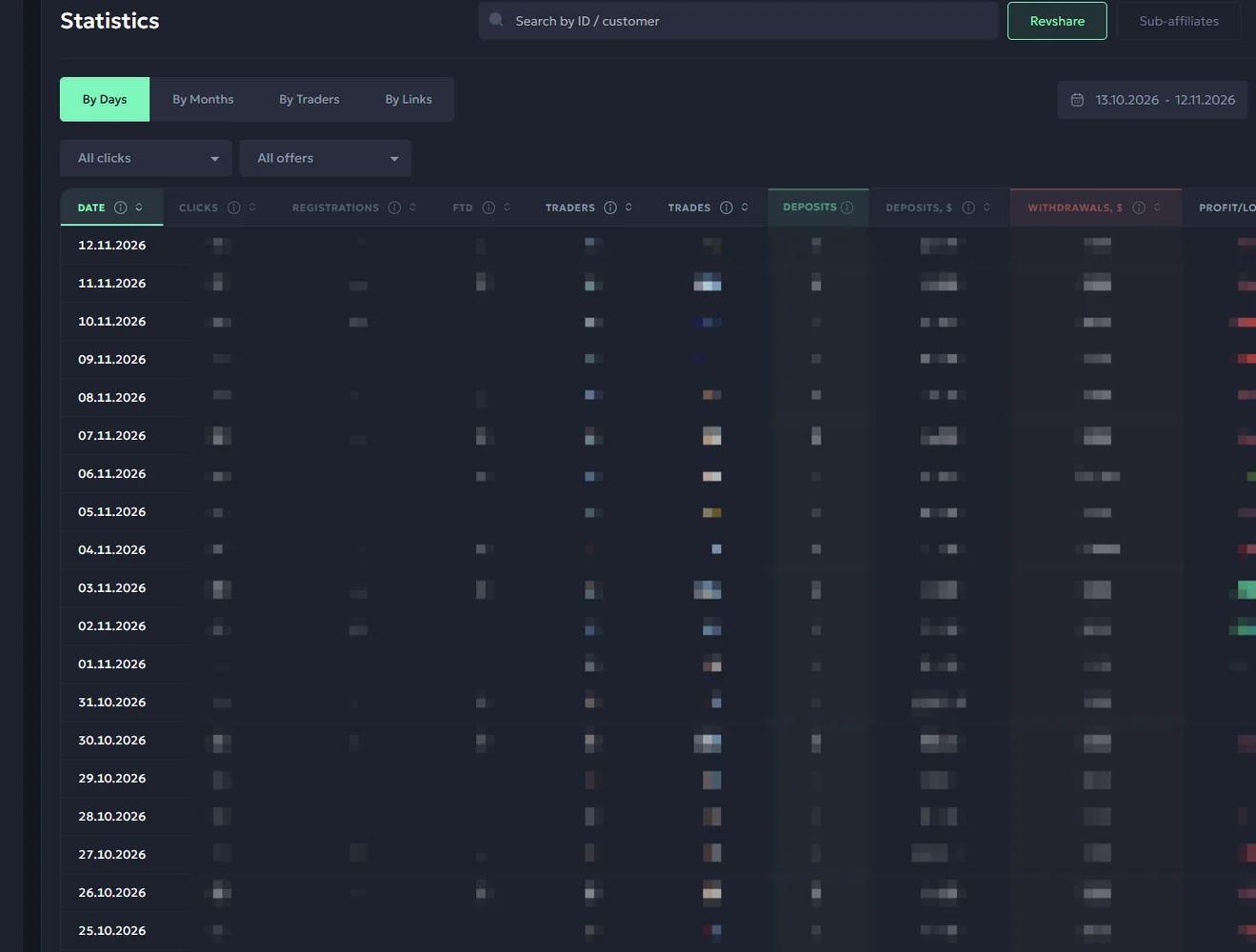
The saved statistics screen provides several views and reporting controls. Its columns include clicks, registrations, FTDs, trades, deposits, withdrawals and profit-related metrics. It also supports reporting by period or by link and offers CSV export.
For an SEO publisher, the important sequence is simple: how many readers click the affiliate link, how many complete registration and how many become first-time depositors. For a publisher testing product-specific pages, the per-link view can show where a campaign brings qualified users rather than only clicks.
The dashboard also lets teams examine trading activity after the first conversion. That is particularly useful to a RevShare partner because registration count alone does not describe commission-generating activity.
 Enlarge ↗
BinoPartner Postbacks, SubIDs and Partner Tools
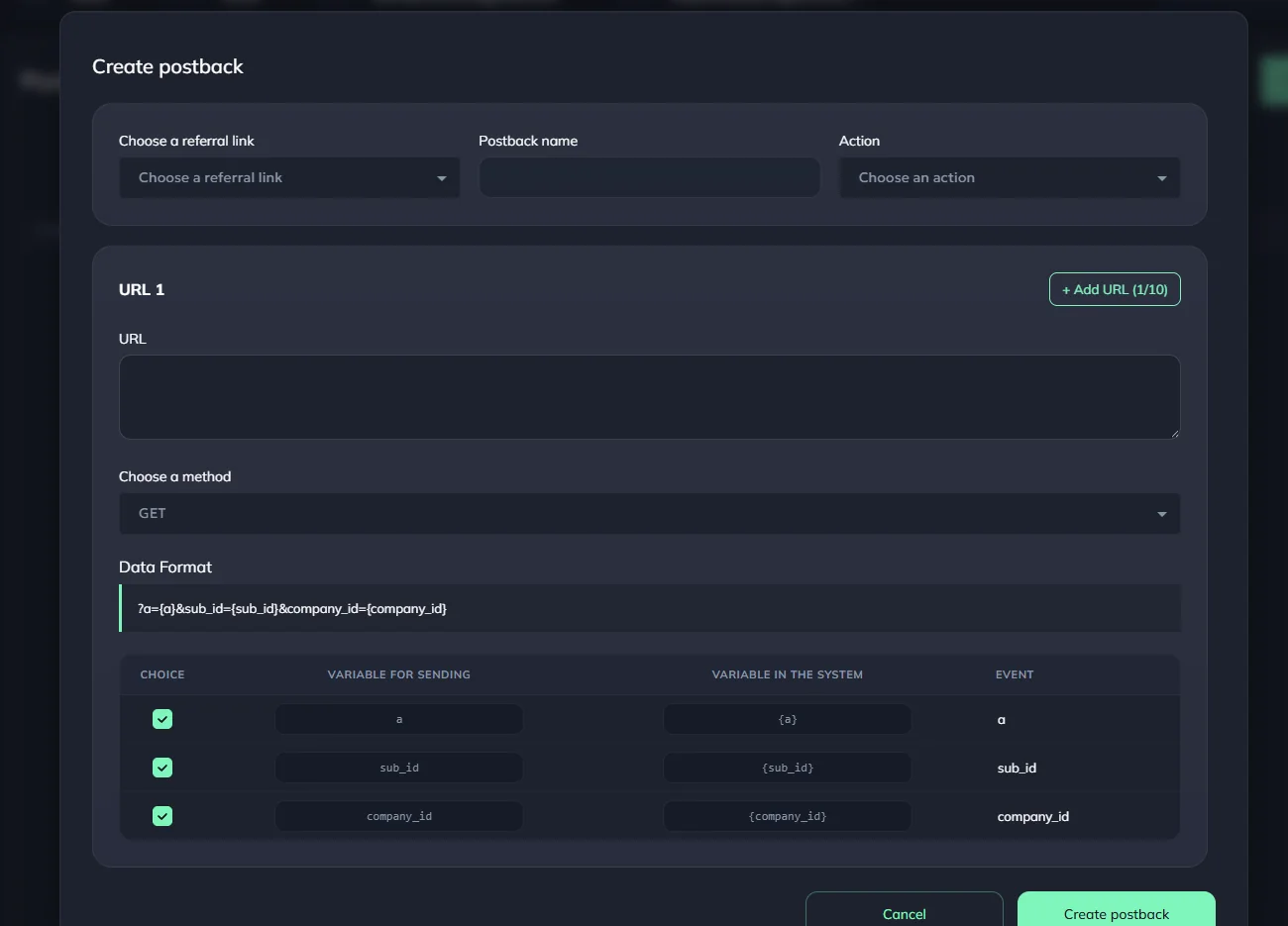
Affiliate tracking often needs an event from the partner platform to appear in a separate tracker. The BinoPartner Postback screen provides a GET-based configuration, destination URL, events and placeholders such as {sub_id} and {company_id}.
That means teams can map affiliate activity to campaigns without inventing conversion data. A practical implementation is to create a postback for the event your tracker needs, check the placeholder mapping and test with a real documented tracking workflow before relying on the resulting numbers.
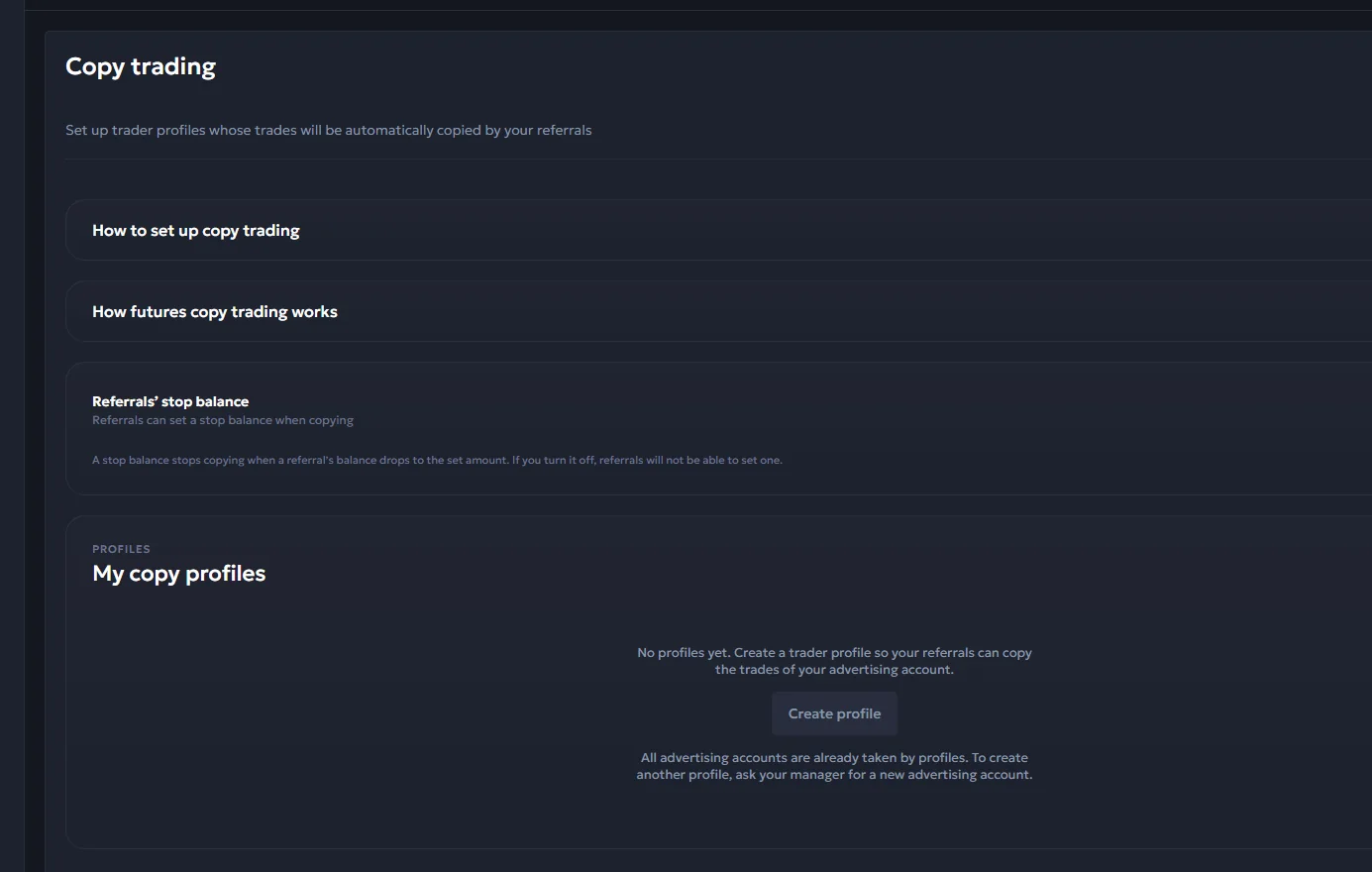
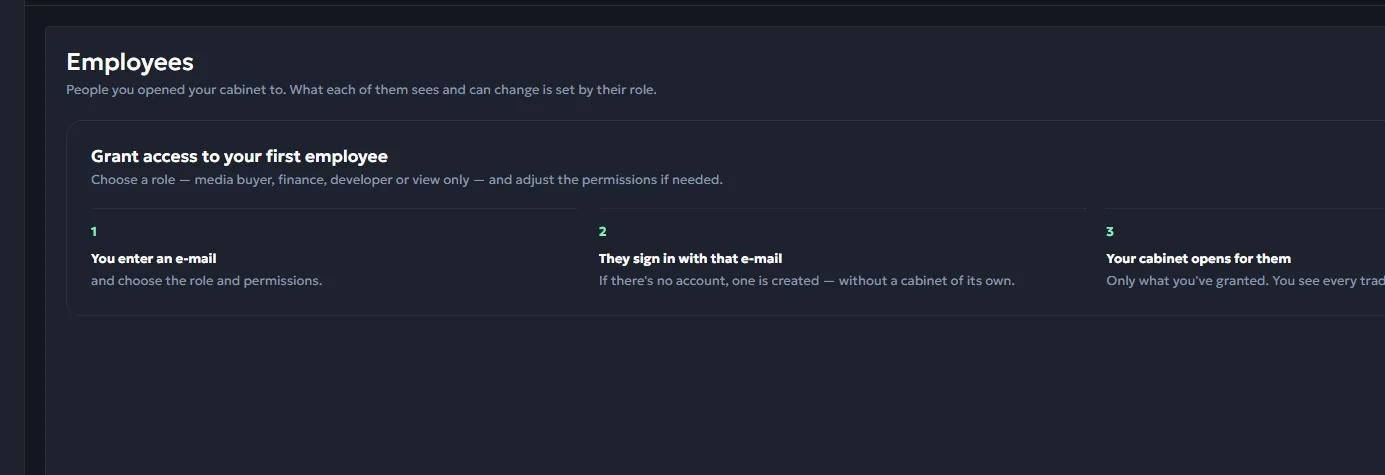
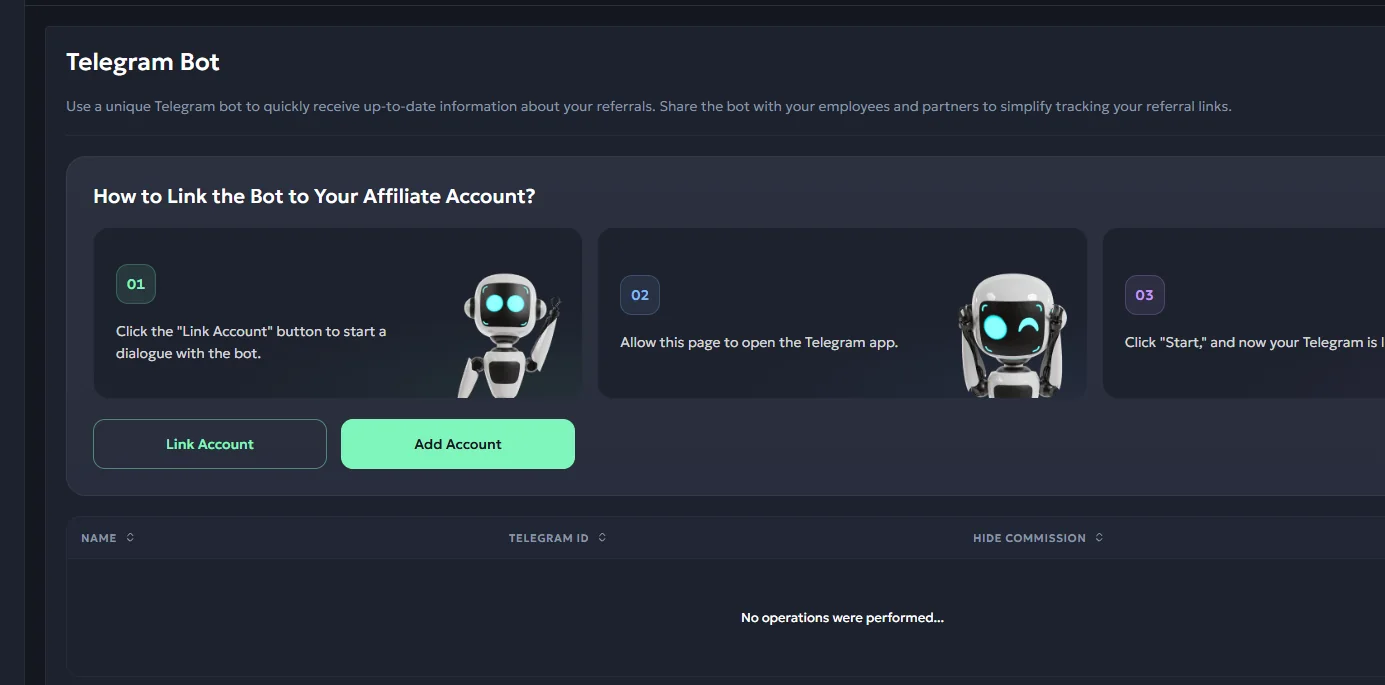
The account also has operational features beyond one-person publishing: staff access with roles, Telegram-bot notifications and a Partner API interface. The Broker API screen in our reviewed account shows a separate access arrangement through a manager. These tools are more relevant to teams managing multiple campaigns than to a first-time webmaster with one referral page.
 Enlarge ↗
More tools: copy trading, employees and Telegram bot
BinoDex Affiliate Payouts and Withdrawal Requests
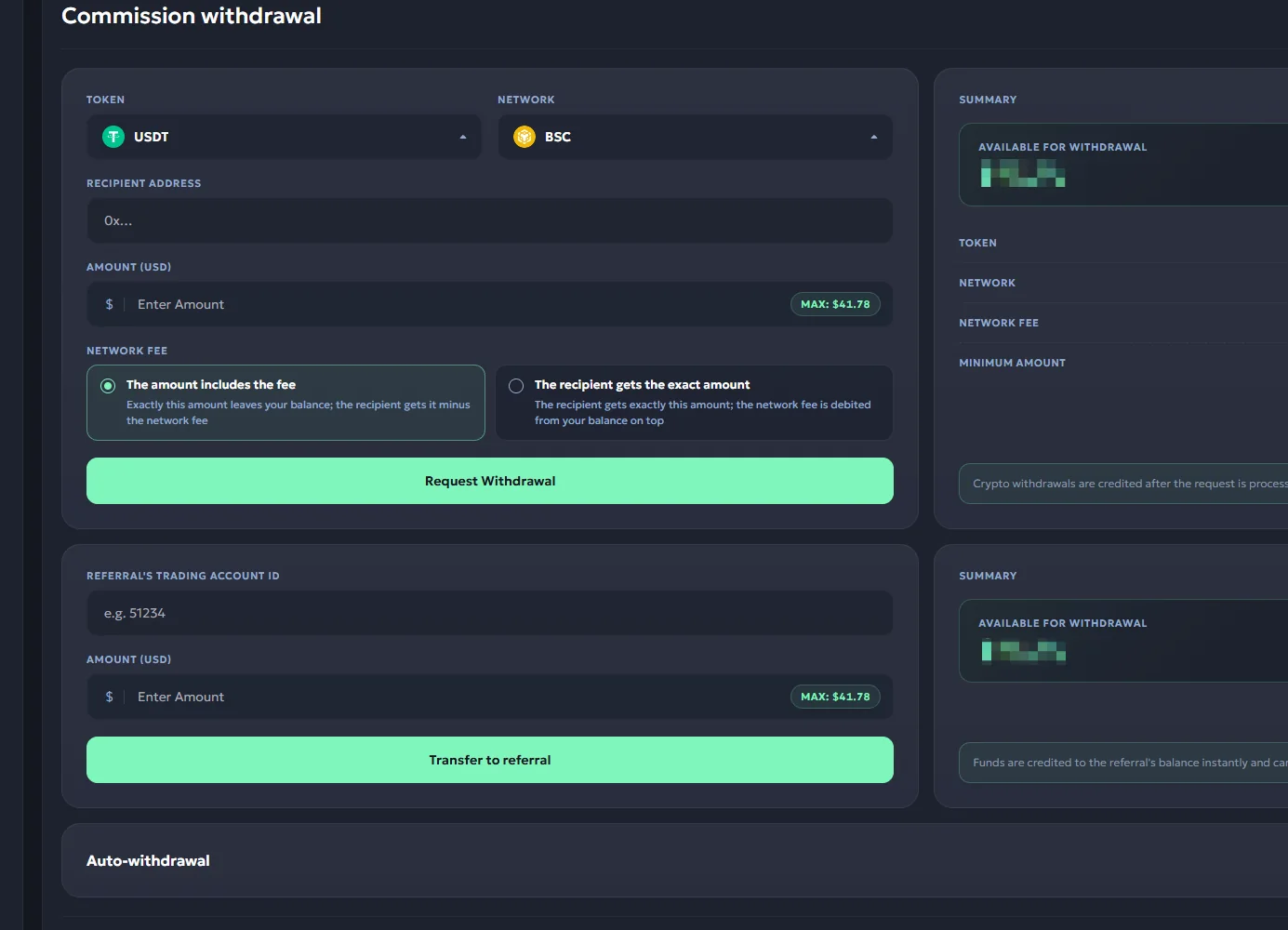
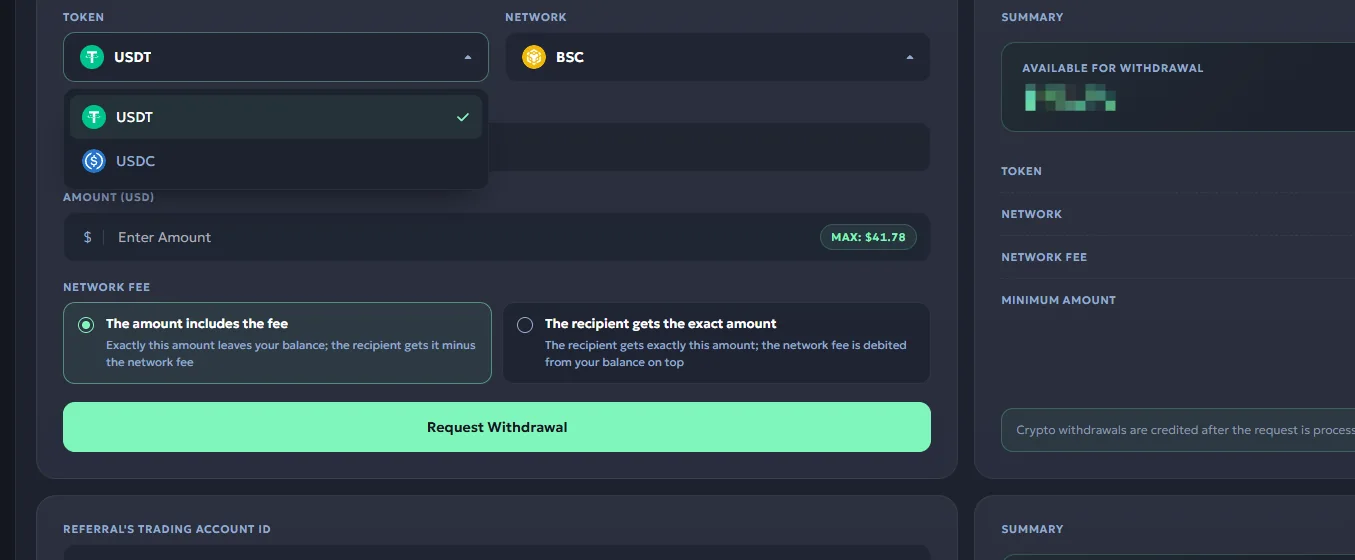
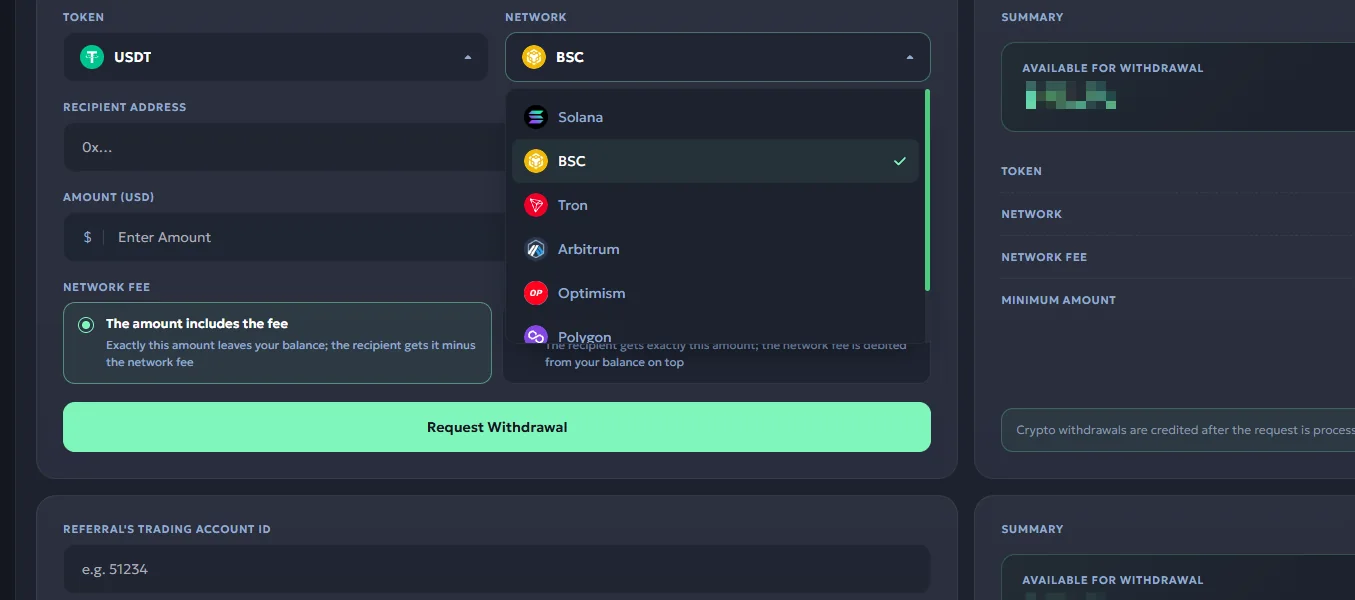
The English account screenshots show affiliate withdrawal requests, including USDT and USDC, multiple network options, wallet address and fee controls, and a $10 displayed minimum.
The separate notice requiring three confirmed FTDs for a first withdrawal is shown in the tariff area. It belongs in the onboarding discussion because it helps a publisher understand which dashboard milestone matters before the first payment request.
Payout processing, minimum withdrawal amount and recognition of commissionable activity are different parts of the account workflow. Our original account screenshots let us describe each part without mixing trader withdrawals with money earned by the affiliate.
Who Is the BinoDex Affiliate Program For?
Trading-site owners. Publishers already covering BinoDex or similar trading platforms can add a clearly labelled partner-focused article without turning the existing trading review into a duplicate signup page.
Digital-options educators. The Digital Options offer and start-screen selector are relevant to content that focuses on this specific trading interface.
Crypto-derivatives creators. The Futures choice provides a way to route readers who came for futures content to the matching product view.
Prediction-market publishers. The Predictions product is a separate opportunity for event-oriented audiences, while the statistics dashboard allows publishers to evaluate that traffic as its own campaign.
Multi-channel teams. Separate campaign links, reporting views, postback, team roles and Telegram notifications are useful when traffic comes from different sites, videos or channels.
The important distinction is that a BinoDex affiliate account is for publishers bringing users to the platform. Someone merely looking for a BinoDex trading login can use our BinoDex trading-platform walkthrough instead of this publisher signup path.
BinoDex Affiliate Program FAQ
What is the BinoDex affiliate program called?
It operates through the BinoPartner affiliate dashboard. BinoDex is the trading brand; BinoPartner is the partner platform that manages publisher links, commission tiers, statistics and withdrawal requests.
How do I register as a BinoDex affiliate?
Use the partner registration link, sign in through the available method and create a labelled campaign link in your BinoPartner dashboard. This is separate from opening a trader account.
How much RevShare does BinoPartner pay?
Our saved tariff screenshot displays three published levels: COMMON 60% for 10–49 monthly FTDs, RARE 70% for 50–99 and EPIC 80% for 100 or more.
Does BinoPartner offer sub-affiliate earnings?
The tariff screen displays a 5% sub-affiliate share for introducing other publishers.
Can BinoDex affiliate links open Futures or Predictions first?
Yes. In our captured partner link generator the available start-screen options include Default, Digital Options, Futures and Predictions.
What can I track in BinoPartner?
The statistics interface includes clicks, registrations, FTDs and trading-related results with date and campaign controls. CSV export and GET postback tools are also shown.
How can affiliates request a withdrawal?
The captured payout form has a USDT/BSC route, a receiving address and a displayed $10 minimum. The saved tariff notice also lists three confirmed FTDs for a first withdrawal.
Is the BinoDex referral program the same as a trader invite?
This page concerns publisher registration in BinoPartner and the creation of affiliate marketing links. A trader’s own account access is a separate workflow.
Turn BinoDex content into tracked affiliate campaigns.
Choose the product that matches your traffic, set the first screen and inspect conversions in BinoPartner.
Join BinoDex Partners