First-hand platform check · October 2026
EO Broker: Official Site, Demo, Digital Options & Withdrawals
EO Broker combines a fixed-time Digital Options Trading Mode with a separate Stock Trading product. We registered, used the $10,000 DEMO balance, completed and closed trades, checked timing controls, inspected Stocks Mode, cashier, withdrawals, KYC, Battles and app access, then compared the legal and interface layers with ExpertOption.
EO Broker Official Site, Sign Up, Login and Demo
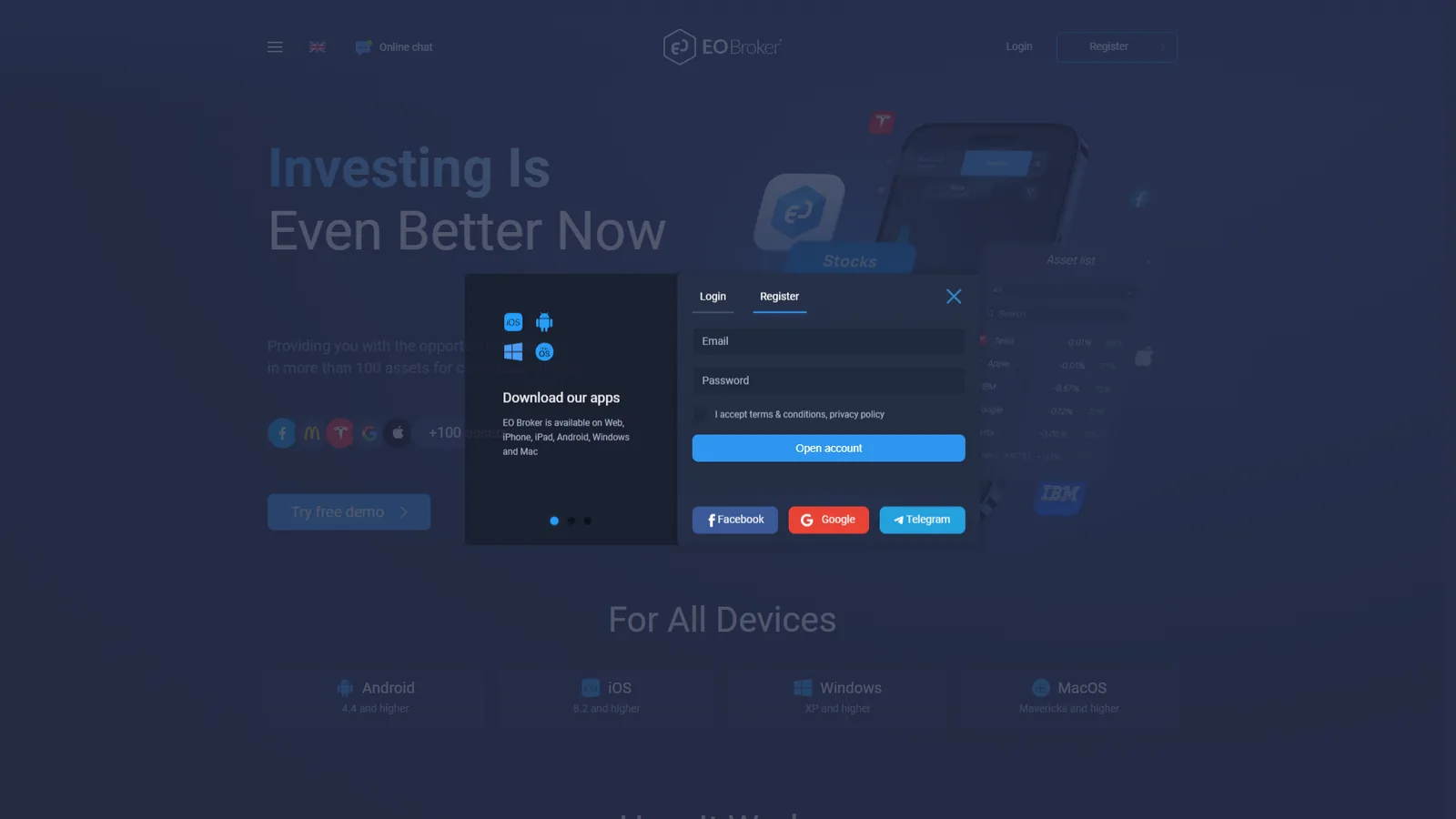
The public EO Broker website we checked is eo.broker. Its access flow provides separate Register and Login tabs with email/password fields and third-party sign-in options. The public page also advertises free-demo access and desktop/mobile availability.
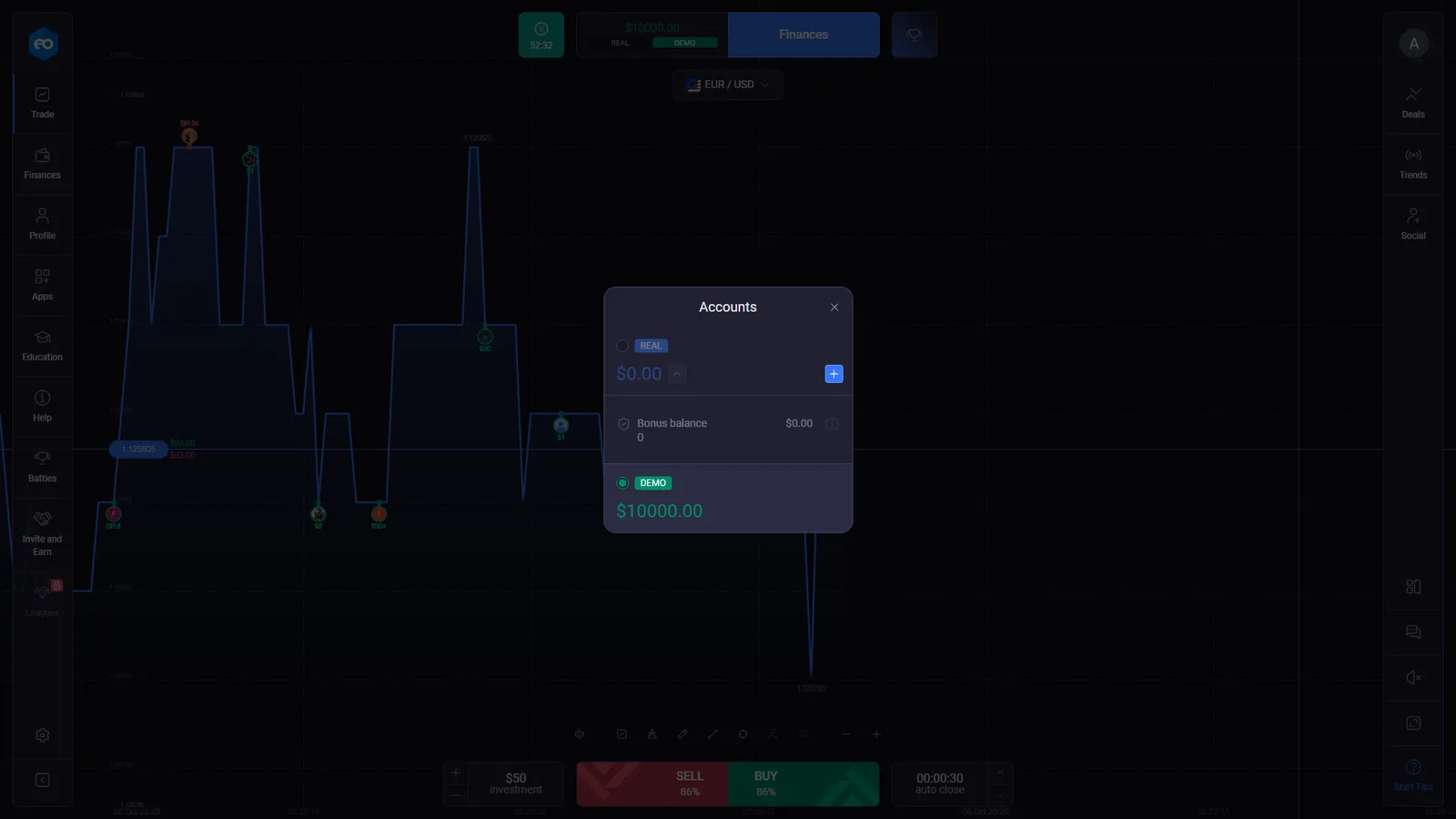
After registration, the trading account exposes a REAL / DEMO switch. In the account we checked, DEMO opened with $10,000 in virtual funds. That balance let us document the actual terminal workflow rather than infer the product from marketing copy.
The registration buttons on this page use the sponsored GetProfit registration route supplied for DigitalOptions.co.
Is EO Broker a Digital Options Platform?
EO Broker’s own cardholder documentation describes the service as “Digital Options.” The checked Trading Mode matches that label with a short-duration directional ticket: an asset, investment amount, displayed payout, SELL and BUY controls, and an automatic closing time.
That does not mean every product inside the account is the same contract. The same account also exposes a separate Stocks Mode. EO Broker’s Terms define Stock Trading as non-leveraged CFD trading, so we keep the Digital Options and Stock Trading mechanics separate throughout this page.
Trading Mode is the fixed-time Digital Options workflow we tested. Stocks Mode uses lots, price-based P/L, take-profit/stop-loss controls, explicit fees and manual position closing.
For the broader terminology difference between Digital Options and related fixed-time products, see Digital Options vs Binary Options.
EO Broker Trading Mode: SELL/BUY, Payout and Auto-Close
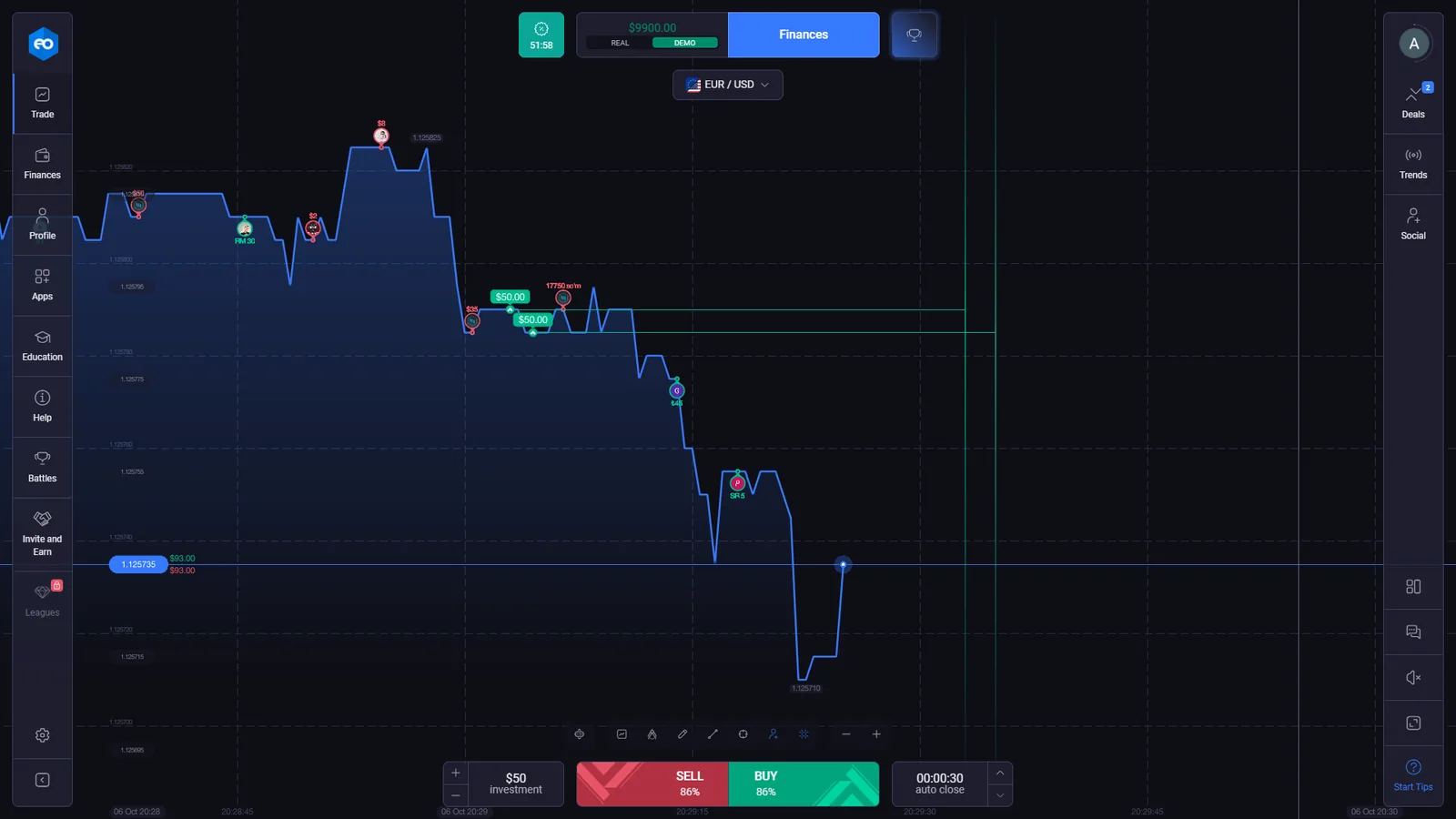
In our DEMO session, the standard Trading Mode displayed EUR/USD, a $50 virtual investment, an 86% displayed payout and a 00:00:30 auto-close setting. SELL and BUY were the two directional actions.
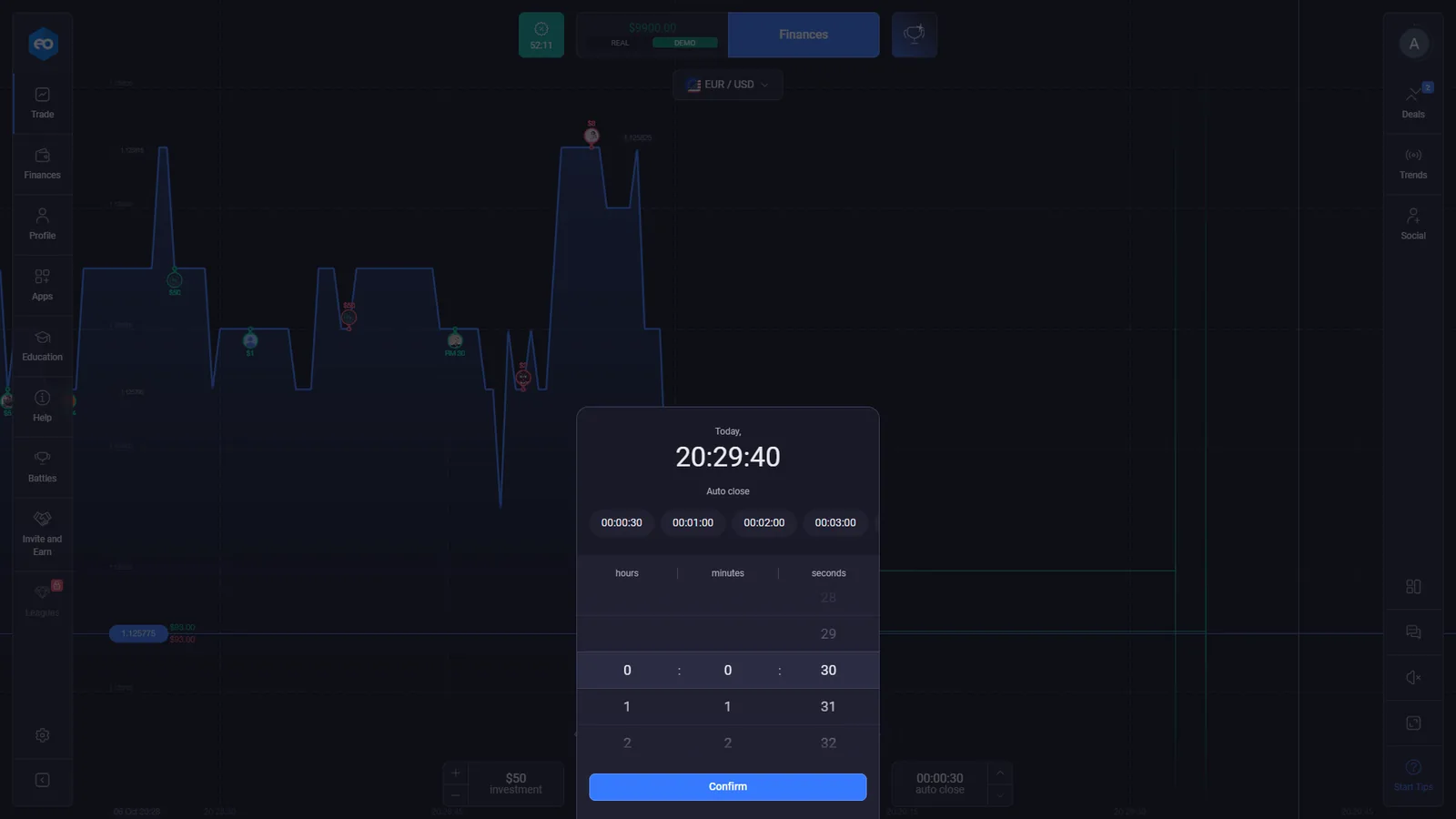
The timing selector exposed quick choices including 30 seconds, 1 minute, 2 minutes and 3 minutes, together with a custom time control. These are observed controls from the checked session, not permanent specifications for every instrument or account.
The displayed percentage is also dynamic. It belongs to the current ticket and session rather than being a fixed platform-wide payout.
Closing an EO Broker Digital Options Position Before Auto-Close
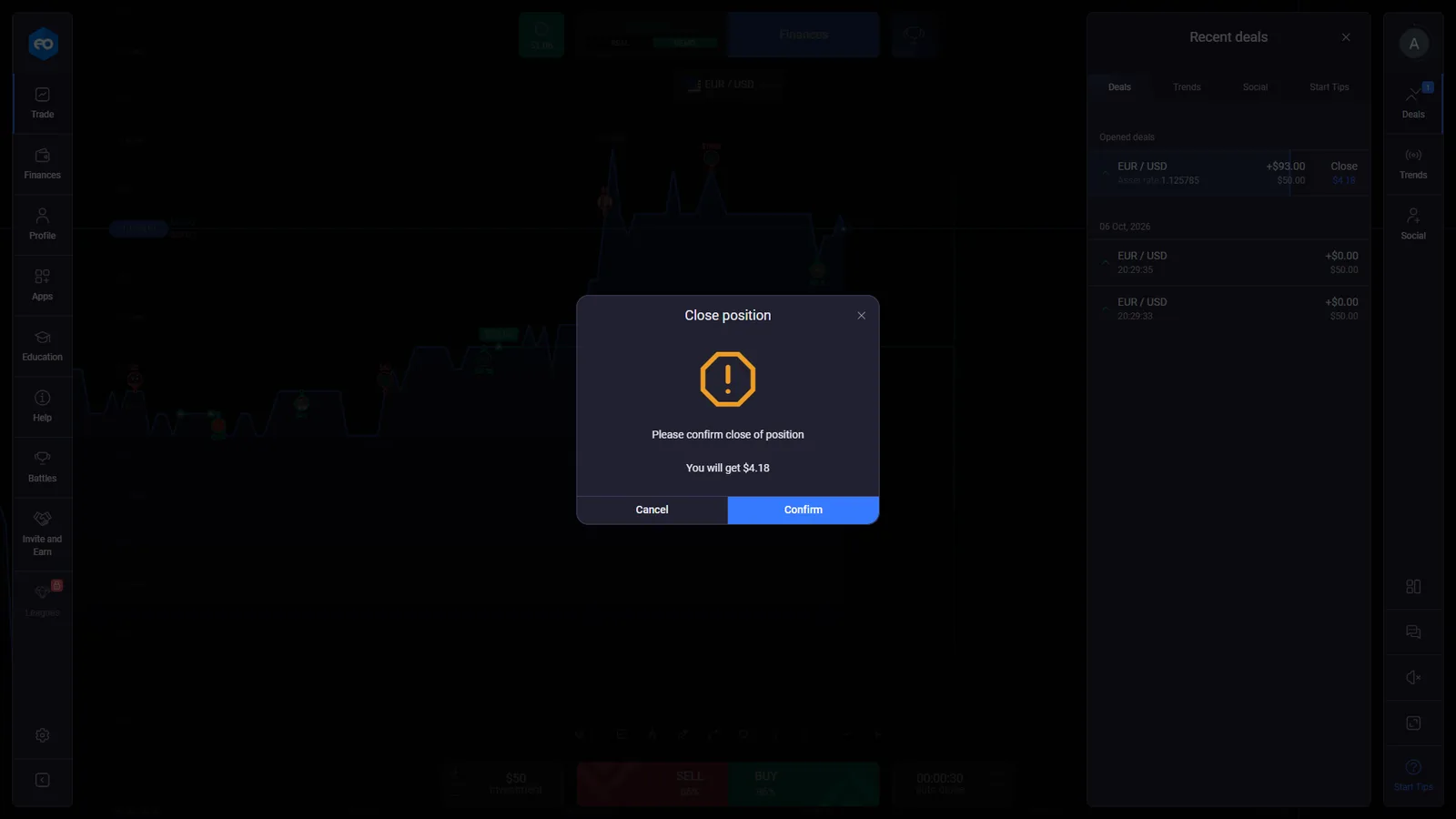
Trading Mode is not limited to waiting for the scheduled auto-close. In our DEMO check, the Recent deals panel displayed an open EUR/USD position together with a changing Close amount. Selecting it opened a confirmation dialog showing the amount that would be received for closing at that moment.
One captured confirmation displayed “You will get $4.18” before the original 30-second auto-close point. The amount offered for early close is position-specific and can change while the deal remains open.
This is important product evidence because it separates EO Broker from fixed-time implementations that only expose hold-to-expiry settlement.
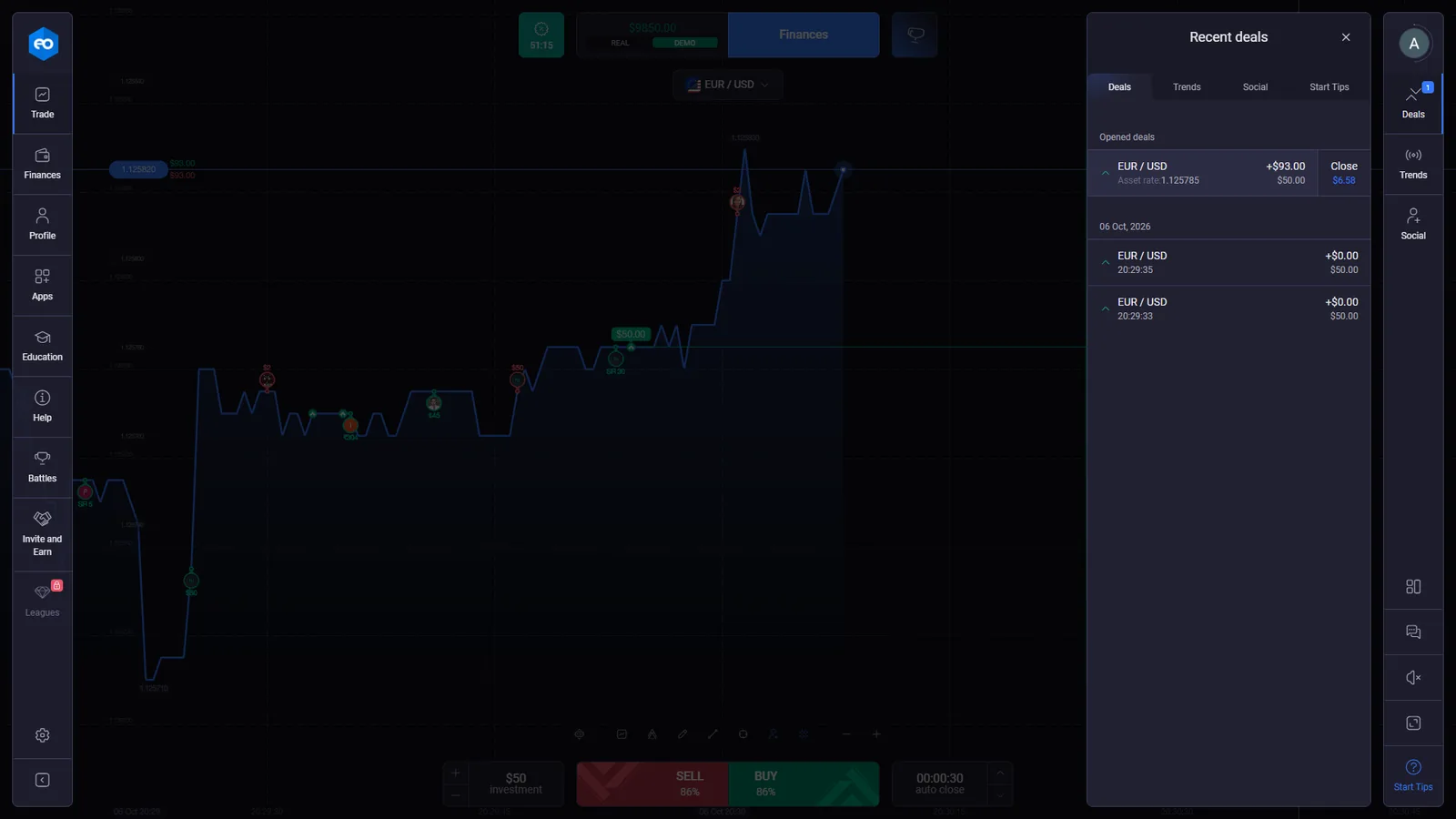
EO Broker Demo Account and Completed Deal Evidence
We use different screenshots for different claims. The trade ticket confirms which controls were available before entry. The Recent deals panel documents how open and completed deals were recorded after orders were submitted.
EO Broker Stocks Mode: Lots, TP/SL, Fees and Manual Close
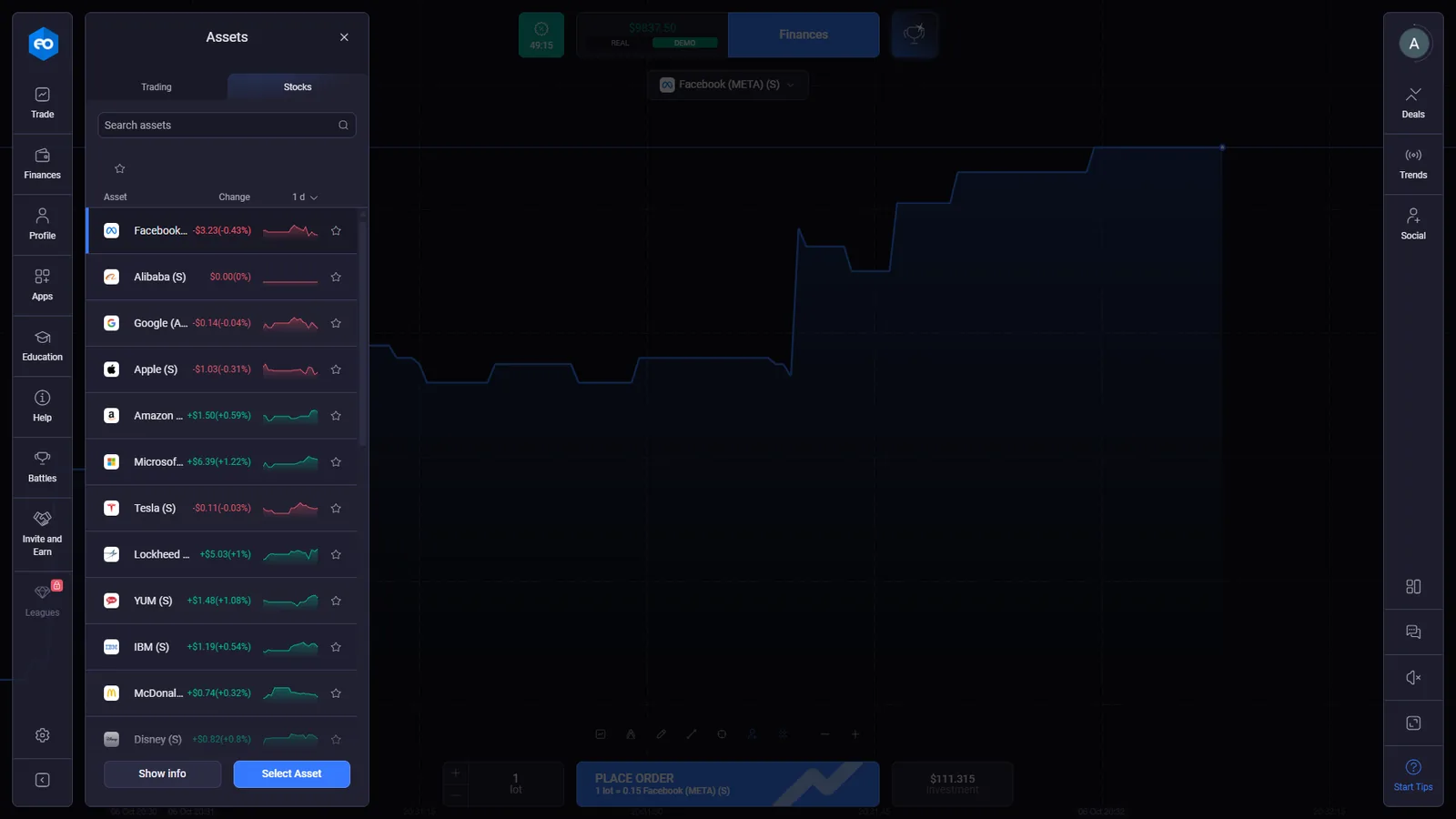
Stocks Mode is a separate workflow rather than a reskinned fixed-time ticket. EO Broker’s current Terms define Stock Trading as non-leveraged CFD trading and state that the stock instruments are not transferable securities held in a depository institution.
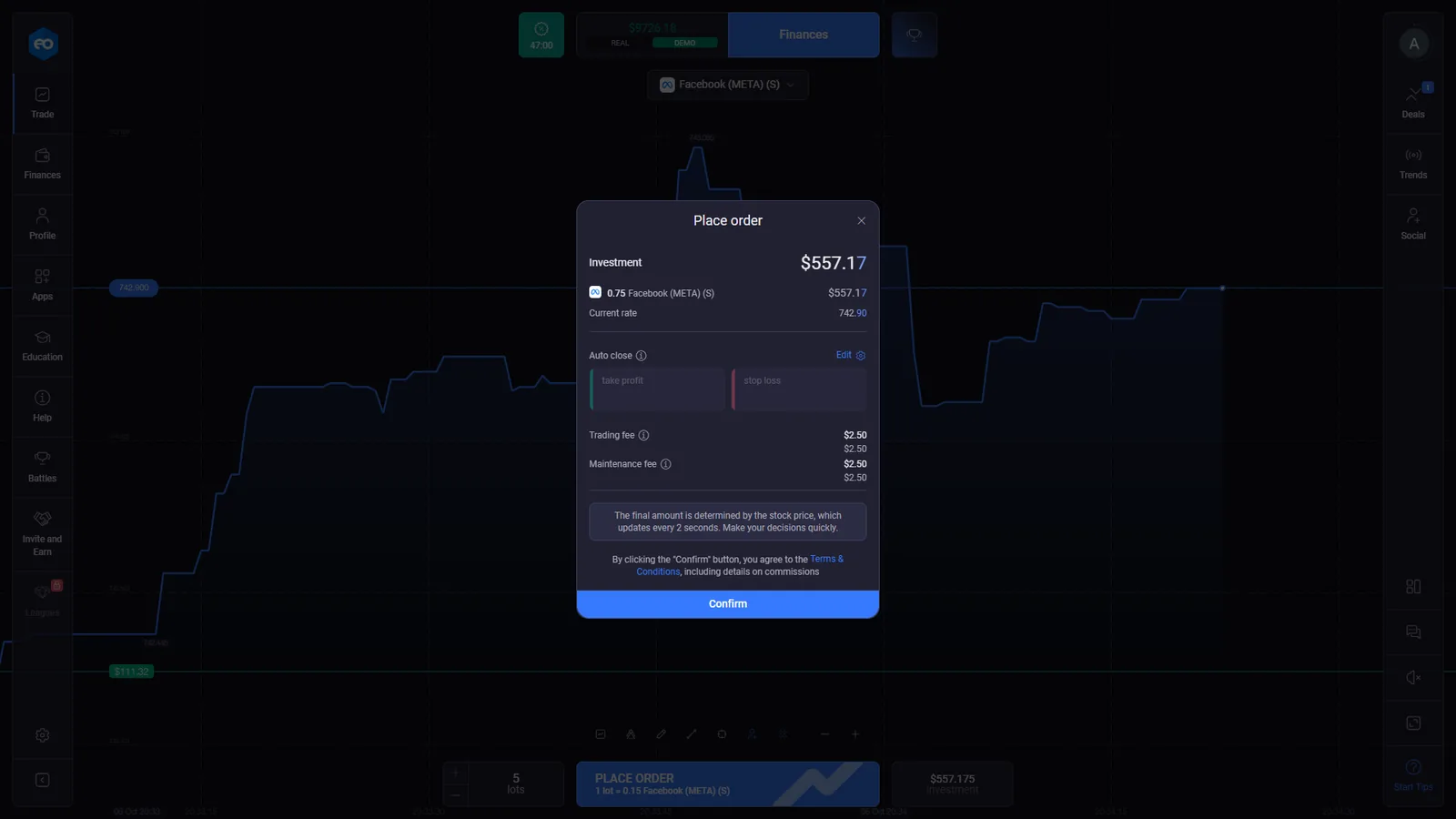
Our first-hand screen for Facebook (META) used lots and an investment value rather than a binary-style payout percentage. The order window displayed the current rate, optional take profit and stop loss, a trading fee, a maintenance fee and a manual confirmation step.
A captured 5-lot setup displayed an investment of about $557.17 with $2.50 trading fee and $2.50 maintenance fee. EO Broker’s Terms separately say Stock Trading can be subject to commission, administrative and maintenance charges. That product-specific evidence matters because the public marketing language can be broader than the conditions shown inside Stocks Mode.
For the contract-level comparison, see Digital Options vs CFDs.
EO Broker and ExpertOption: What Our First-Hand Checks Found
EO Broker and ExpertOption deserve a comparison here because the overlap is stronger than a similar colour scheme or generic trading layout. Our first-hand checks found the user-facing interface architecture to be near-identical across the areas tested, including the main Trading Mode structure, deal panel, account navigation and Stocks workflow. Branding, colours and logos differ.
Trading controls, account navigation, Deals and the broader product structure closely matched in the areas we checked.
Current official EO Broker and ExpertOption documents identify the same operator, EOLabs LLC, Company No. 377 LLC 2020, and the same payment agent, Highmax Ltd.
The interface and legal overlap do not by themselves establish a shared backend, pricing feed or a specific white-label relationship.
Tickz is also visually very close to this interface family in our separate checks, but its main public legal layer identifies a different operator. That distinction is why we report interface similarity and legal identity as separate evidence categories.
EO Broker Deposits, $10 Minimum and Payment Methods
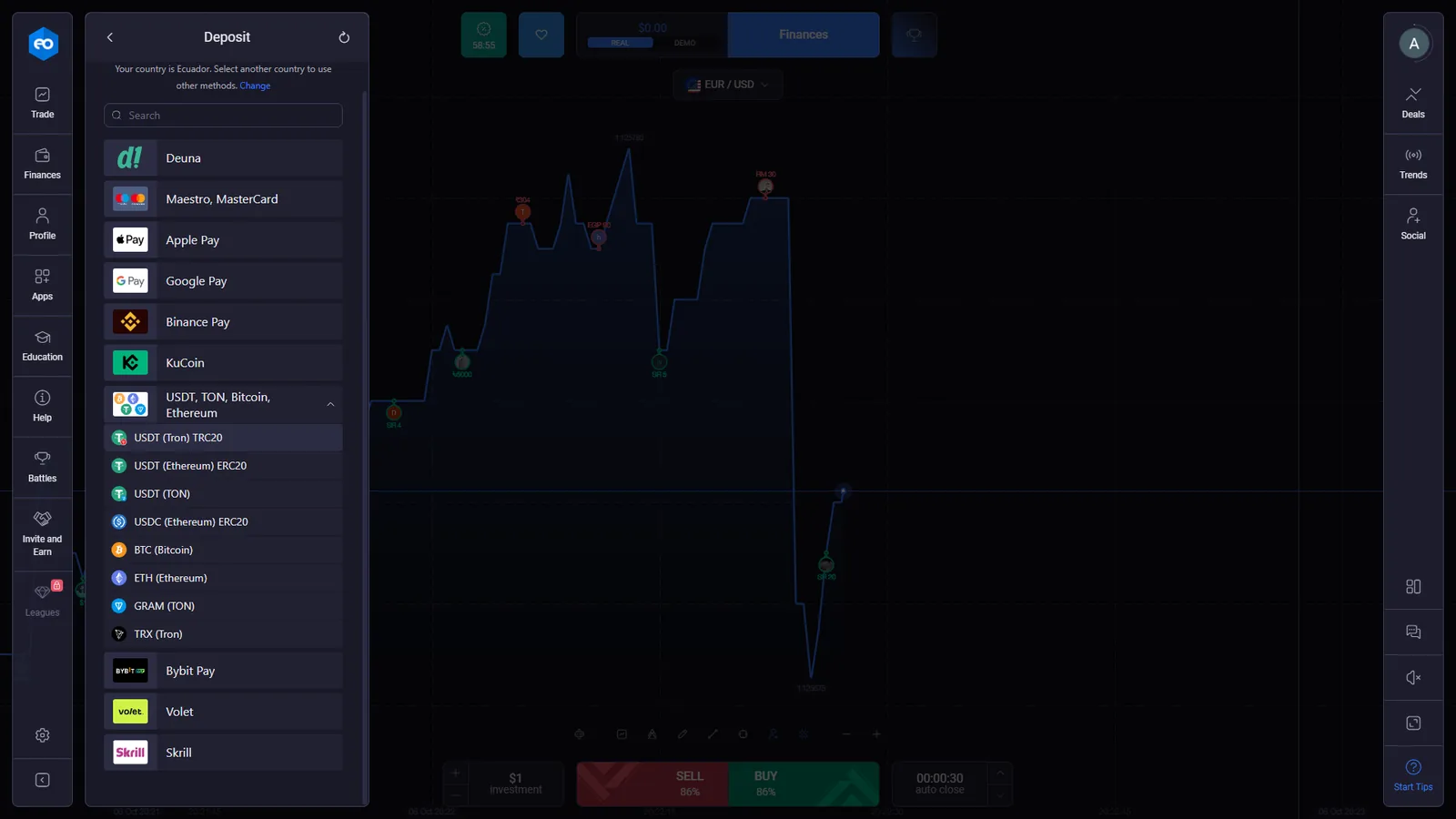
The cashier in our checked account identified the country as Ecuador and displayed a $10 minimum deposit. Payment options visible there included Deuna, Maestro/Mastercard, Apple Pay, Google Pay, Binance Pay, KuCoin, several cryptocurrency networks, Bybit Pay, Volet and Skrill.
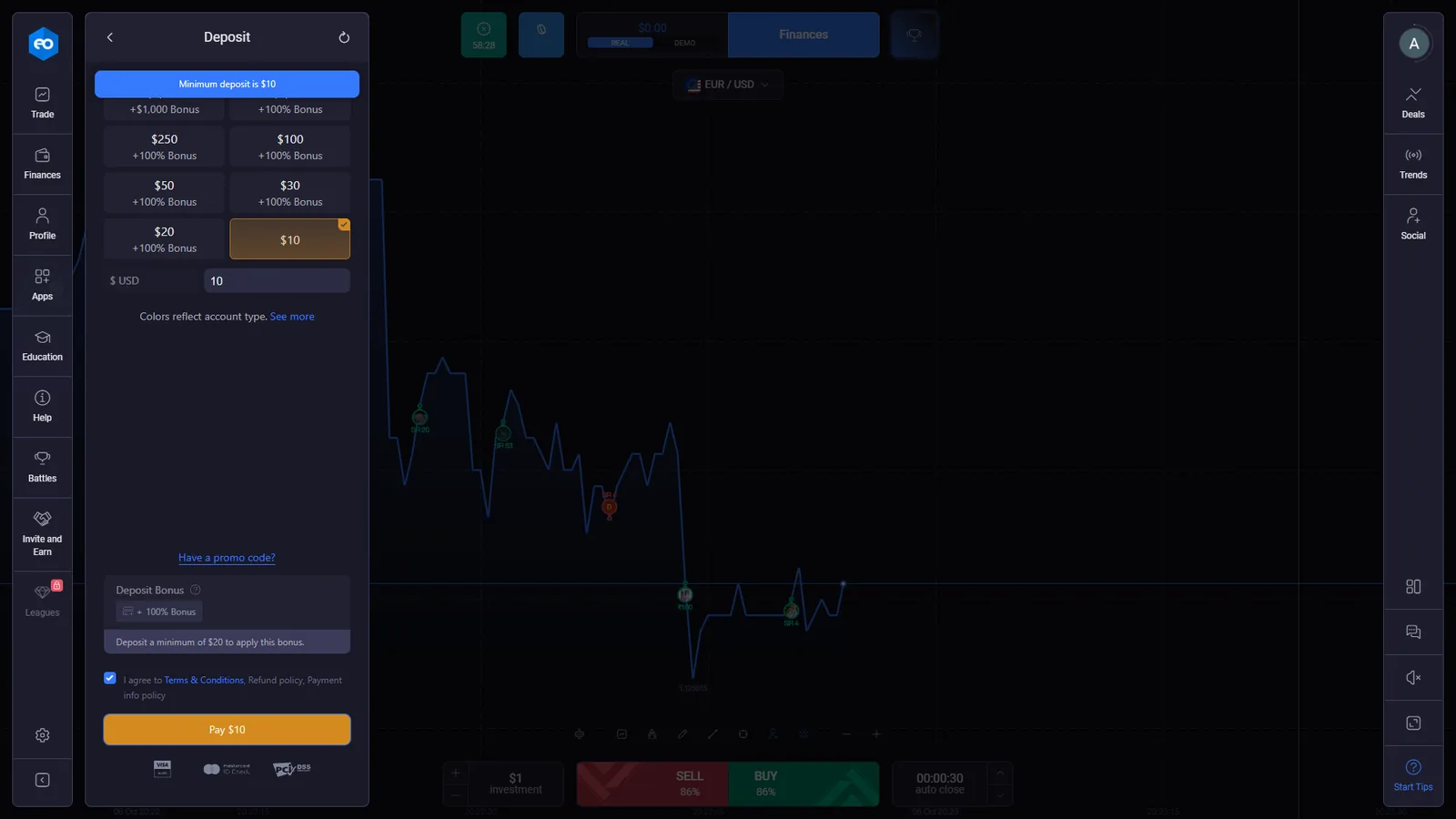
A separate card confirmation screen showed a $10 USD payment amount before submission. The current payment list is account- and region-specific, so we treat the checked Ecuador cashier as evidence for that session rather than a universal inventory.
EO Broker’s public material also advertises a $10 minimum deposit. The account cashier remains the controlling place to check the currently available route and amount before funding.
EO Broker Withdrawals and KYC: 2 Days in the Interface, 5 Days in the Policy
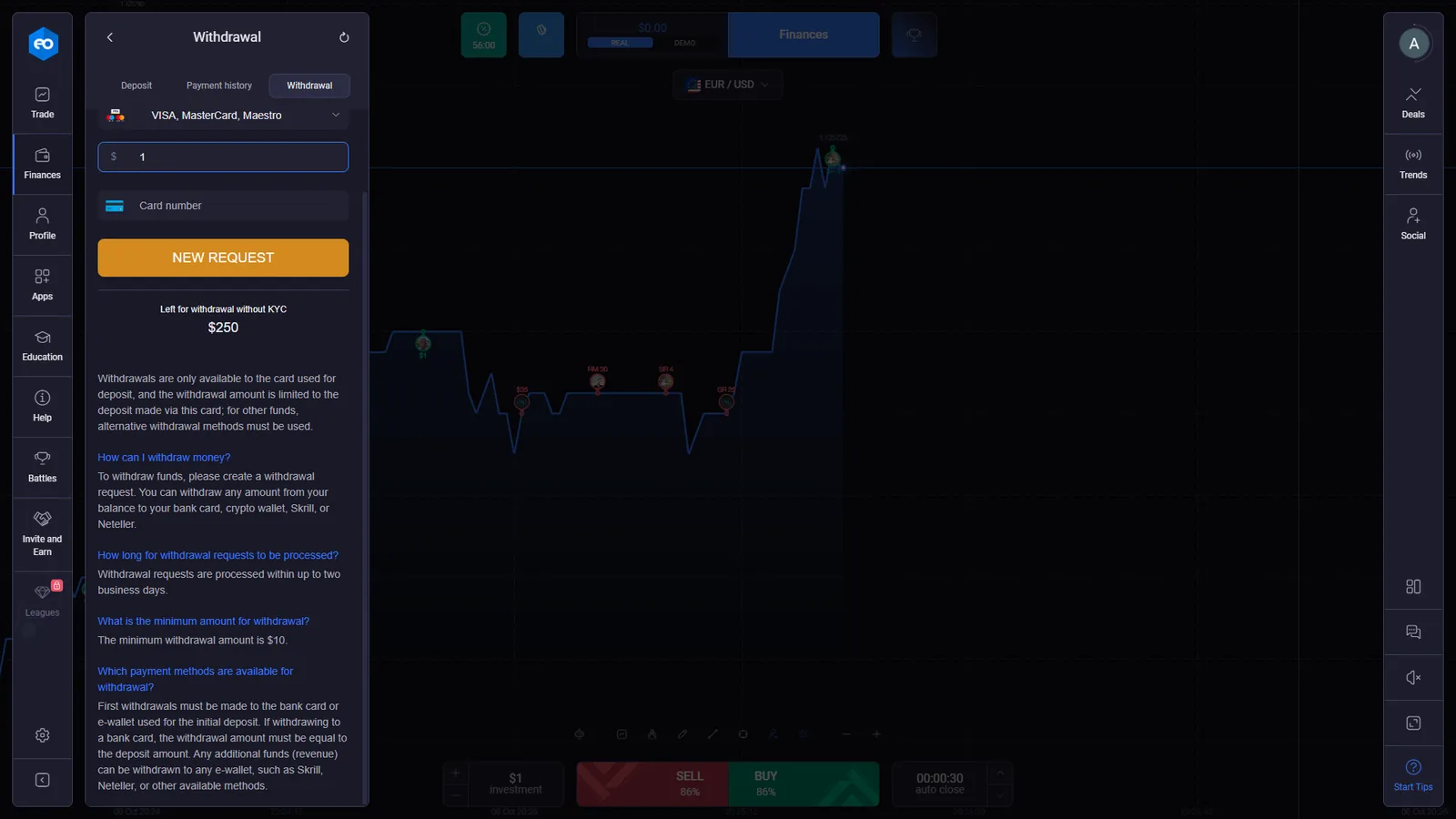
The withdrawal interface we checked stated that requests are processed within up to two business days and that the minimum withdrawal is $10. It also displayed “Left for withdrawal without KYC $250” and explained the return-to-source rule for card deposits.
EO Broker’s current educational withdrawal guide repeats the two-business-day processing statement. The formal Return & Refund Policy, however, says withdrawal processing may take up to five business days and that the company reserves the right to increase that period. We publish both because they are two current EO Broker statements describing the same process at different levels of documentation.
Another captured withdrawal route stated that the first deposit must be made before requesting a withdrawal. If a withdrawal becomes pending or rejected, see our withdrawal evidence and escalation guide.
Before funding a new account, see How to Check a Trading Platform Before You Deposit.
EO Broker Battles, Social Navigation and Account Features
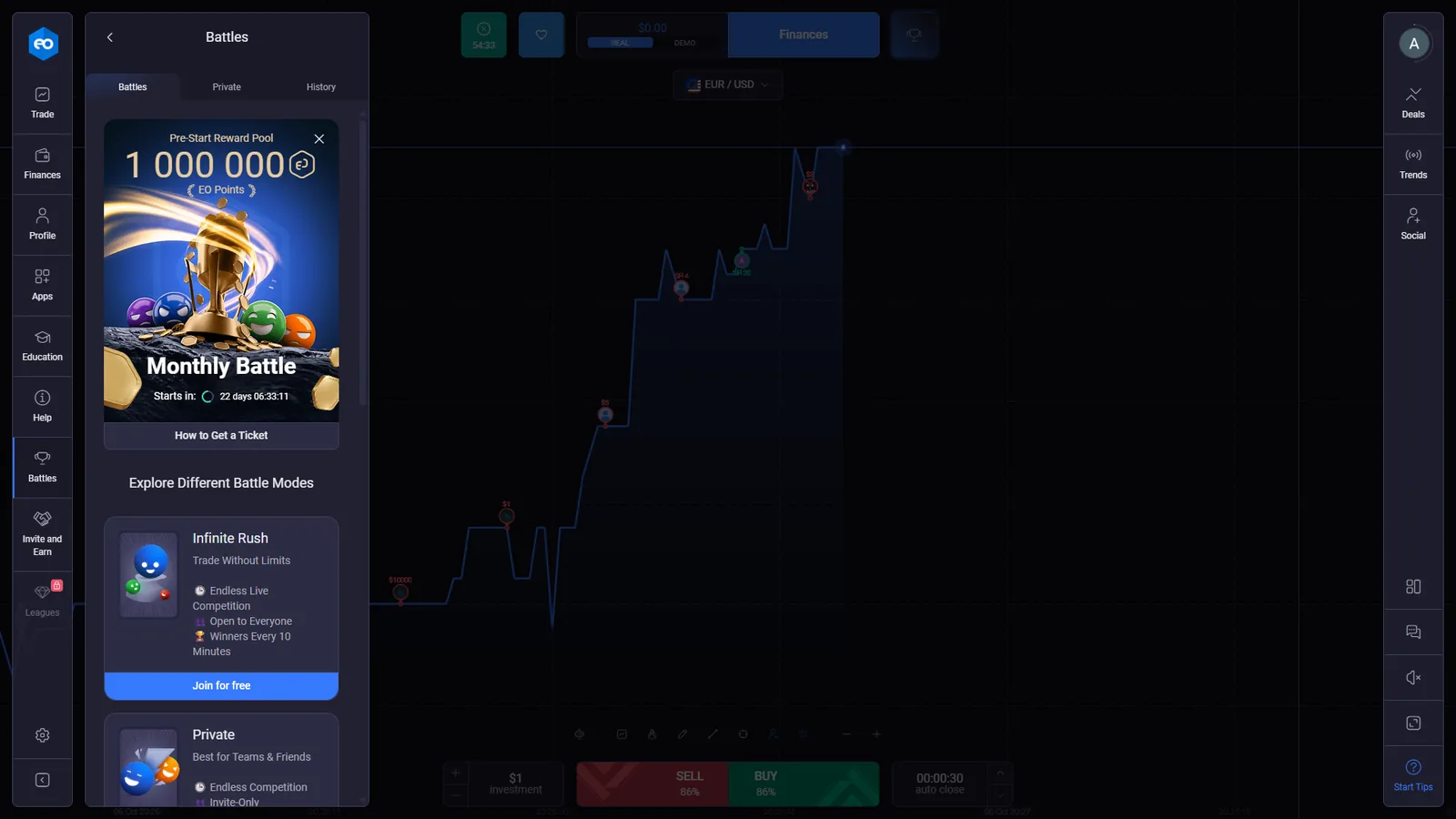
The checked account contains several areas beyond the core trading ticket. We opened Battles, where the interface showed a Monthly Battle and additional competition formats. The right-side navigation also exposes Deals, Trends and Social.
These features help document the actual account structure, but they are secondary to the product mechanics on this page. We do not use competition or social features as a basis for judging execution quality or expected results.
EO Broker Android, APK, Windows and macOS Access
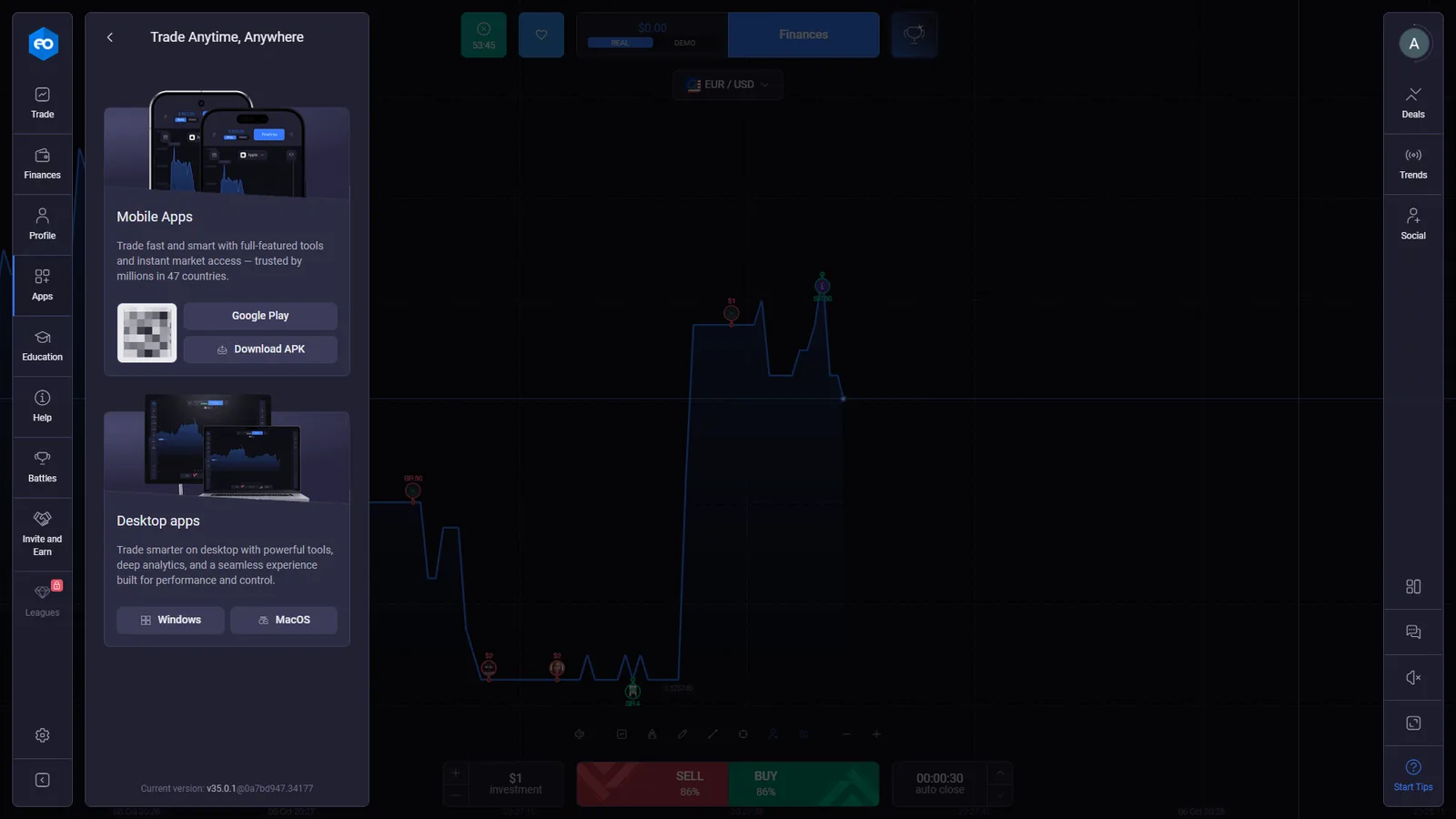
The account Apps panel showed Google Play, a direct Download APK option, and desktop applications for Windows and macOS. The public access page also advertises mobile and desktop availability.
For Android traffic, DigitalOptions.co uses the dedicated sponsored partner route supplied for this project.
Who Operates EO Broker? EOLabs LLC and Highmax Ltd
Current EO Broker legal documents identify EOLabs LLC, Company No. 377 LLC 2020, with a registered address in Kingstown, St. Vincent and the Grenadines. The Terms state that the site has been operated by EOLabs LLC since 30 June 2020 and that transactions are processed and executed under the laws of Saint Vincent and the Grenadines.
The same legal layer identifies Highmax Ltd, company No. 124393, Gibraltar, as the payment agent for EO Broker. These details also appear in current ExpertOption material, which is why operator identity forms part of the similarity finding above rather than being treated as a visual coincidence.
Operator identity does not answer every product question. Trading mechanics, payment availability, KYC status and withdrawal conditions are checked separately because they can change at the interface or account level.
EO Broker FAQ
What is the official EO Broker website?
The EO Broker website we checked is eo.broker. Commercial buttons on this page use the approved GetProfit tracking routes supplied for this project.
Does EO Broker have a demo account?
Yes. We accessed EO Broker DEMO mode directly. The checked account displayed $10,000 in virtual funds and we used the demo terminal to document Trading Mode, timing controls, deal history and early close.
Does EO Broker offer Digital Options?
Yes. EO Broker cardholder documentation uses the description “Digital Options.” The checked Trading Mode uses a fixed-time SELL/BUY workflow with a displayed payout, auto-close timing and an early Close control for open positions.
What is the EO Broker minimum deposit?
The cashier in our checked Ecuador account displayed a $10 minimum deposit. Payment methods are account- and region-specific, so users should check the current cashier in their own account.
What is the EO Broker minimum withdrawal?
The checked withdrawal interface and EO Broker education material state a $10 minimum withdrawal. The interface says requests are processed within up to two business days, while the formal Return & Refund Policy allows processing to take up to five business days and says the company may increase that period.
Does EO Broker require KYC?
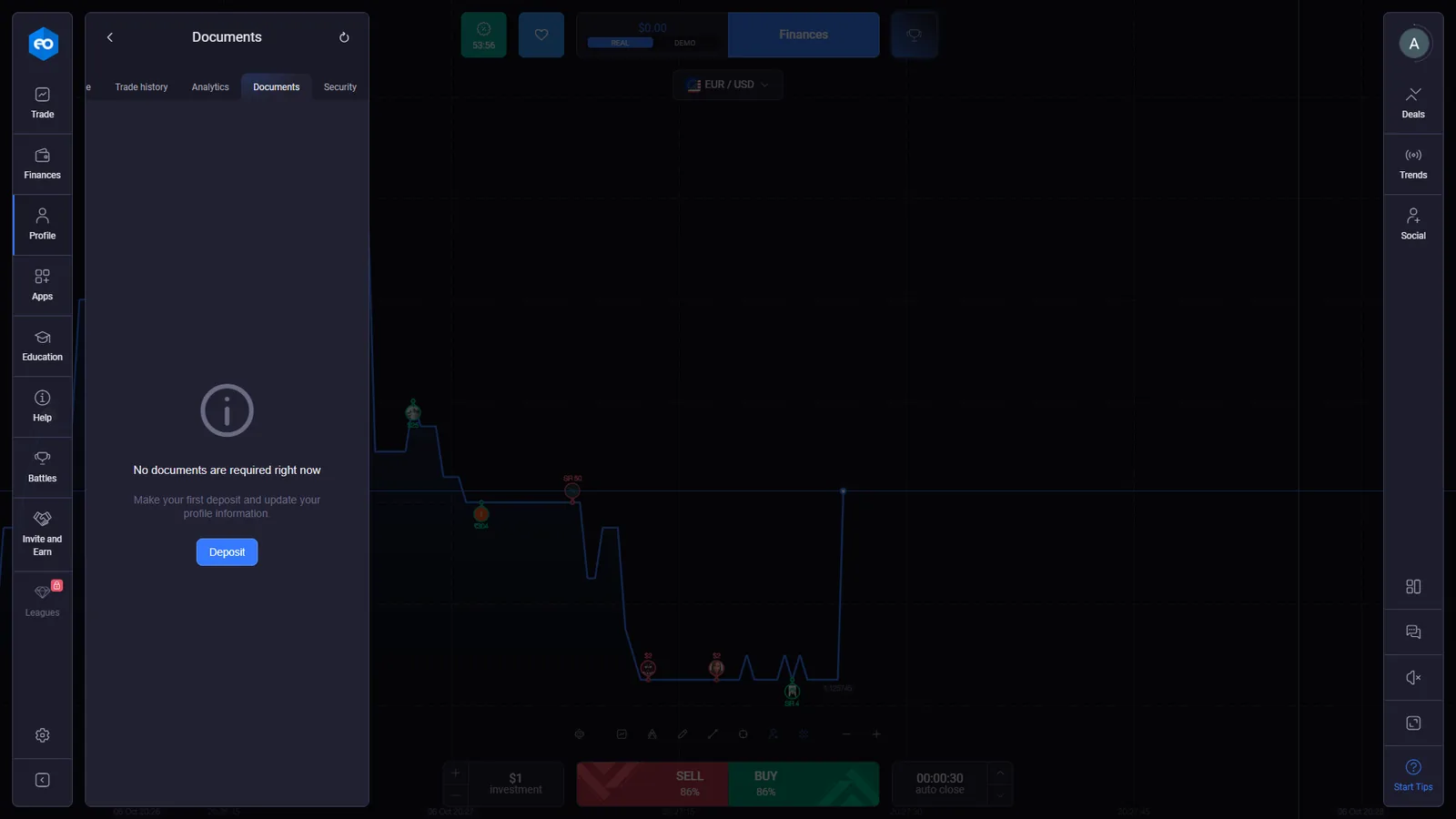
EO Broker has a KYC process. In the new account we checked, the Documents screen said no documents were required at that moment and instructed the user to make a first deposit and update profile information.
What is EO Broker Stocks Mode?
EO Broker Terms define Stock Trading as non-leveraged CFD trading. The checked Stocks Mode used lots, current and opening rates, take-profit and stop-loss controls, trading and maintenance fees, an Order ID and manual position closing.
Are EO Broker and ExpertOption the same platform?
Our first-hand checks found their user-facing interface architecture to be near-identical across the areas tested, and official sources identify the same operator, EOLabs LLC, and payment agent, Highmax Ltd. Those facts do not by themselves establish a shared backend, pricing feed or white-label relationship.
Trading Mode · Stocks Mode · cashier · withdrawals
Open EO Broker and Check the Current Account Conditions
Use the current trading ticket, Stocks order window and cashier as the controlling source for dynamic payouts, closing values, fees, payment methods and account requirements.