1TRADE · INDEPENDENT PLATFORM GUIDE · ORIGINAL SCREEN RECORDING
1TRADE Trading Platform: Registration, Demo Account & Trading Guide
Looking for 1TRADE official site access? See how the actual registration and login panels work, explore our recorded demo trades and inspect the trading tools, payment routes and withdrawal form before deciding whether to open an account.
Independent guide by DigitalOptions.co · Our platform button is an affiliate link. We are not the operator.
ORIGINAL TEST · PRACTICAL FINDINGS
What our 1TRADE screen test actually showed
We captured more than an interface tour. These are the differences and limitations a new account holder should know before funding the platform. Each finding links to the supporting details below.
The GBP/JPY OTC ticket displayed a 5-second contract and an 87% profit quote. At that quote, equal-stake trades would require a win rate above about 53.5% merely to break even before other costs.
See demo trades and settlement →The cashier displayed a $10 starting-deposit warning; the USDT (TRC20) withdrawal form separately displayed a $30 minimum. They are different transactions and may vary by route or country.
Check withdrawal conditions →Our captured bonus explanation paired a $100 bonus with a $5,000 trading-volume goal. A matching deposit bonus is not the same as immediately withdrawable cash.
Read the recorded bonus terms →We recorded both positive and negative settled demo trades, changing virtual balances, expiry settings and chart tools. This verifies the demo workflow—not profits on a funded account.
Inspect contract controls →We opened the withdrawal form but did not transfer real funds, receive a payout or complete a Copy Trading subscription. Identity checks may be requested under the platform’s policies.
See the test limitations →Method: independent desktop screen recording and original screenshots. All amounts and availability describe the captured interface, not permanent conditions or a recommendation to trade.
1TRADE Platform Access, Registration & Login
1TRADE offers separate Registration and Login tabs. The captured registration panel contains an email field, password field, an agreement checkbox and a Register button. The login panel uses email and password, with a forgotten-password link. Our site only explains the process; the form itself belongs to the trading platform.
Follow our affiliate access button and confirm you reached the intended account window.
Enter your email and create a password. Review the displayed agreement before submitting.
Enter your credentials in the platform’s login panel. Password recovery appears underneath.
Learn the terminal and account controls before considering a deposit.
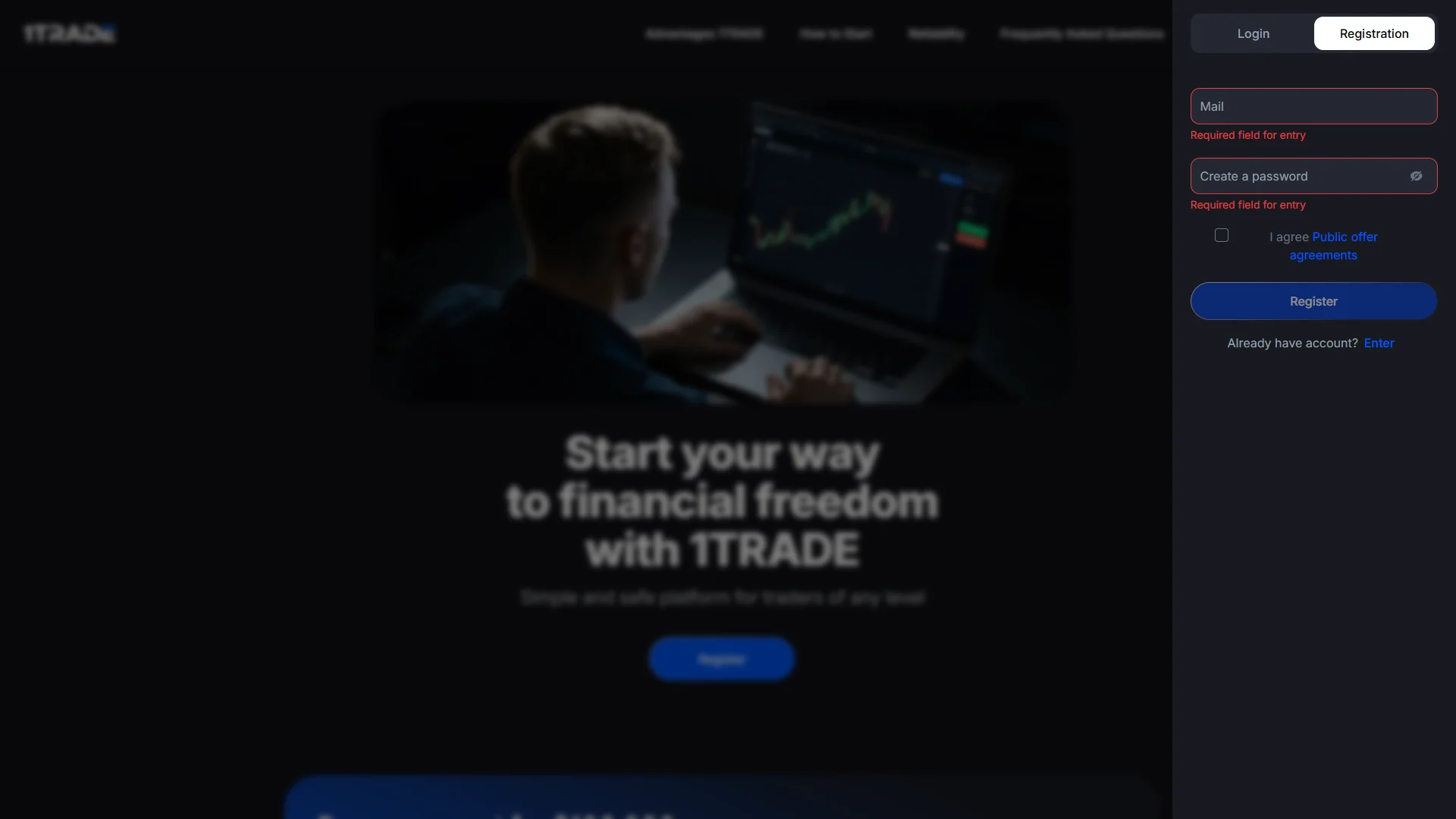
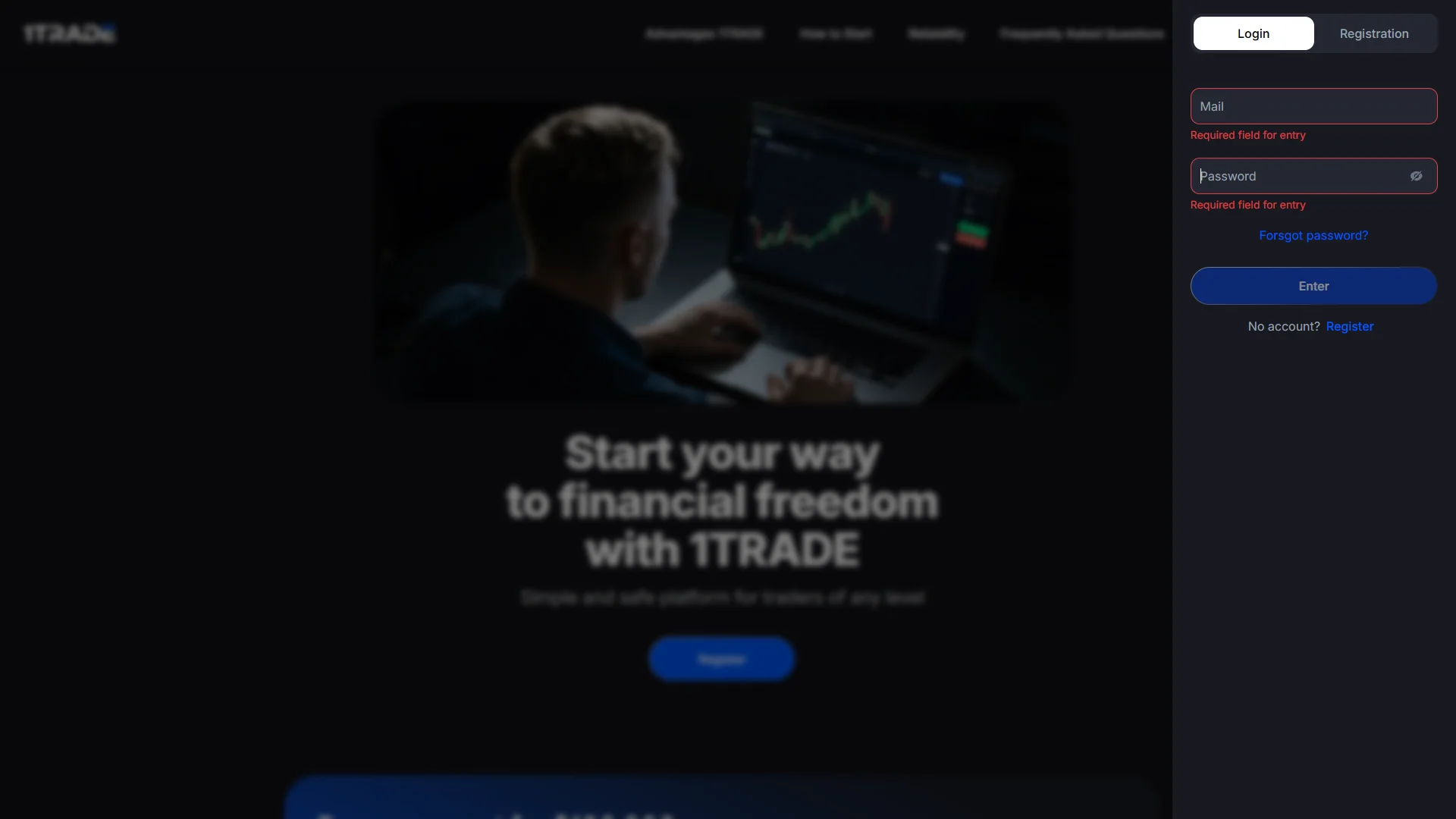
We captured the registration and login interfaces, not proof that a new account or identity check was completed. DigitalOptions.co is an independent affiliate guide, not the official 1TRADE website.
Inside the 1TRADE Trading Platform — Our Screen Walkthrough
Our 3-minute-34-second recording shows account access, the demo terminal, a GBP/JPY OTC example, trading history, expiry controls, a Copy Trading panel, indicators, deposit methods and a withdrawal form. Personal details and third-party payment QR codes or addresses are concealed. The recording does not document a completed real-money payment or withdrawal.
Original screen recording · English captions · No voice-over · Trading with virtual funds only
1TRADE Demo Account: Practice Trades & Trading History
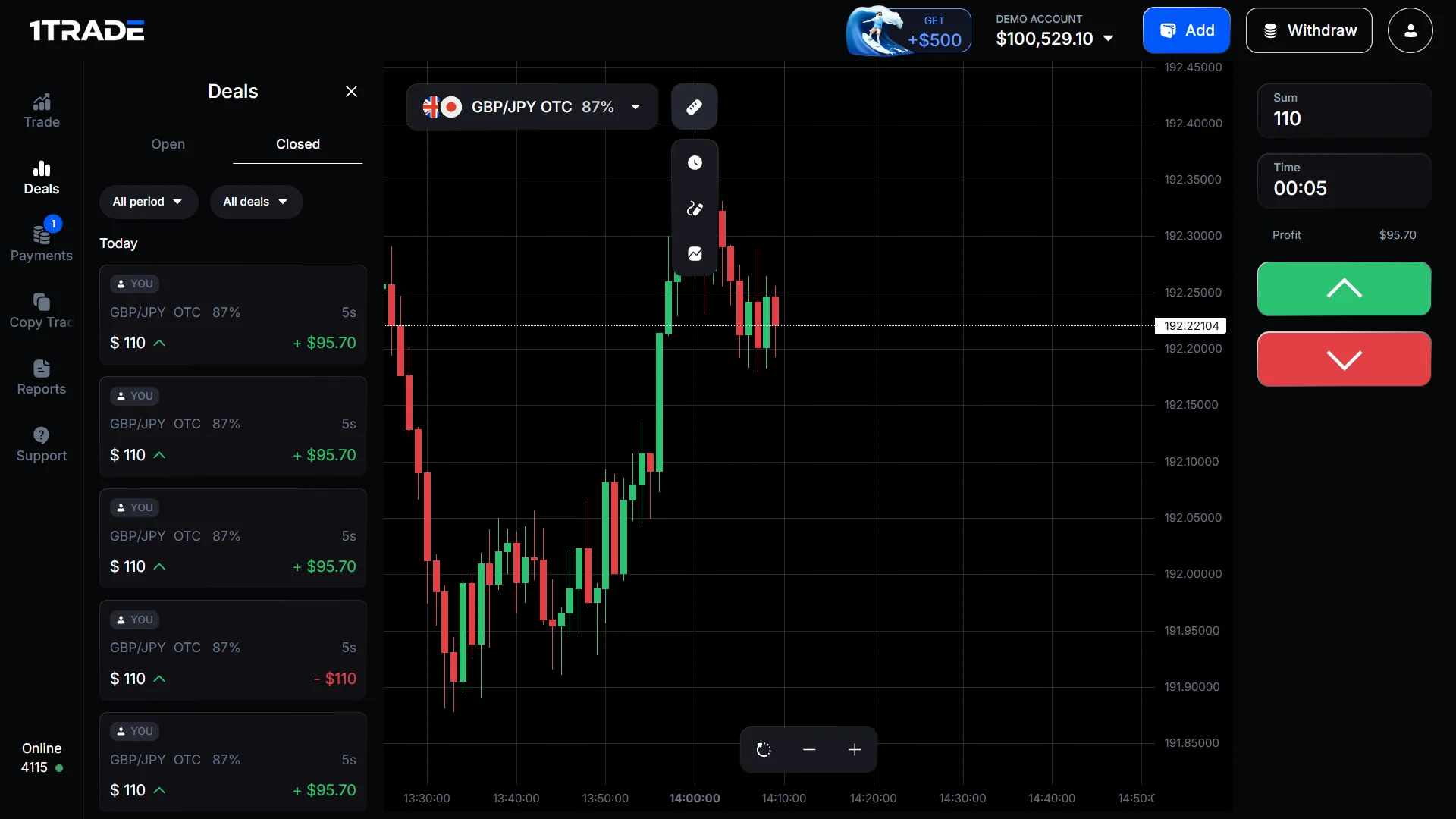
The platform advertises a $100,000 virtual demo account. Our recording shows the balance changing as simulated trades are placed and settled, rather than only a promotional image. In our GBP/JPY OTC session the interface showed a quoted payout of 87%, a five-second expiry and both positive and negative demo outcomes.
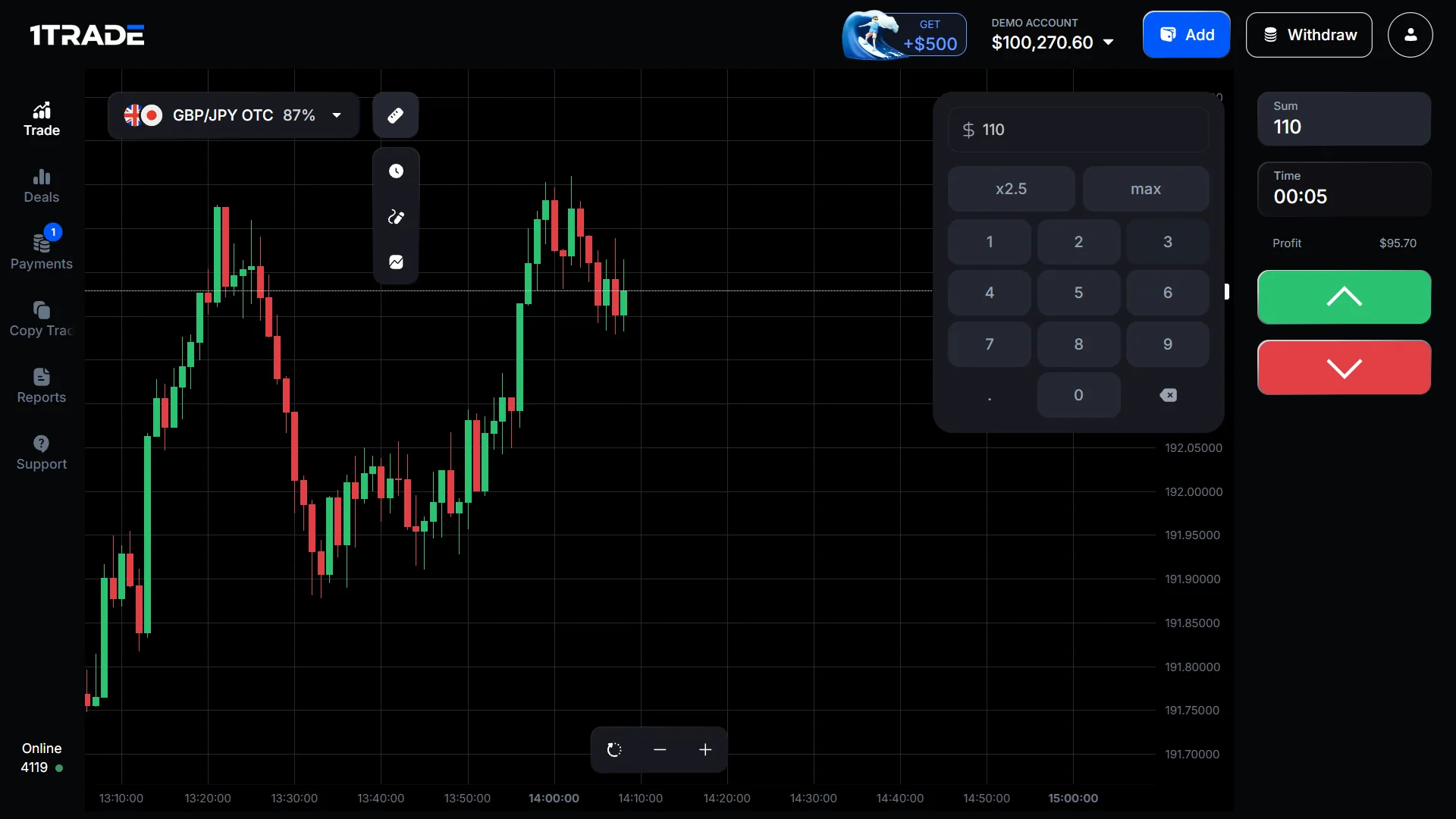
The account displayed amounts such as $110 per trade in the captured session. Those are virtual stakes, not a recommended starting amount, live-money earnings or proof of repeatable results. A losing short-duration trade can consume the full virtual stake. Read our guide to demo versus real-money accounts before switching balances.
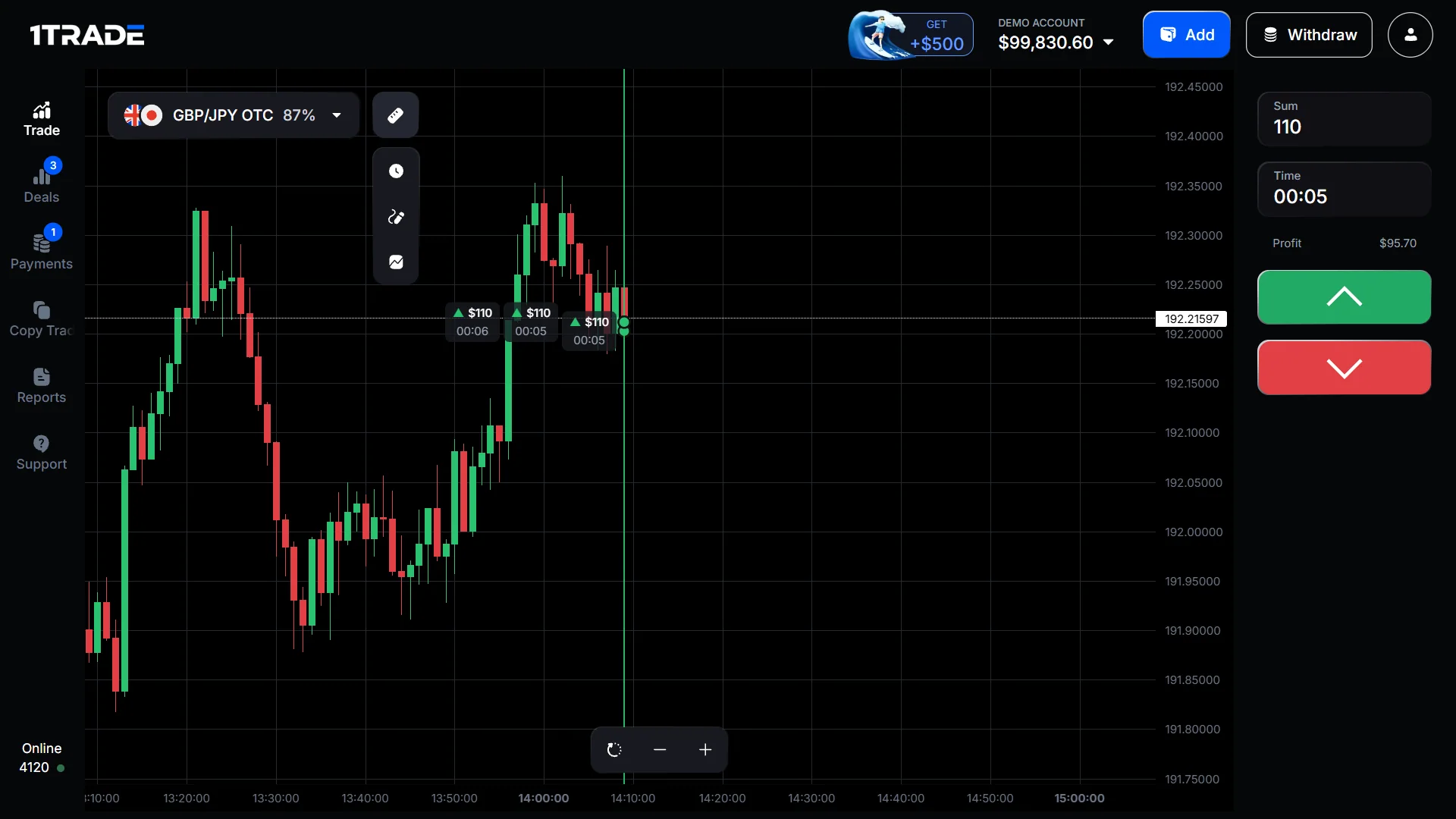
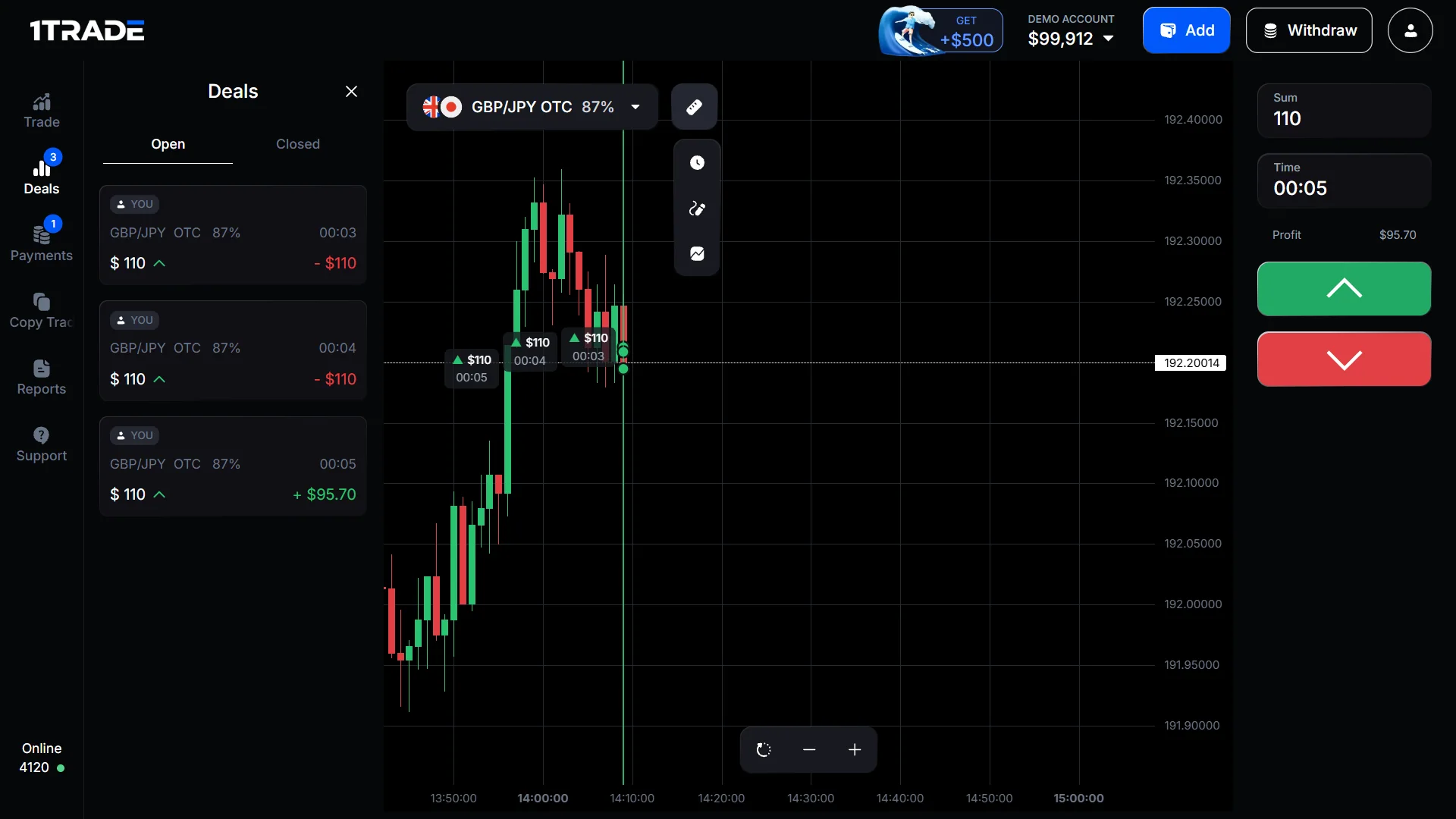
Trading Assets, OTC Payouts & Expiry Times in 1TRADE
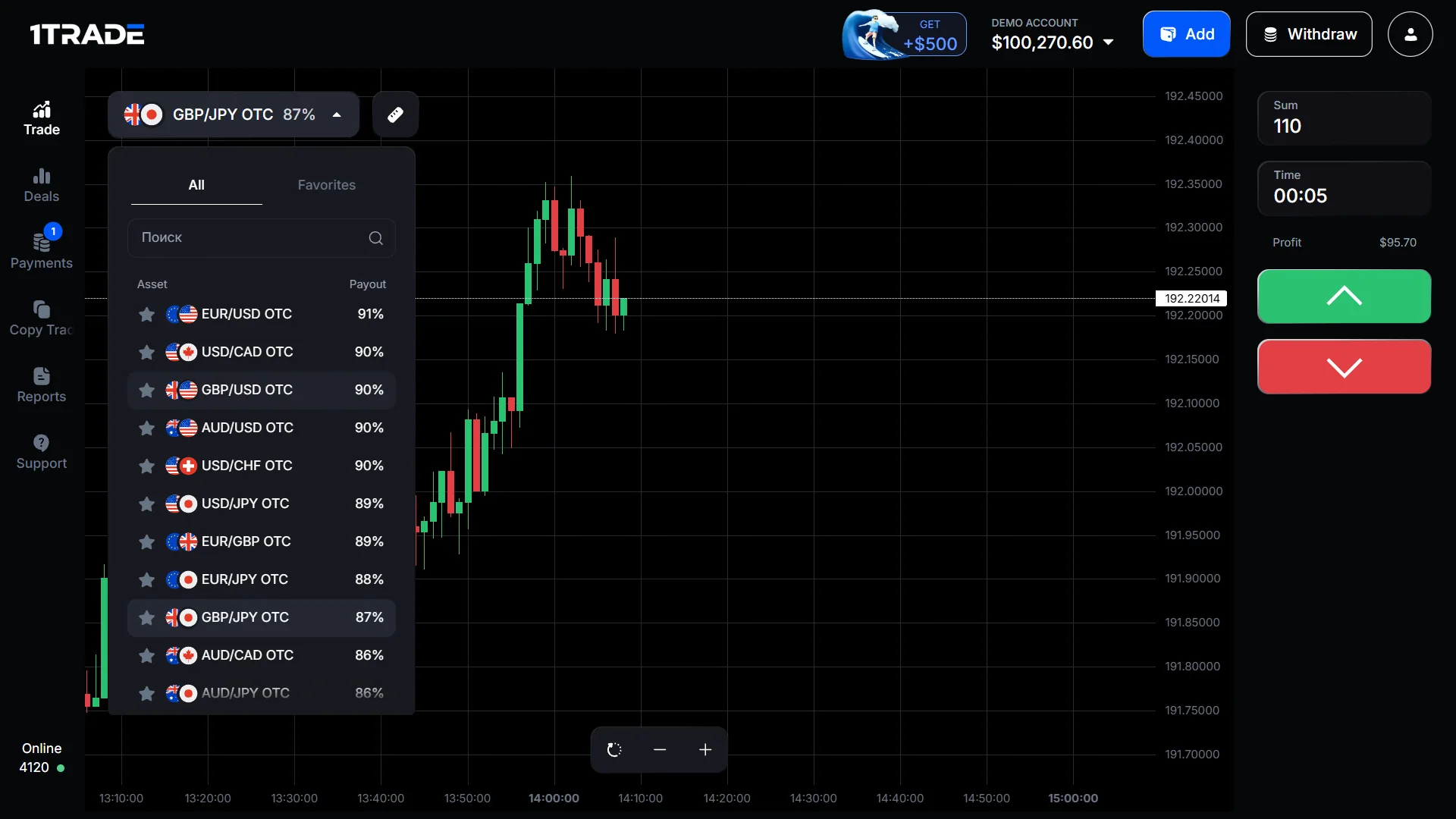
The asset selector lists currency pairs with OTC labels, favourites and session-specific payout percentages. Our screenshot includes EUR/USD OTC at 91%, USD/CAD OTC at 90% and GBP/JPY OTC at 87%. These figures were visible during the recording; they should not be treated as permanently available rates or as probabilities of winning.
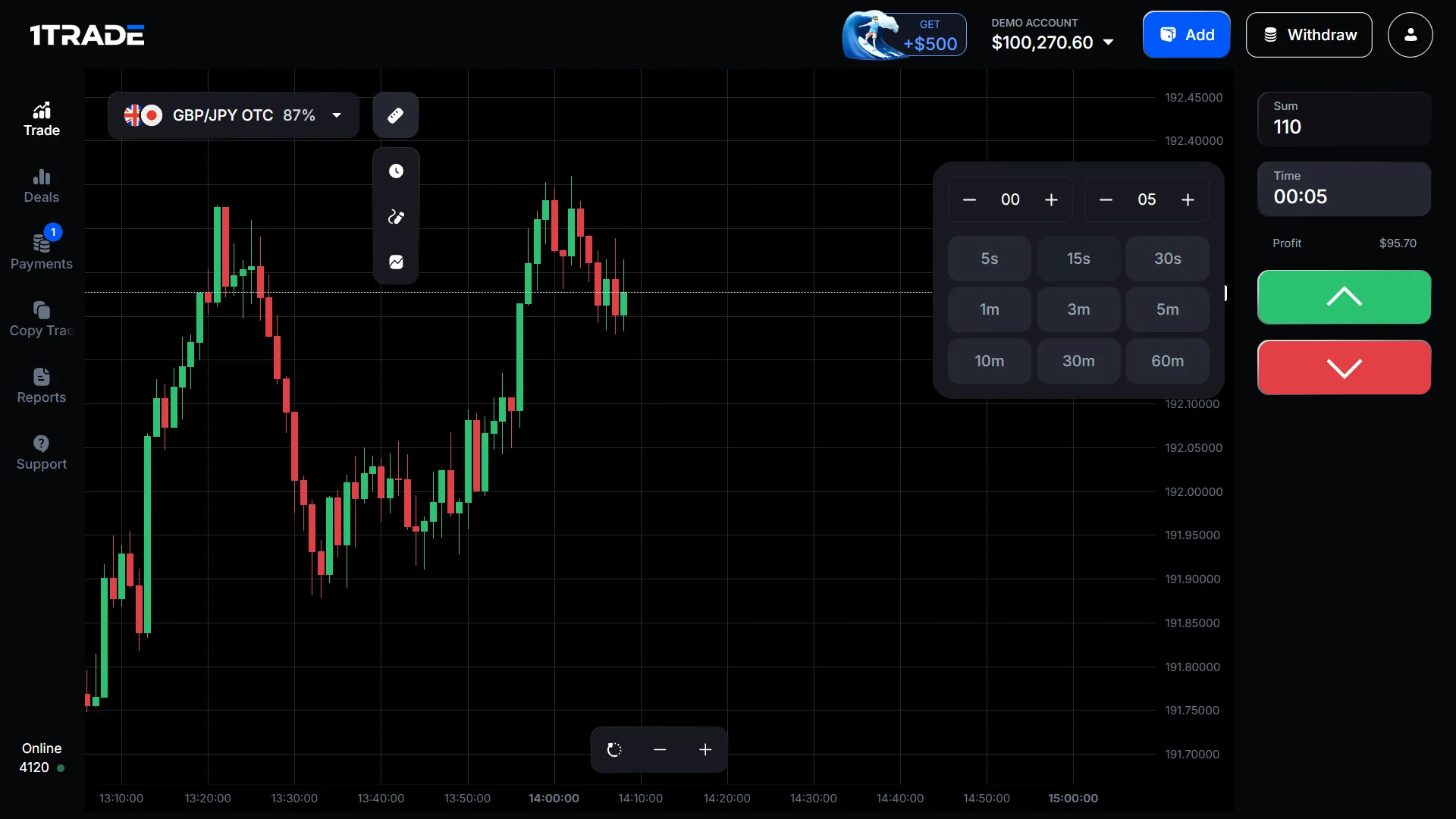
The trading ticket lets users select a stake and contract time. Our recorded menu showed 5 seconds, 15 seconds, 30 seconds, 1 minute, 3 minutes, 5 minutes, 10 minutes, 30 minutes and 60 minutes. Short expiry and high quoted payouts do not remove the risk of losing the full stake.
1TRADE Chart Indicators & Drawing Tools
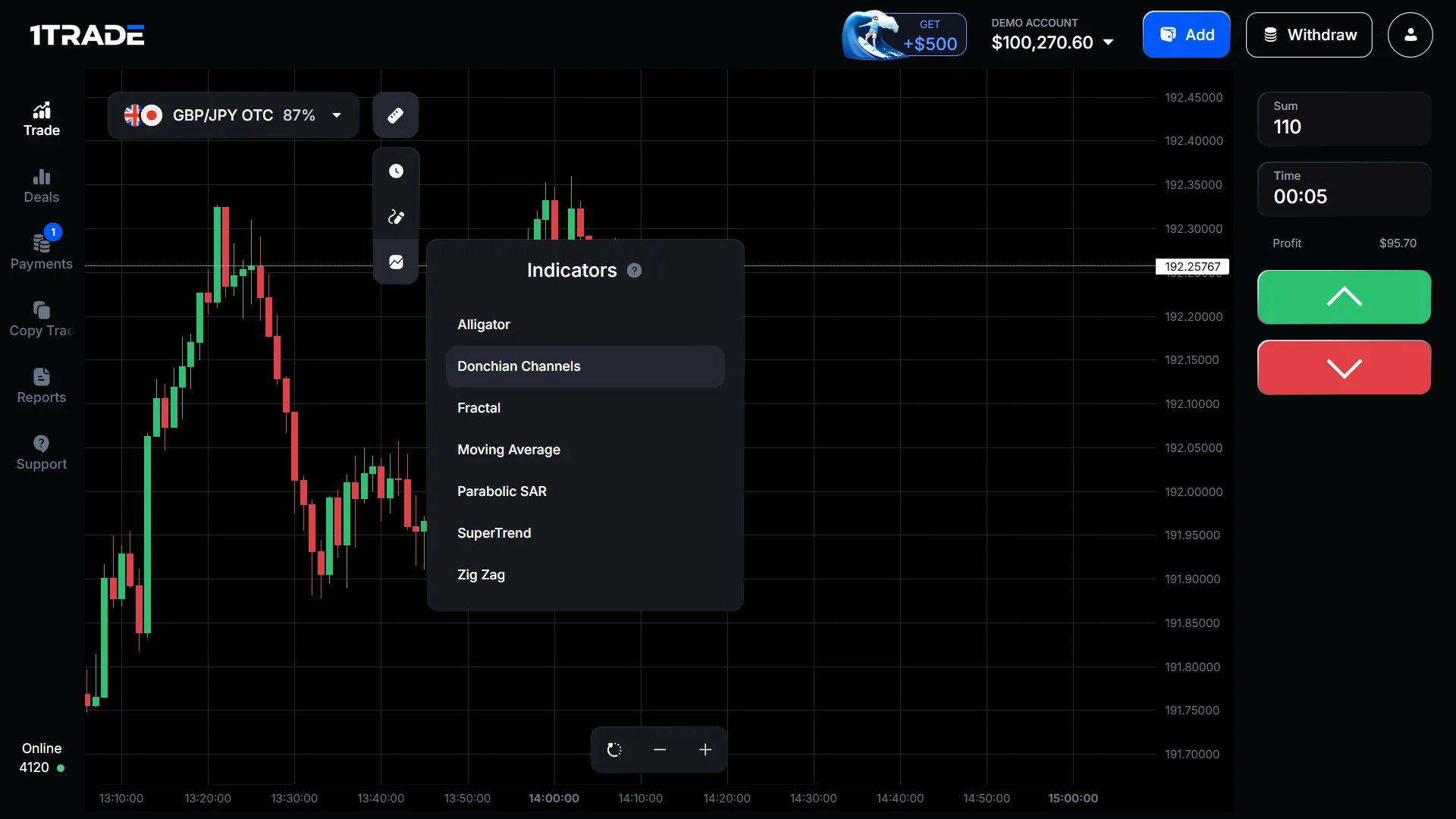
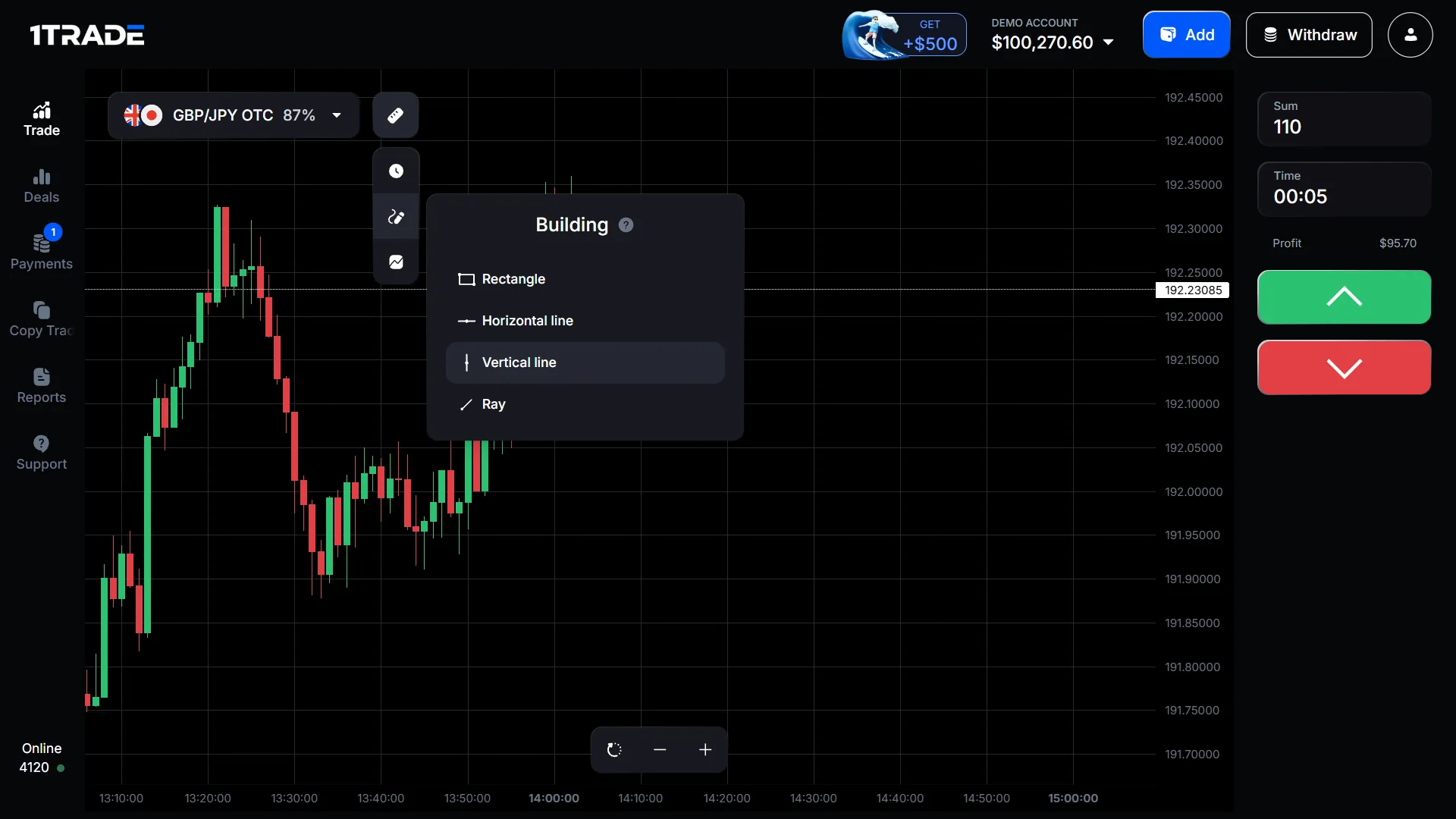
We opened the terminal’s indicator panel. The visible list included Alligator, Donchian Channels, Fractal, Moving Average, Parabolic SAR, SuperTrend and Zig Zag. The drawing menu displayed Rectangle, Horizontal Line, Vertical Line and Ray. These are observations of available controls, not performance claims for any indicator or strategy.
1TRADE Copy Trading: What the Interface Shows
The sidebar includes Copy Trading. In the video we opened this area and saw tabs for Search, Subscriptions and Subscribers, a trader-UID search field and an empty-subscriptions state. This verifies the presence of a Copy Trading interface, but it does not prove that we subscribed to a trader, copied a deal or evaluated any trader’s performance.
Users should confirm any subscription conditions and the risk of copying another person’s positions inside their own accounts.
1TRADE Deposits: Cards, Cryptocurrency & Country-Specific Methods
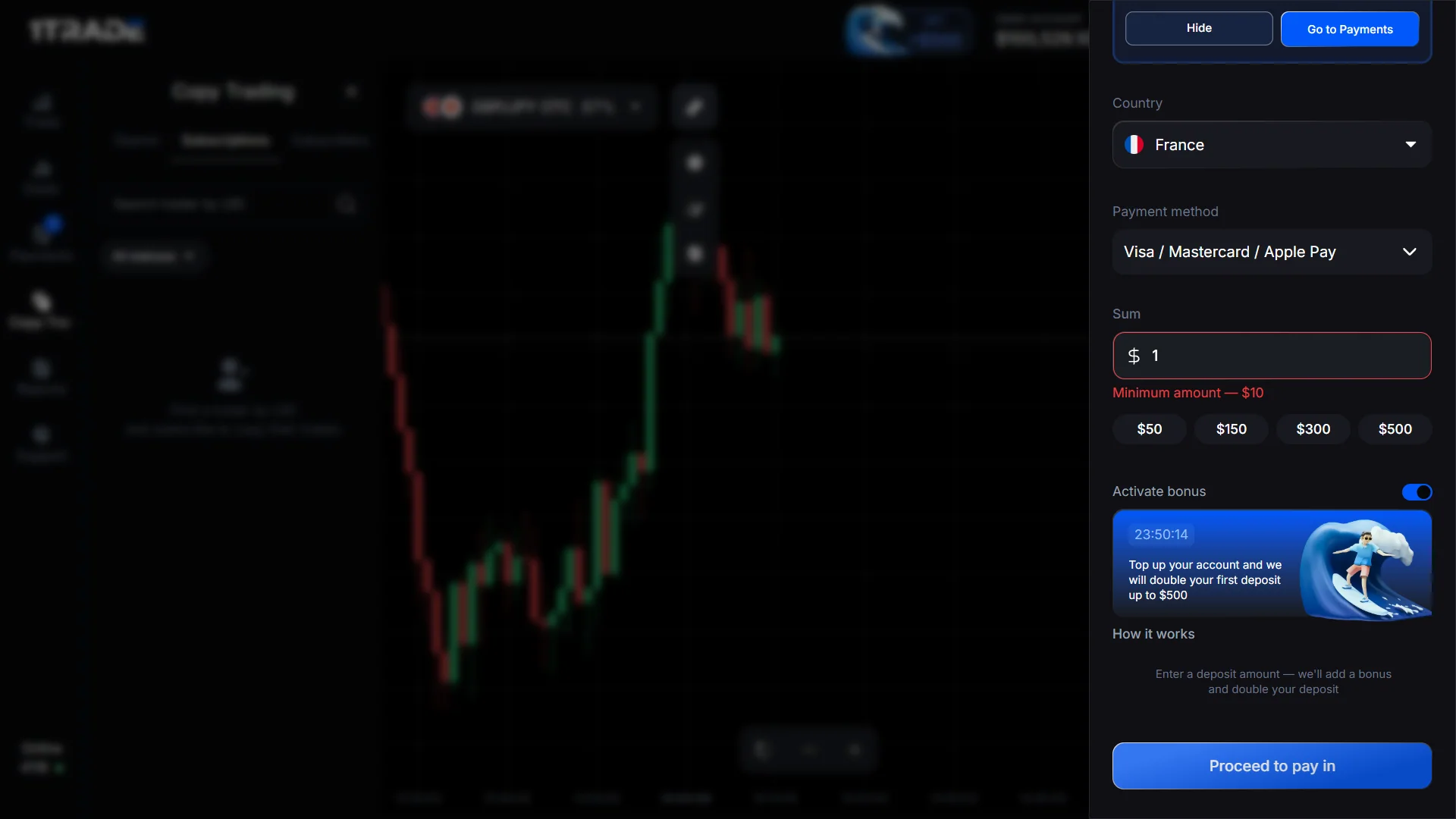
The platform advertises a $10 starting deposit. Our logged-in cashier captures show a country selector, a Visa / Mastercard / Apple Pay option, cryptocurrency funding and a network menu. The selected country in our session was France. We saw a $10 minimum warning, but it is not proof that every cryptocurrency or payment provider uses the same amount.
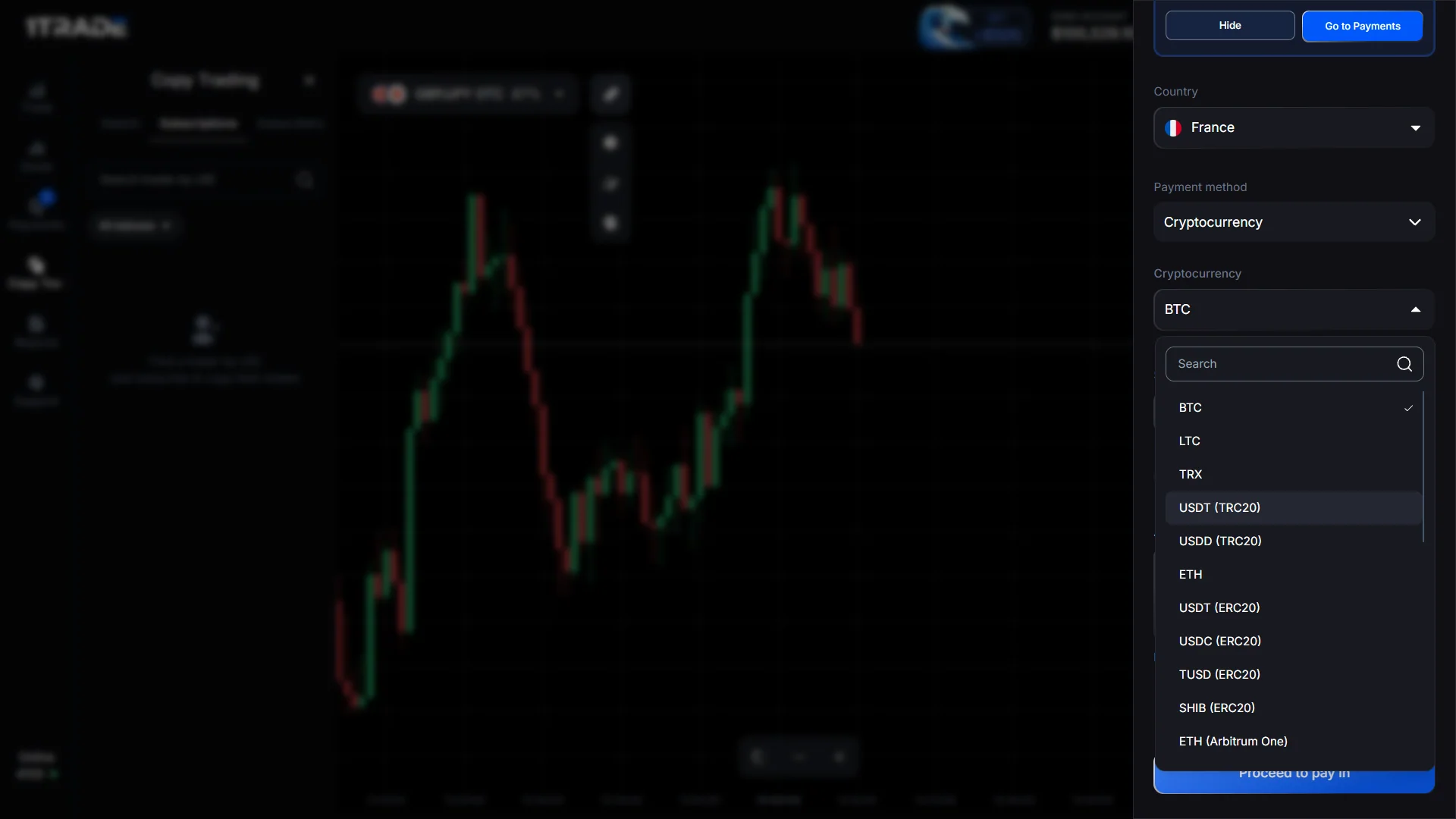
The visible crypto menu included BTC, LTC, TRX, USDT (TRC20), USDD (TRC20), ETH and several ERC20/Arbitrum routes. A third-party crypto checkout was reached during filming, but no transfer was sent; its QR code and receiving address are deliberately concealed in the published video. Always generate fresh payment instructions inside your own account; never pay using an address from an article or an old screenshot.
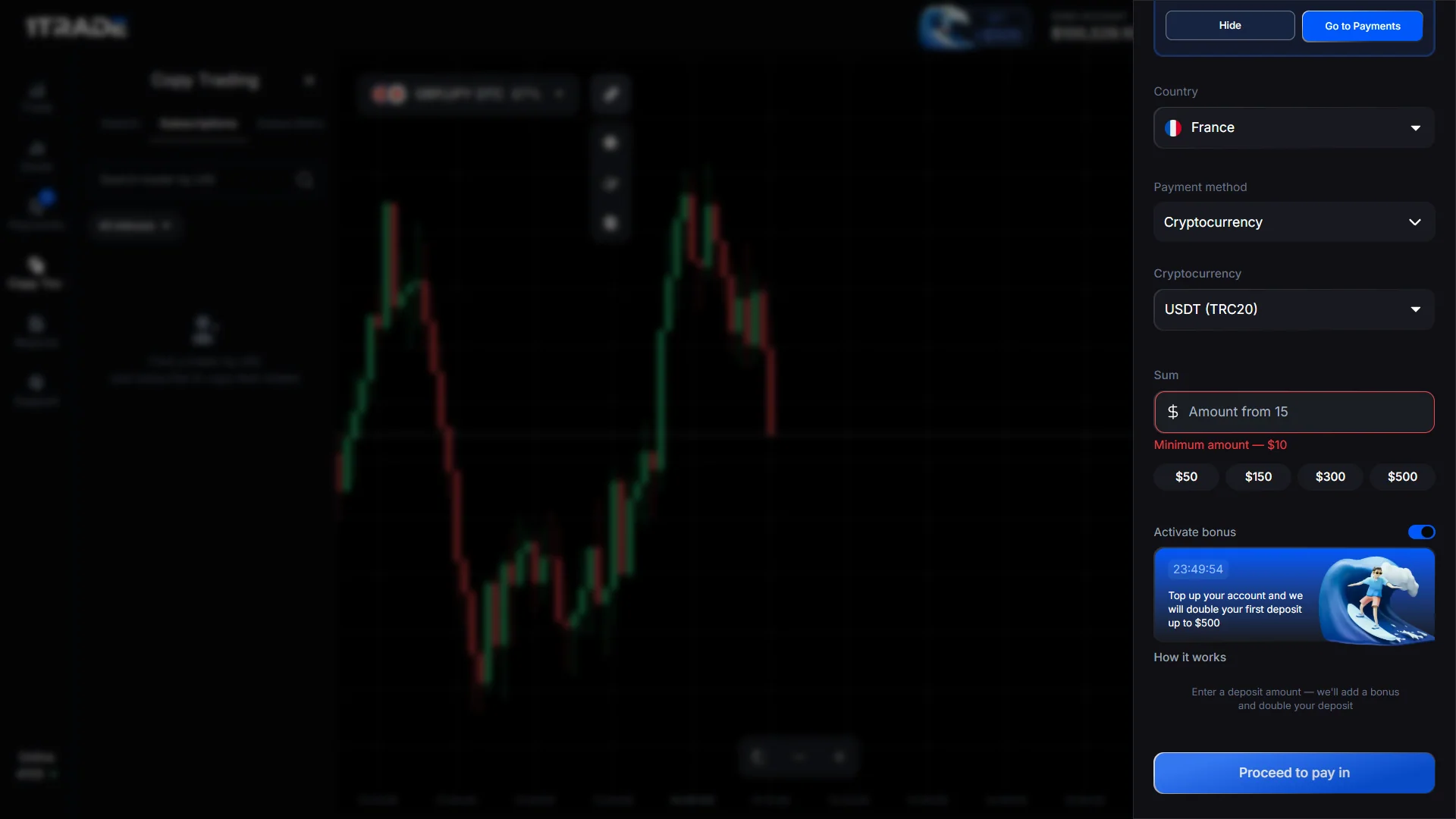
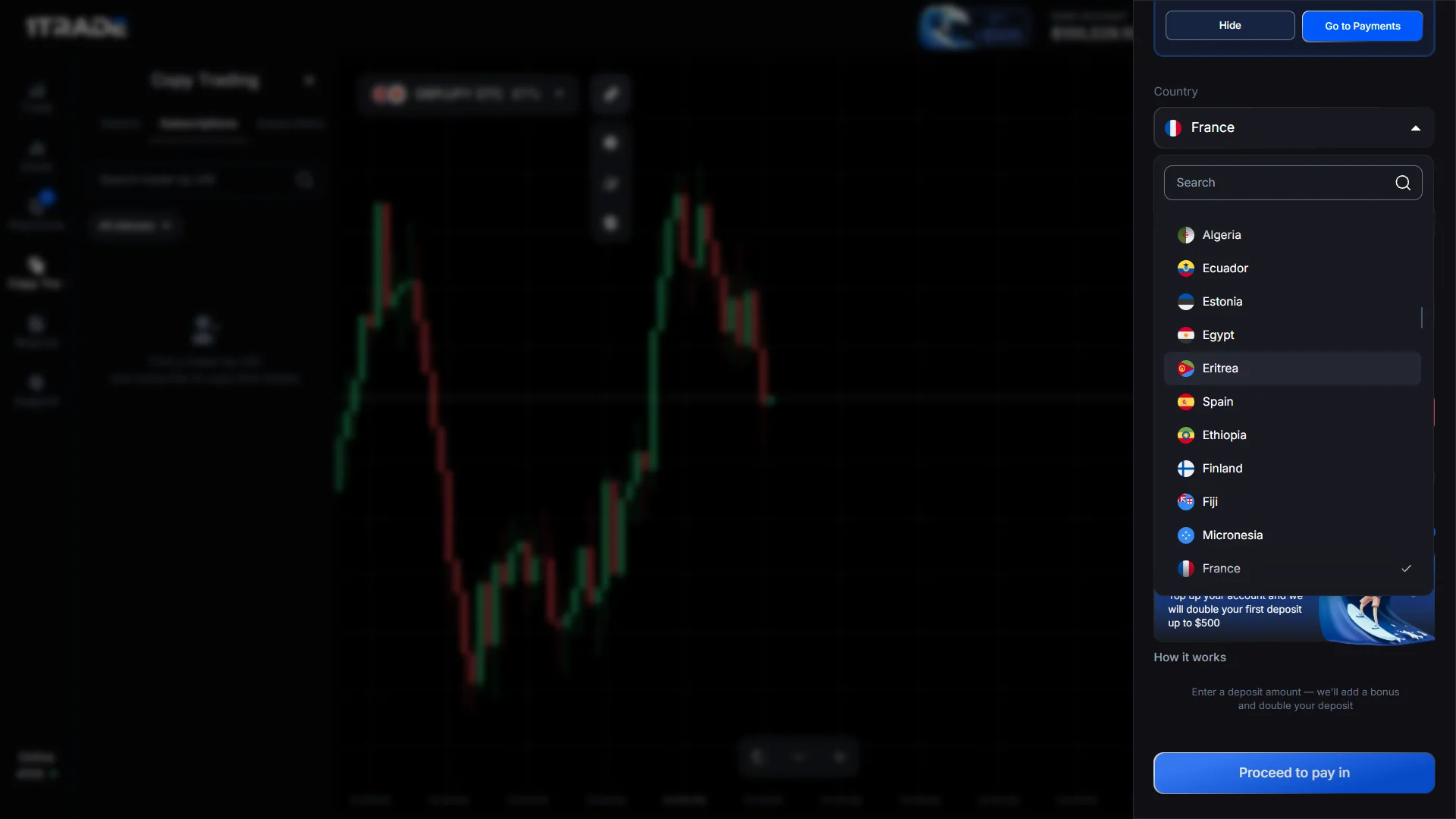
Check your own cashier before payingCurrent country, method, minimum and processor conditions take precedence over old screenshots.
Check 1TRADE Payment Options1TRADE Deposit Bonus: The Trading-Volume Requirement
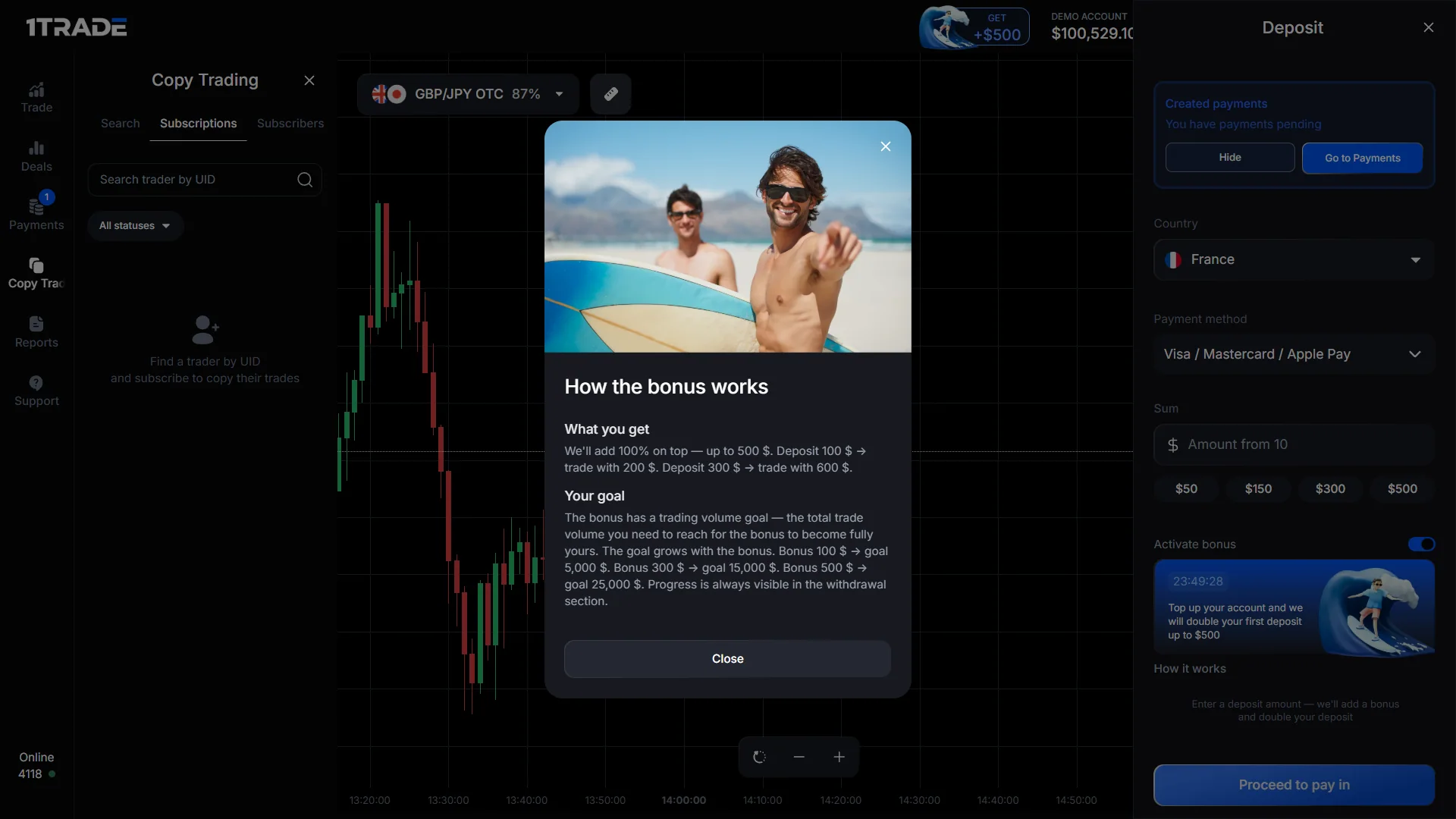
Our account displayed an optional 100% first-deposit bonus up to $500. The help window explained that a $100 deposit could add $100 in bonus funds, but also showed a trading-volume goal to unlock the bonus. Examples in that window included a $5,000 goal for a $100 bonus, a $15,000 goal for a $300 bonus and a $25,000 goal for a $500 bonus.
This should not be described as a free withdrawable gift. Bonus terms can change and may affect how much money can be withdrawn. Read the current rules and consider turning the bonus off if those conditions do not fit your plans.
1TRADE Withdrawals: USDT, Minimums & KYC Checks
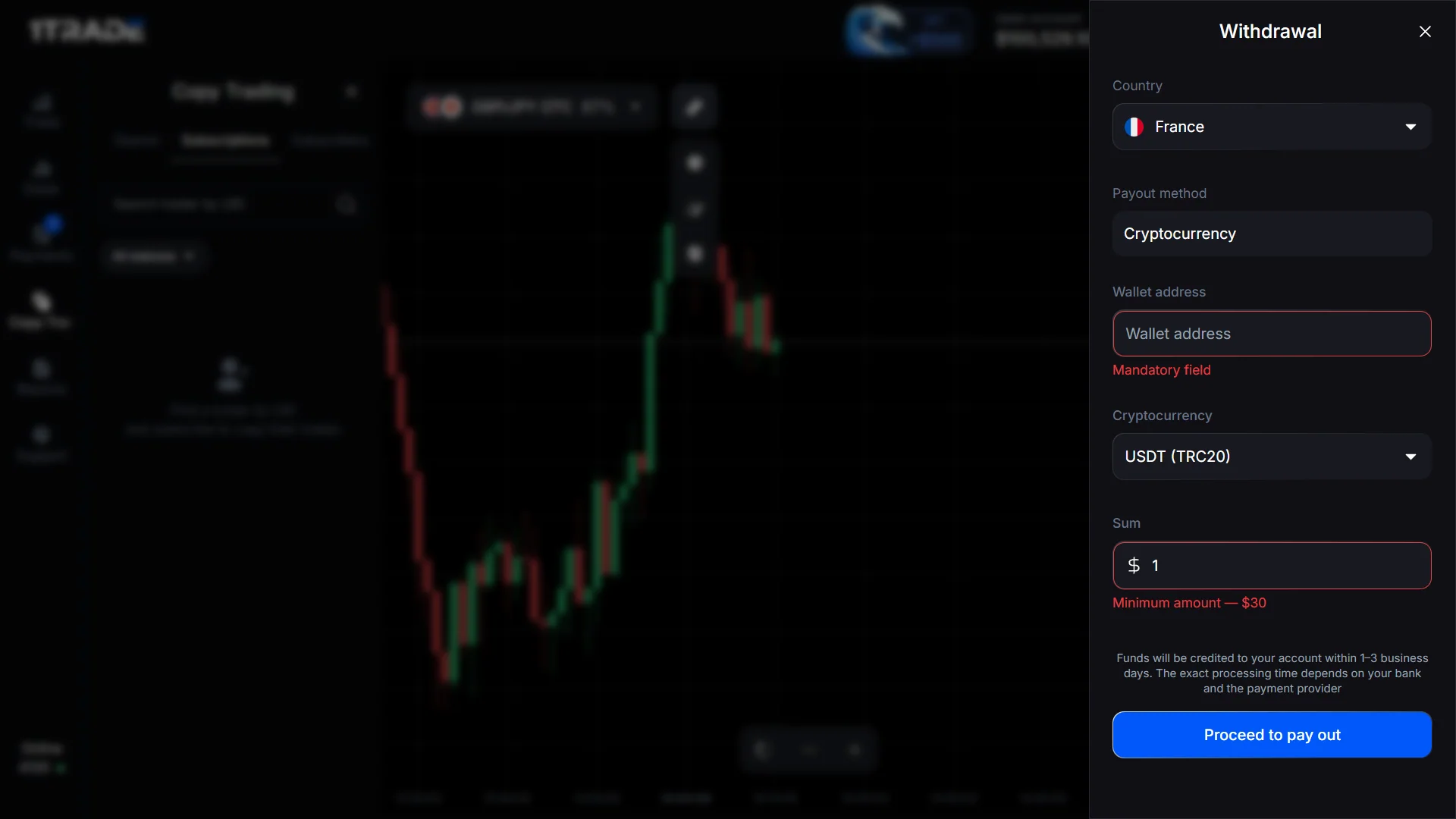
We opened the Withdrawal panel, selected Cryptocurrency and viewed the USDT (TRC20) route. Our capture displayed a $30 withdrawal minimum and an estimated 1–3 business days, with a notice that exact timing depends on the payment provider. This $30 withdrawal threshold is different from the $10 advertised deposit starting amount.
We did not enter a personal wallet address or submit a withdrawal, so the recording is evidence of the withdrawal form only. The platform’s Payment Policy and AML/KYC Policy allow identity checks and possible delays. Avoid interpreting an available withdrawal button as proof that a payout was completed.
Preparing to trade with real funds?Verify identity requirements, accepted payout methods and current processing rules before depositing.
Open 1TRADE Account Access1TRADE Mobile App & Browser Access
The operator promotes mobile trading and provides installation instructions. Its iPhone guidance describes opening the web service in Safari and adding it to the Home Screen. A browser installation flow should not be confused with proof of a standalone App Store listing. Our original evidence is from the desktop version; we have not tested a native mobile app or its security.
What We Actually Captured — and What We Did Not Test
- Empty registration and login forms.
- Virtual demo trading, open and closed deals.
- Actual OTC payout and expiry controls.
- Copy Trading panel, indicators and drawings.
- Deposit methods, optional bonus and withdrawal form.
- A real-money deposit or paid withdrawal.
- Any trader’s live-money profit or success rate.
- Actual execution of a copy-trading subscription.
- Account approval or identity-verification outcome.
- Availability of every payment method in every country.
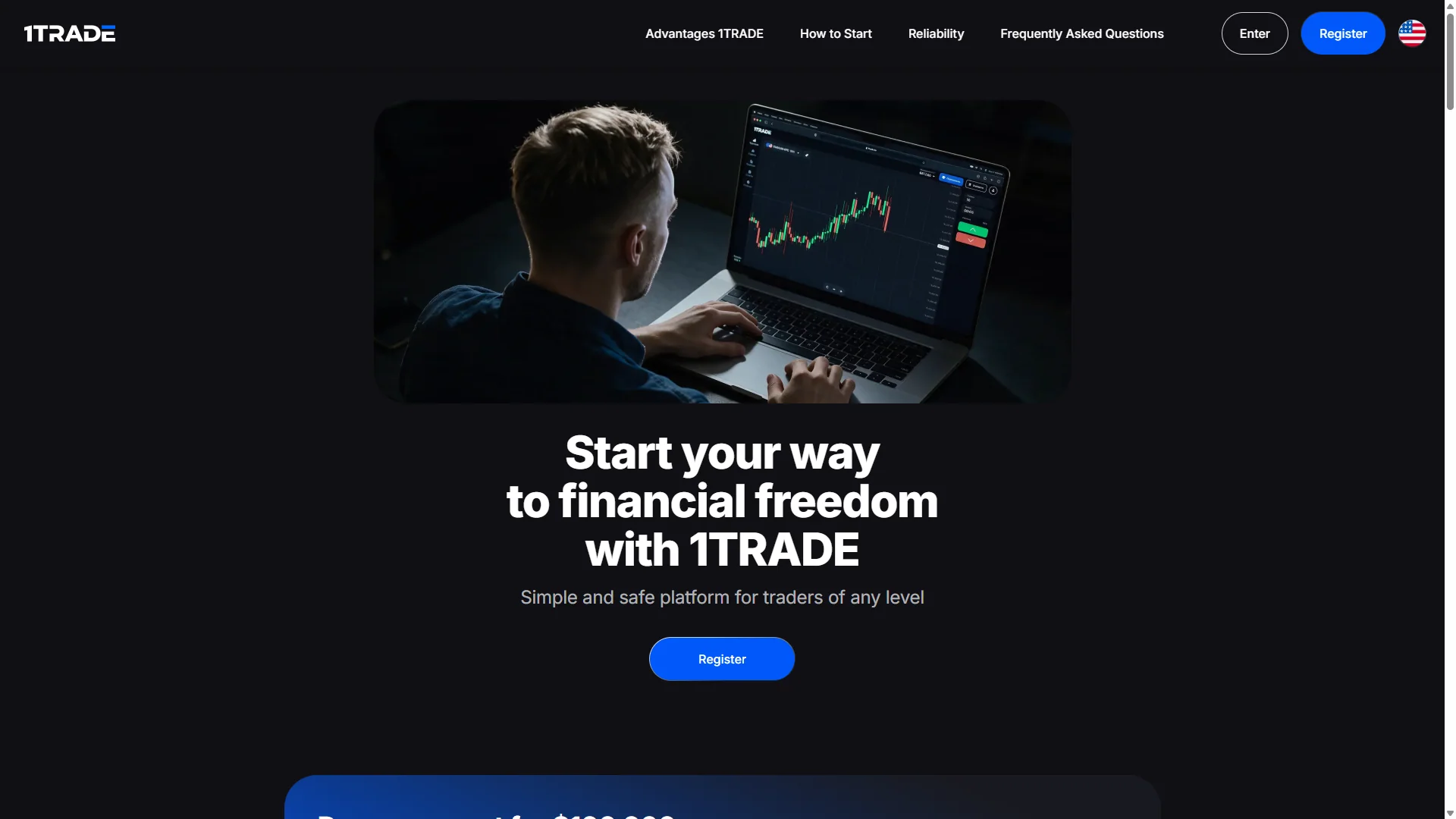
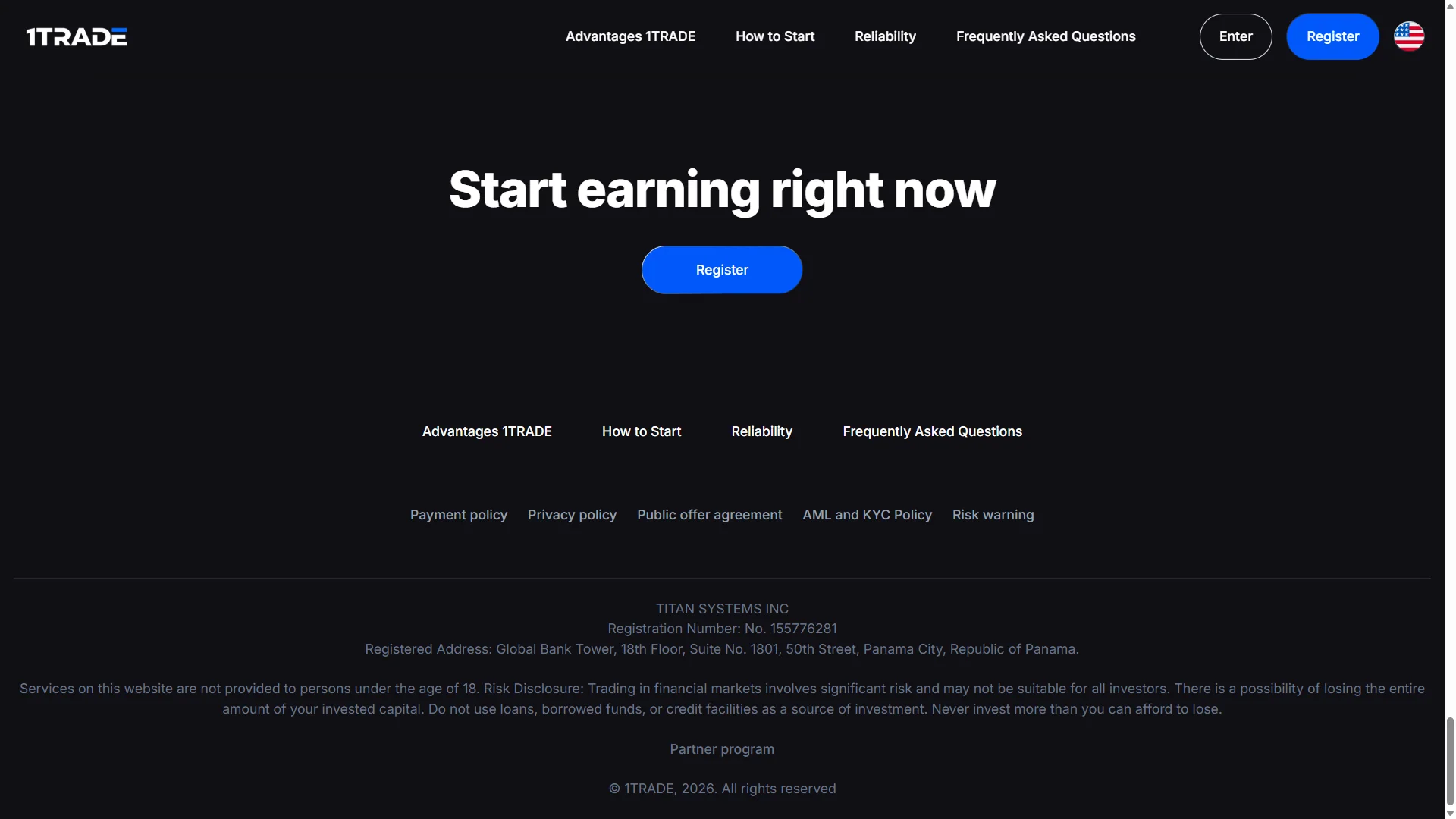
The platform’s public site displays TITAN SYSTEMS INC in its footer. Company registration alone is not evidence of investment authorization. This guide explains platform access rather than rating or recommending an investment product. Trading may cause a total loss of deposited funds.
1TRADE Frequently Asked Questions
How do I access the 1TRADE official site?
Use the Open 1TRADE button in this independent guide. The button follows our affiliate route to the platform. DigitalOptions.co is not the official 1TRADE website, so check the destination and regional eligibility before entering information.
How do I register a 1TRADE account?
Select Register, enter an email address and password, read the Public Offer Agreement and submit the form if you accept its terms. Our screenshots show the real registration panel; do not assume another verification step was completed in our recording.
How can I log in to 1TRADE?
Select Enter or Login and use your account email and password. The login panel also includes a password recovery option. Never enter credentials into an imitation form on a third-party site.
Does 1TRADE have a demo account?
Yes. The platform advertises a $100,000 virtual demo balance. Our original recording shows the demo interface, open and closed simulated trades, and the changing virtual balance. Demo outcomes are not evidence of real-money returns.
What is the minimum deposit on 1TRADE?
The public website advertises a $10 starting deposit, and our cashier capture displays a $10 minimum warning. Available payment methods and route-specific requirements depend on the selected country, currency and processor. Check the current amount inside your account.
How do 1TRADE withdrawals work?
Our recorded USDT (TRC20) withdrawal form showed a $30 minimum and guidance of 1–3 business days for processing, depending on providers. We did not submit or complete a real-money withdrawal; actual timing, method and requirements can vary.
Does 1TRADE require identity verification?
The published AML/KYC and payment policies allow identity verification, which may involve ID, address or additional documents. Account access without an immediate prompt does not mean verification will never be requested.
How do I use 1TRADE on a phone?
The operator provides a mobile installation guide, including browser-based home-screen installation instructions for iPhone. Check the current instructions and publisher before installing; our own evidence in this guide is from a desktop session.
Explore the account and demo before risking real funds
We use a sponsored affiliate link. Our original screenshots document platform controls, not profits or successful cash withdrawals. Trading carries a substantial risk of loss.