First-hand platform check · October 2026
Tickz: Official Site, Demo and Fixed-Time Trading
Tickz is a browser and mobile trading platform whose legal documentation uses the term Digital Options. The product we checked separates Trading Mode, Events Mode and Stocks Mode: the standard Trading Mode uses a fixed-time SELL/BUY workflow, while the other modes expose different contract controls. We registered, used DEMO mode, completed trades and inspected the cashier, withdrawal screen, KYC status and account features.
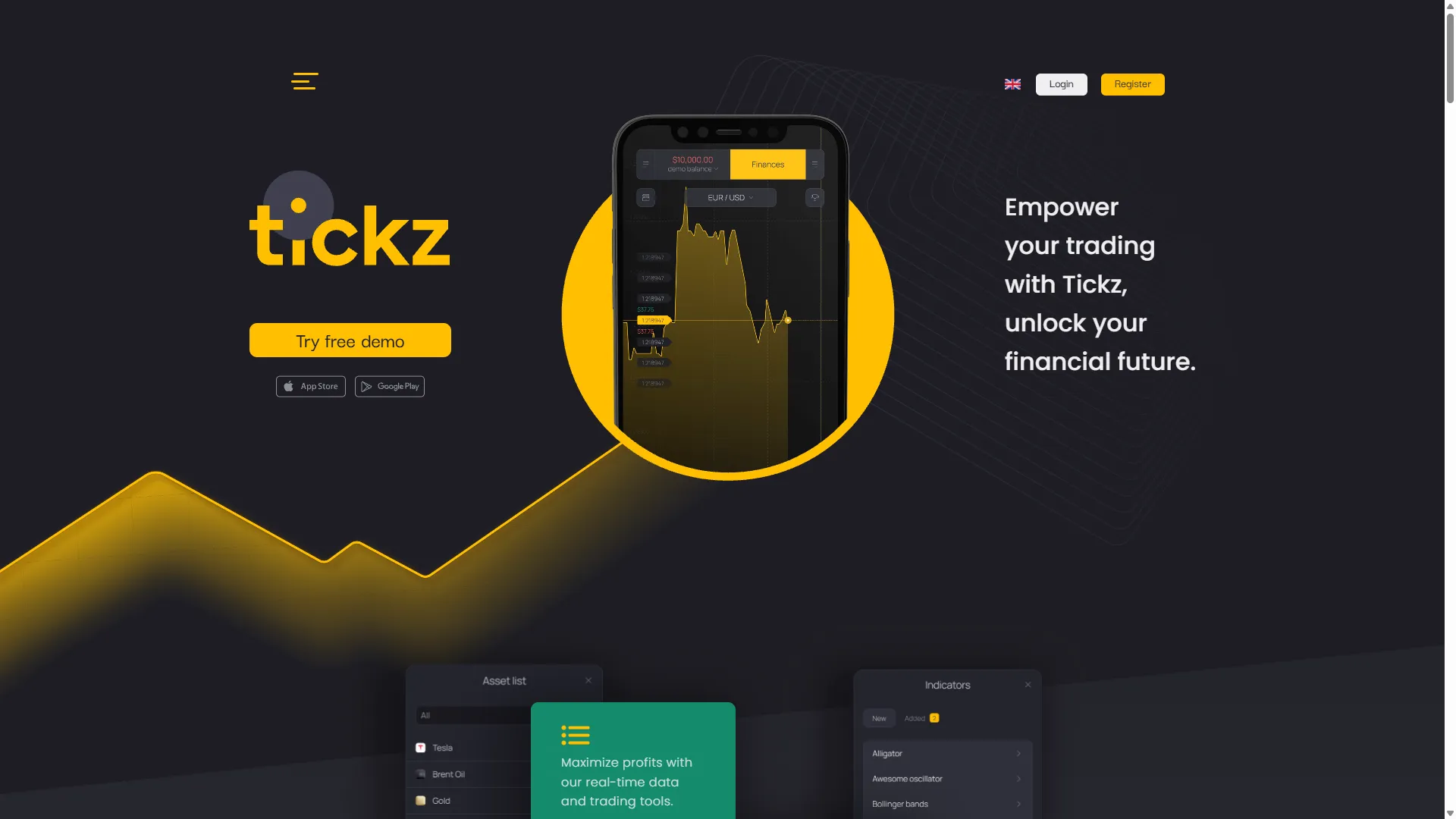
Tickz Official Site, Sign Up, Login and Demo Account
The main public website we checked is tickz.com. Its access flow exposes separate Login and Register tabs, email and password fields, acceptance of the Terms and Privacy Policy for registration, and third-party sign-in buttons for Facebook, Google and Telegram. A free-demo entry point is also visible on the public site.
Our commercial buttons use the sponsored GetProfit partner routes supplied for this project. The registration route goes directly to the account form, while the standard route opens the Tickz landing flow.
After registration, the account exposes a REAL / DEMO balance switch. We carried out the checks on this page in DEMO unless a section explicitly refers to the cashier, withdrawal or verification interface.
Is Tickz a Digital Options Platform?
Tickz itself uses the words “Digital Options” in an official cardholder-storage document. That wording is relevant to this site, but it does not mean the terminal behaves like every other product carrying the same label.
The checked Tickz Trading Mode does not expose the selectable strike ladder used by IQ Option Digital Options. Instead, its standard ticket shows an asset, investment amount, displayed percentage, direction buttons labelled SELL and BUY, and an automatic closing time. The account also exposes separate Events Mode and Stocks Mode interfaces. We describe those modes by their observed controls instead of treating all three interfaces as one identical product workflow.
We use “Digital Options” when describing Tickz’s own document terminology. We use “fixed-time SELL/BUY” when describing what we actually observed in the terminal. Keeping those two facts separate avoids forcing different platform mechanics into one definition.
Terminology check: the document confirms that Tickz uses the term “Digital Options”; the checked terminal determines the mechanics described on this page. For the broader terminology gap, see Digital Options vs Binary Options.
How Tickz Trading Mode Works, Including Early Close
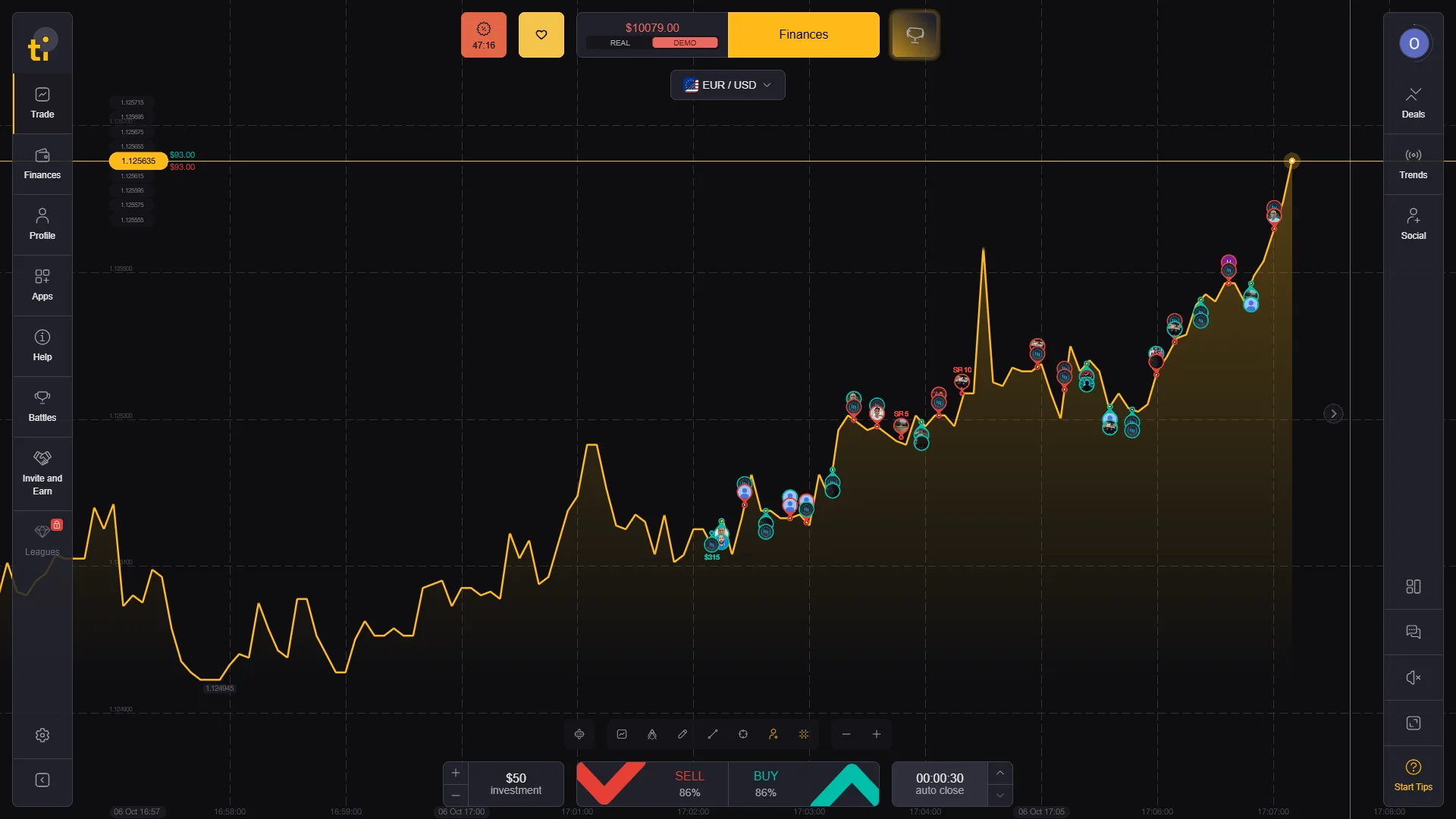
The basic Trading Mode workflow is compact. Choose an instrument, set the displayed investment, read the current payout percentage, select SELL or BUY and open the fixed-time position. In our checked EUR/USD session, the interface showed an $1 displayed investment, an 86% displayed payout and an auto-close timer of 00:00:30.
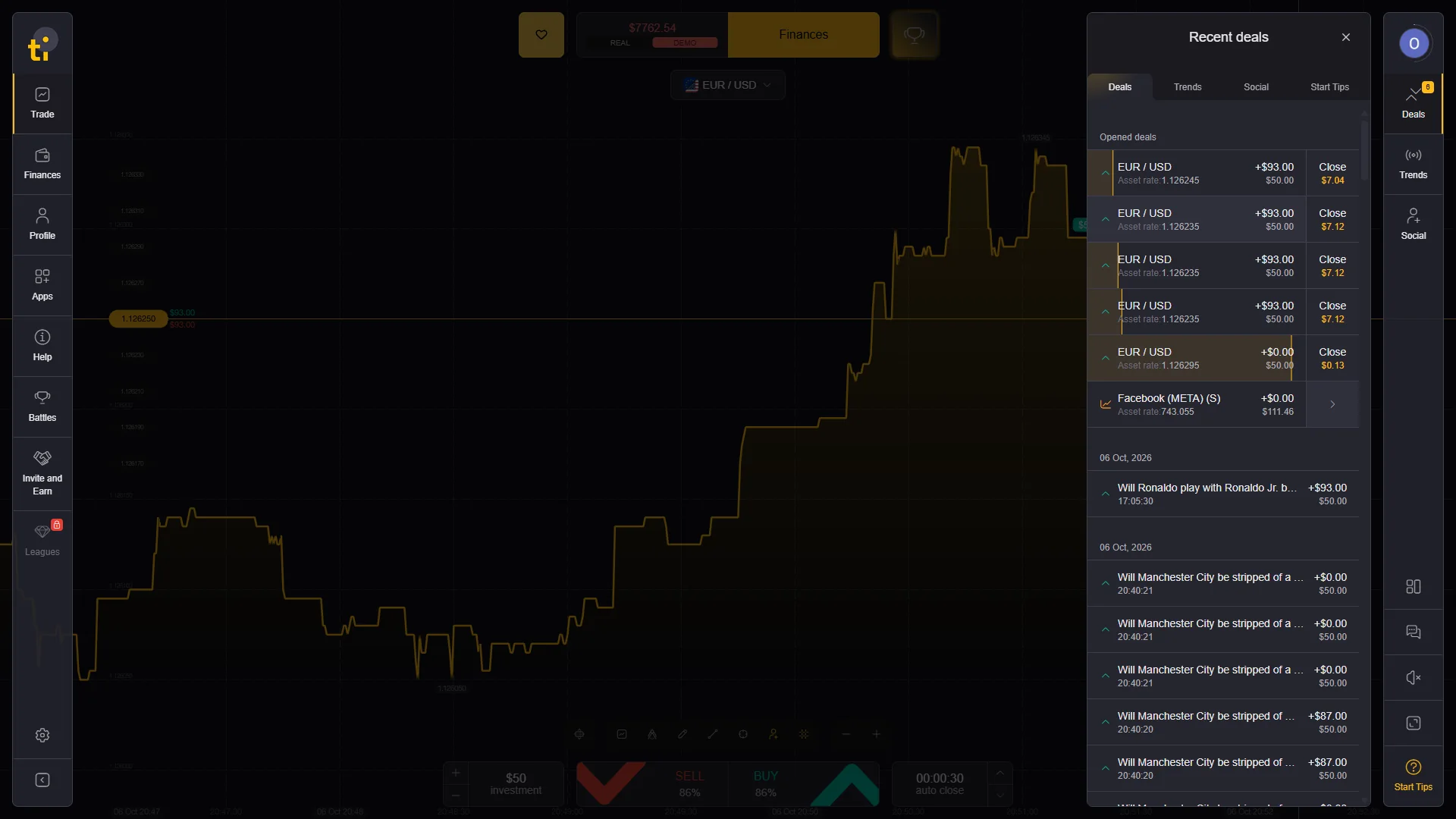
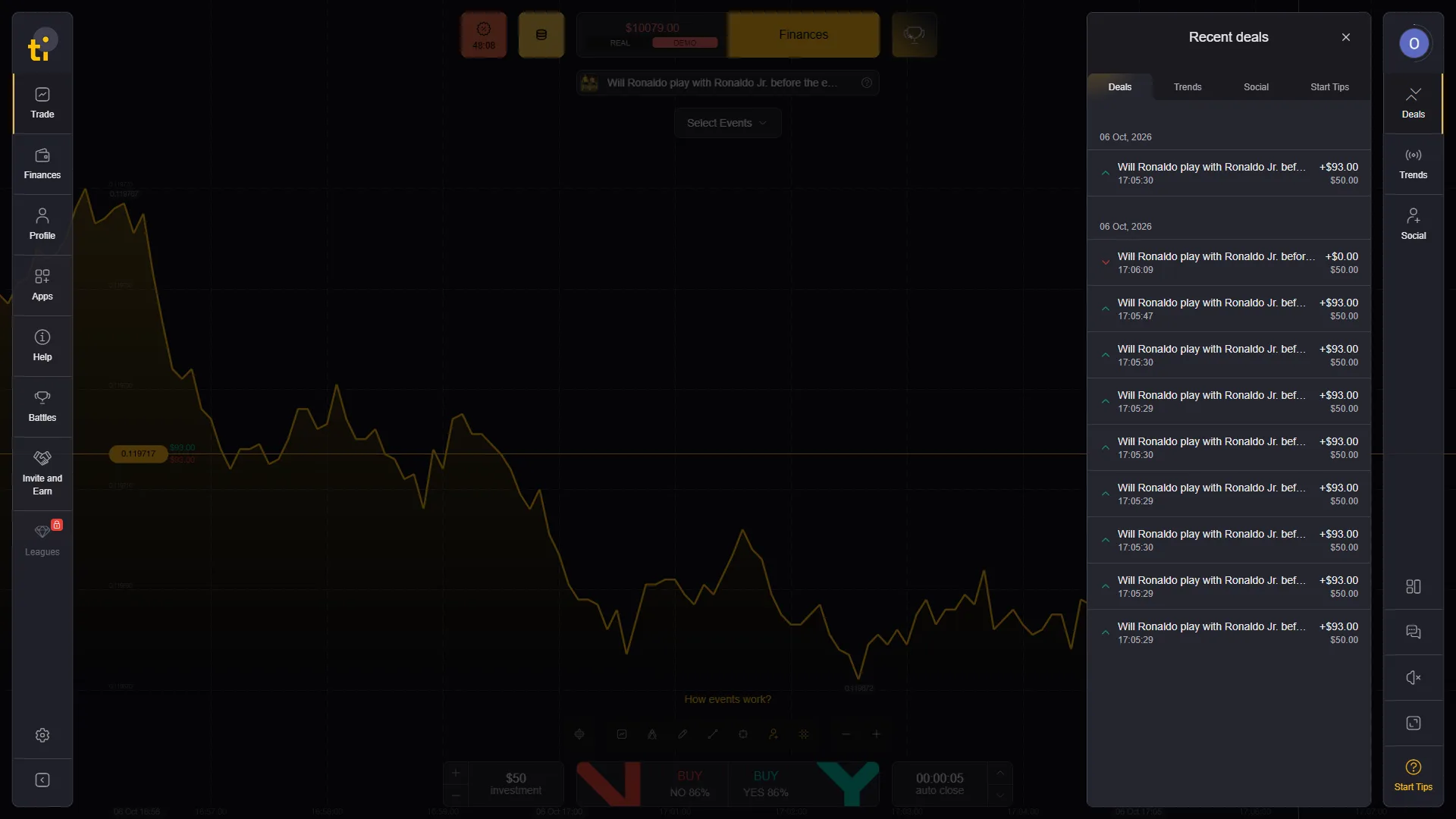
New first-hand evidence also shows that an open Trading Mode position can expose a Close value before the scheduled auto-close. In our DEMO account, the Recent deals panel displayed several open EUR/USD positions with changing early-close amounts beside the Close control. That makes manual early exit part of the checked Trading Mode workflow rather than a hold-to-expiry-only contract.
Those values document checked sessions. Payouts, timing and the amount offered for early close can change with the position and current product conditions. There is also a visible REAL/DEMO selector; the trade evidence on this page was collected in DEMO mode using the virtual balance.
Tickz Assets, OTC Markets and Displayed Payouts
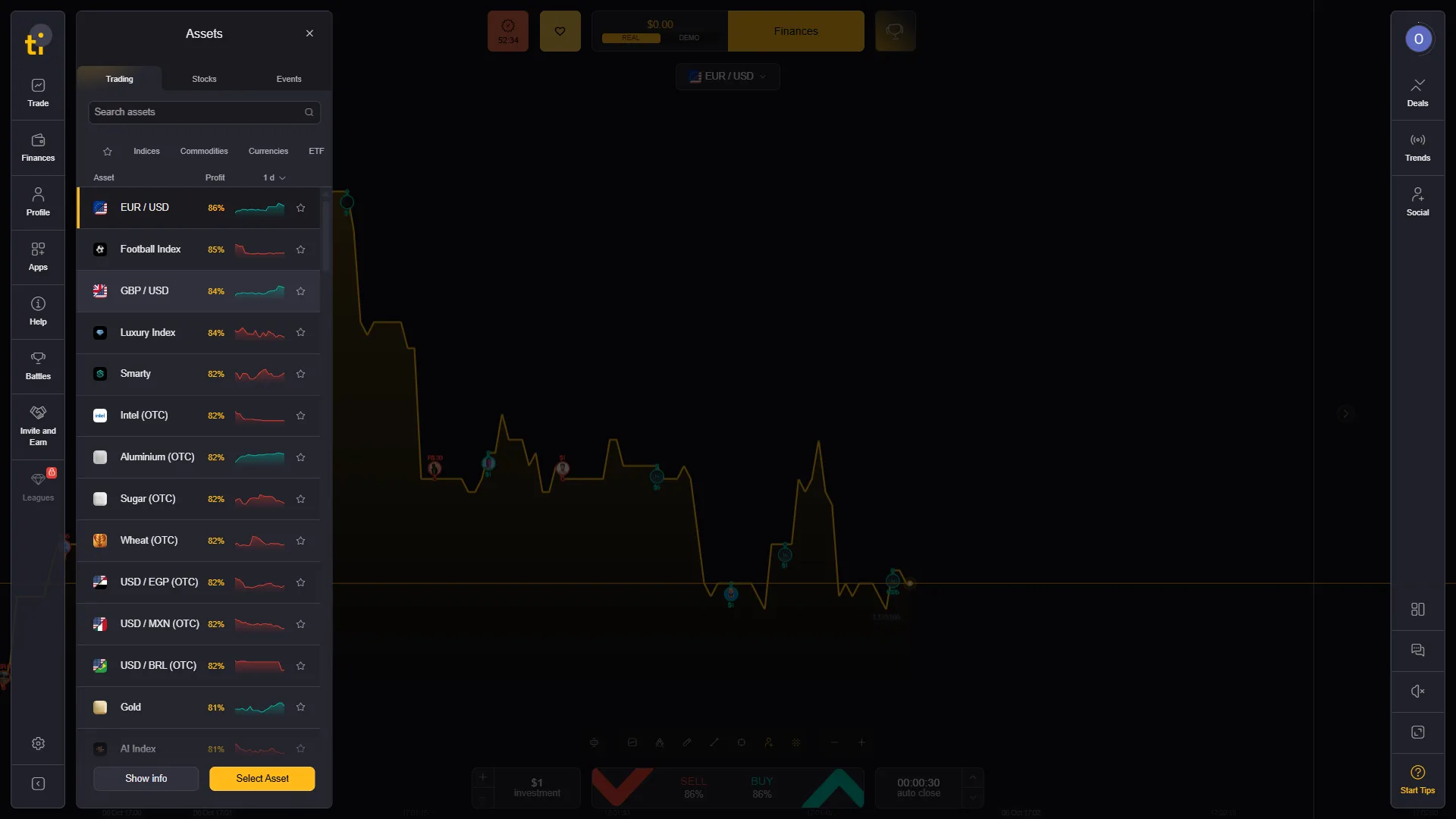
The asset selector we checked contained currencies, commodities, indices and instruments explicitly marked OTC. Examples visible in the captured account included EUR/USD, GBP/USD, Gold, USD/MXN (OTC), USD/BRL (OTC), Intel (OTC), Aluminium (OTC) and Sugar (OTC).
The list also showed different percentages beside different instruments. In the checked session EUR/USD displayed 86% and GBP/USD displayed 84%, while several OTC entries displayed other values. This is useful evidence that the percentage should be read from the current asset ticket rather than quoted as one fixed Tickz payout.
OTC is the platform’s own label for those instruments. Pricing and feed characteristics require separate verification from the instrument name shown in the selector.
Tickz Demo Account and Completed Trade Evidence
A terminal screenshot proves that controls were visible. A completed-history screenshot proves something different: the platform accepted a demo position, reached its endpoint and wrote an outcome into the account history. We use both types of evidence because one image alone cannot establish the full workflow.
The screenshots on this page document the interface behavior checked in October 2026: account mode, ticket controls, completed demo outcomes, cashier screens and the account state visible during the session.
Tickz Events: YES/NO Contracts and Short Auto-Close Times
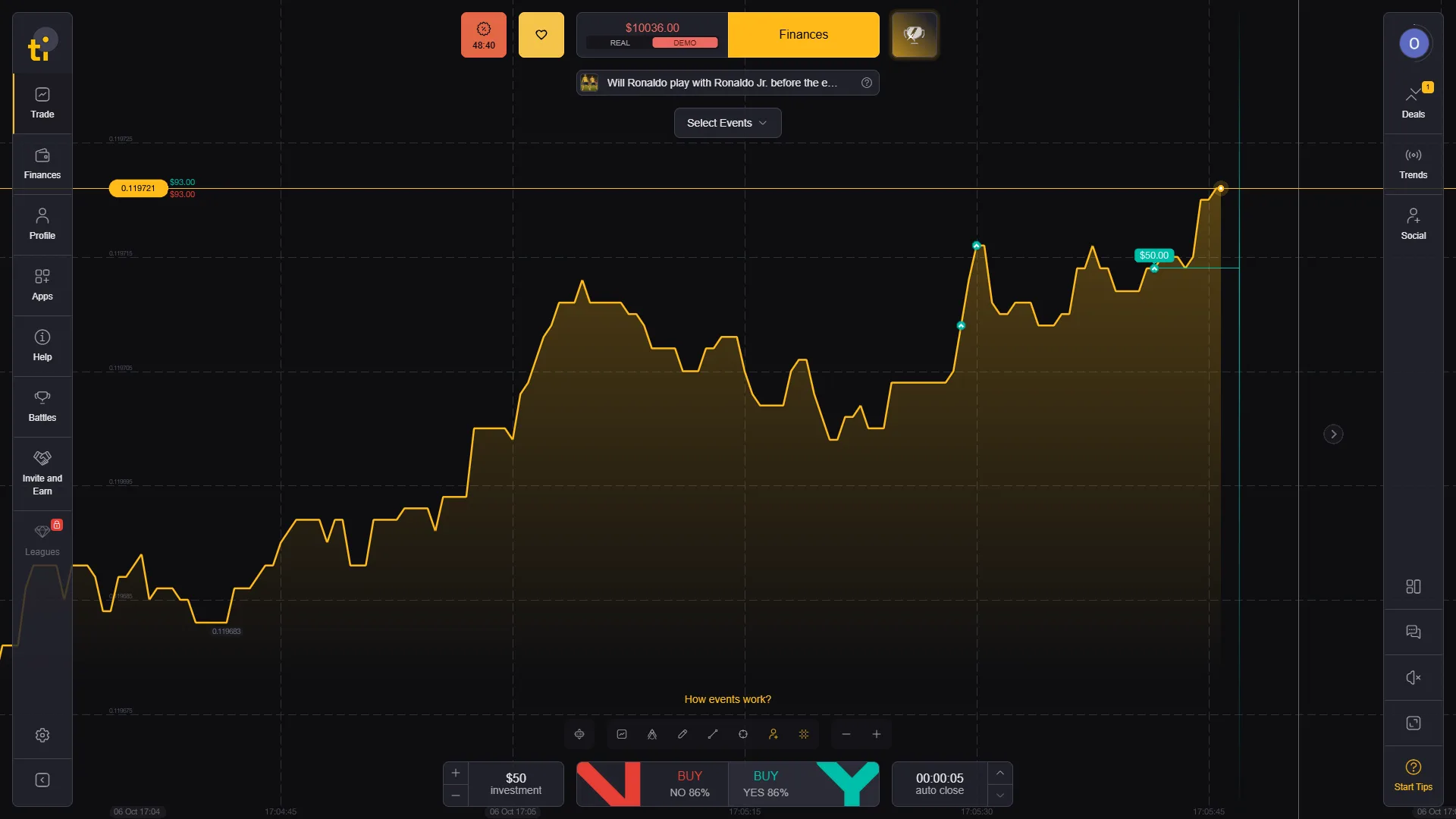
Tickz also exposes an Events area that looks materially different from the standard asset terminal. In our demo session, an event about whether Ronaldo would play with Ronaldo Jr. used BUY NO / BUY YES buttons rather than SELL / BUY.
The captured ticket showed an 86% displayed payout, a $50 displayed demo investment and a 00:00:05 auto-close time. This is an important product distinction: Tickz is not just one market ticket copied across every section.
We treat Events as its own observed contract interface and report its timing and payout settings separately from regular currency and OTC trades.
Tickz Stocks Mode: Lots, Take Profit, Stop Loss and Manual Close
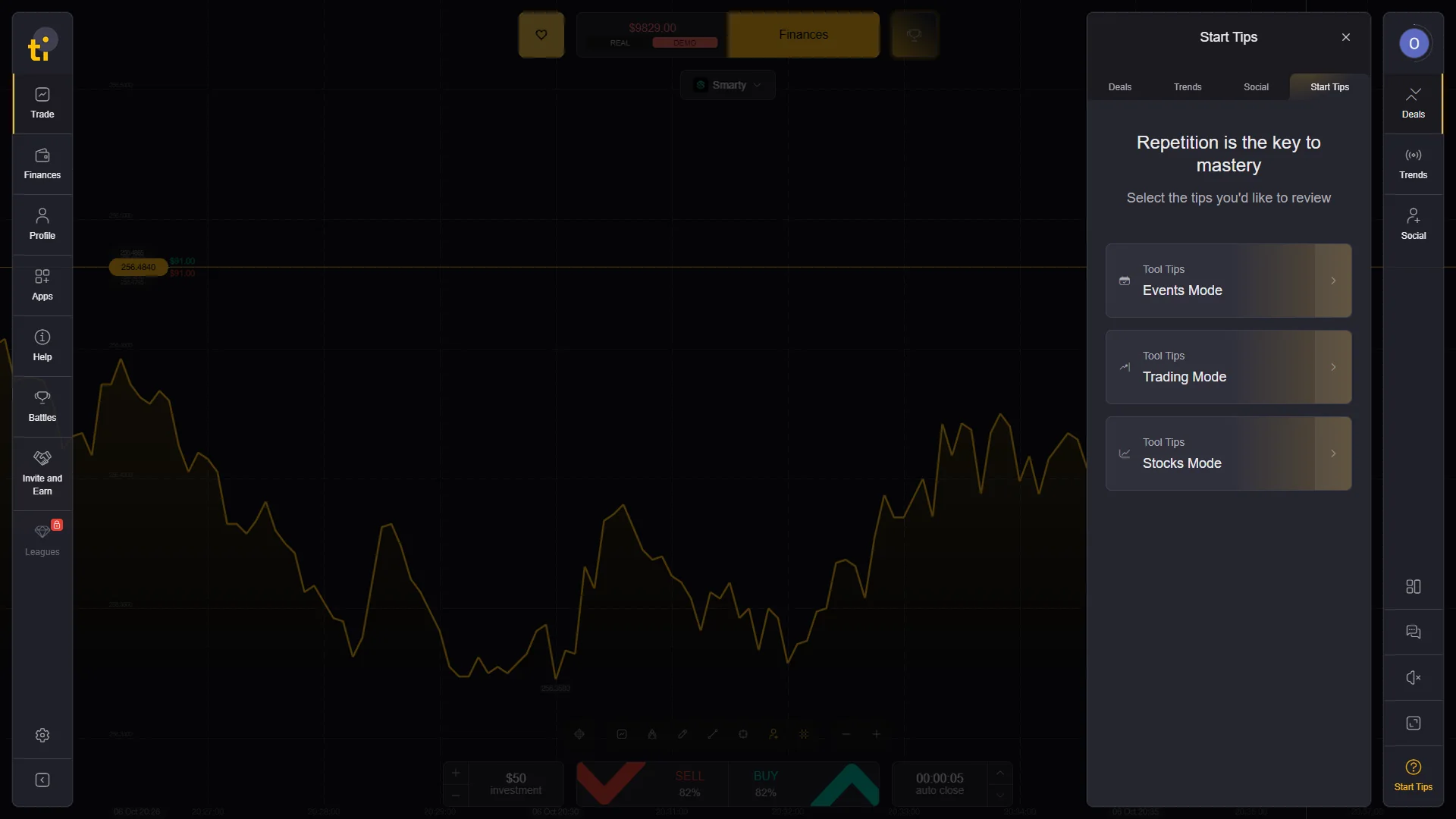
Tickz exposes Stocks Mode as a separate product interface rather than another version of the fixed-time SELL/BUY ticket. In the checked DEMO account, the mode selector and Start Tips listed Stocks Mode alongside Trading Mode and Events Mode.
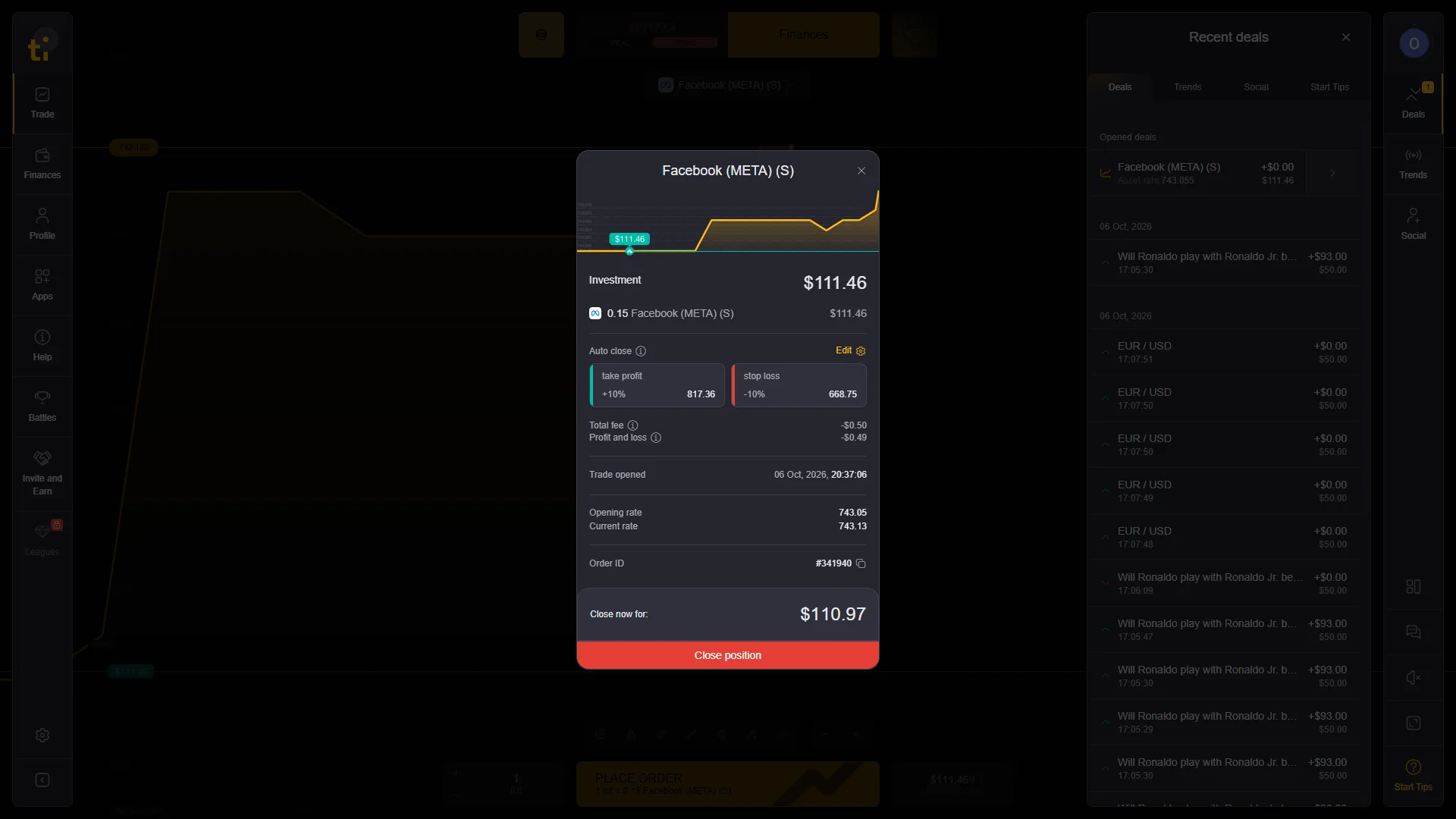
Our Facebook (META) stock test used a quantity expressed in lots. The order dialog displayed the current rate, investment value, editable take profit and stop loss controls, plus trading and maintenance fee fields. After the position opened, its detail card recorded the trade-opened time, opening rate, current rate and an Order ID.
The same open-position card displayed a live Close now for amount and a Close position button. This is structurally different from Trading Mode, where the ticket is organized around direction, displayed payout and auto-close timing. We therefore describe Stocks Mode by its observed stock controls rather than treating it as the same fixed-time Digital Options workflow.
Tickz Deposits, Minimum Deposit and Payment Methods
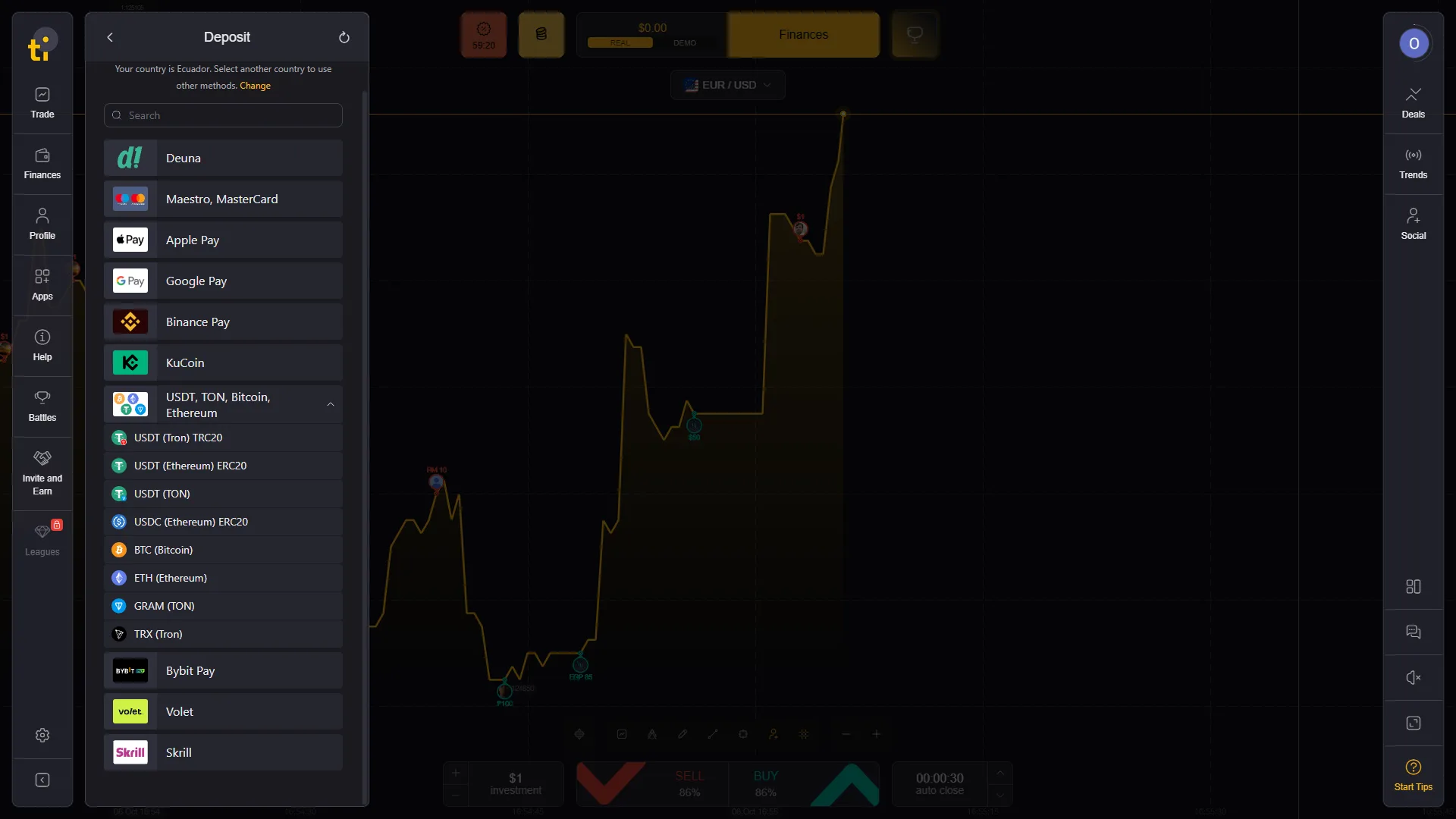
The cashier in our checked account showed a $10 minimum deposit. The account identified the country as Ecuador, so the payment-method list should be read as evidence for that account and region rather than a global catalogue.
Methods visible in the cashier included Deuna, card routes including Maestro/Mastercard, Apple Pay, Google Pay, Binance Pay, KuCoin, several cryptocurrency routes, Bybit Pay, Volet and Skrill. The card confirmation screen we checked also displayed a $10 amount in USD.
Payment availability is account- and region-specific, so the current cashier is the controlling source for the methods available to each account.
The partner offer supplied for this page states a 120% bonus on the first deposit when using promo code G1016278001. The 120% offer is tied to this promo code and is partner-specific. Current bonus conditions should be checked before depositing.
Tickz Withdrawals, Minimum Amount and KYC
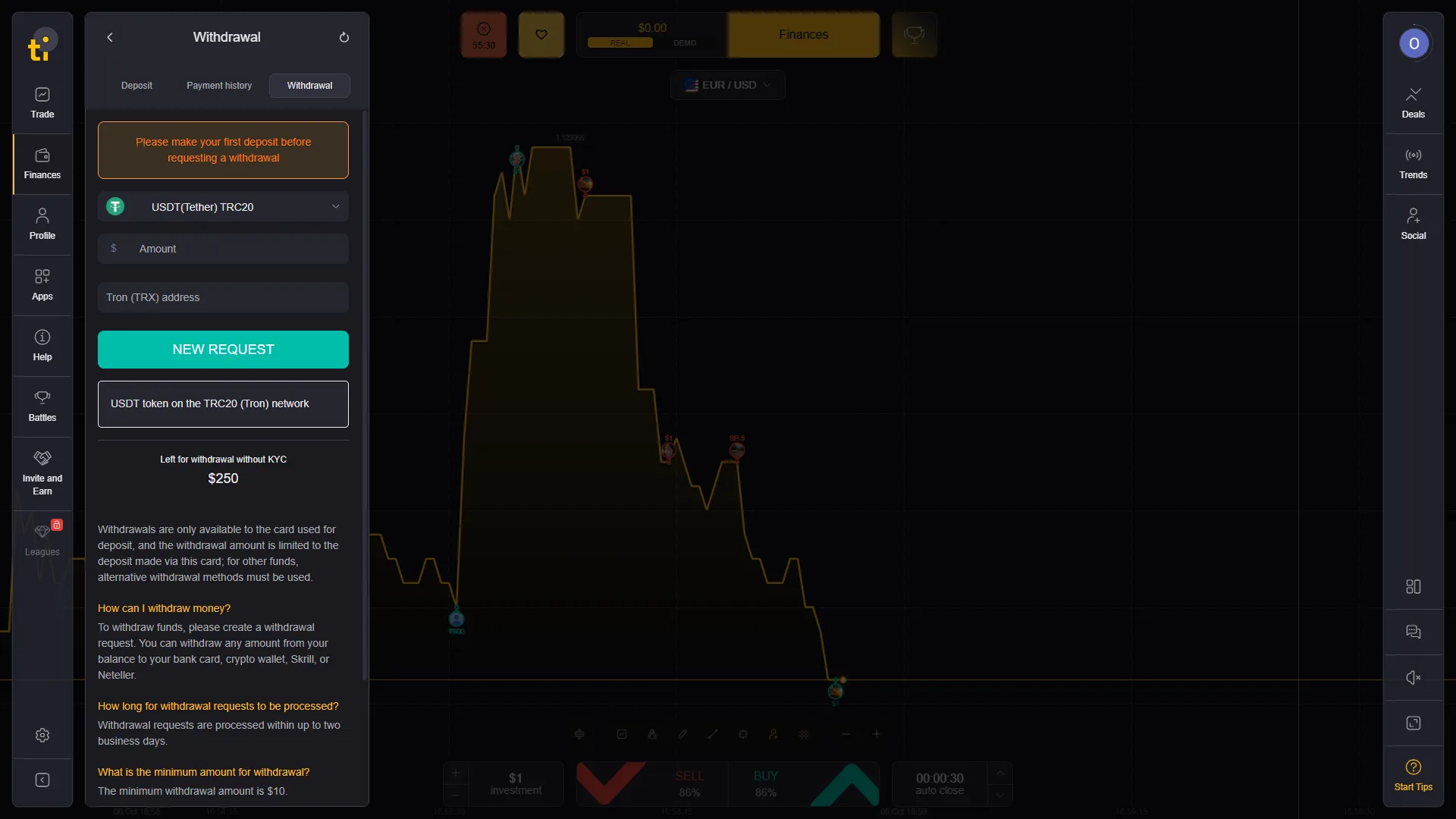
The withdrawal screen in our account displayed a $10 minimum withdrawal and stated that requests are processed within up to two business days. This is the processing window shown in the checked account; receipt timing can still depend on the payment method and provider.
The same flow stated that a first deposit is required before withdrawal and described return-to-source behavior for card deposits. The account also displayed “Left for withdrawal without KYC $250”. We report the $250 figure as an account-specific value visible before funding.
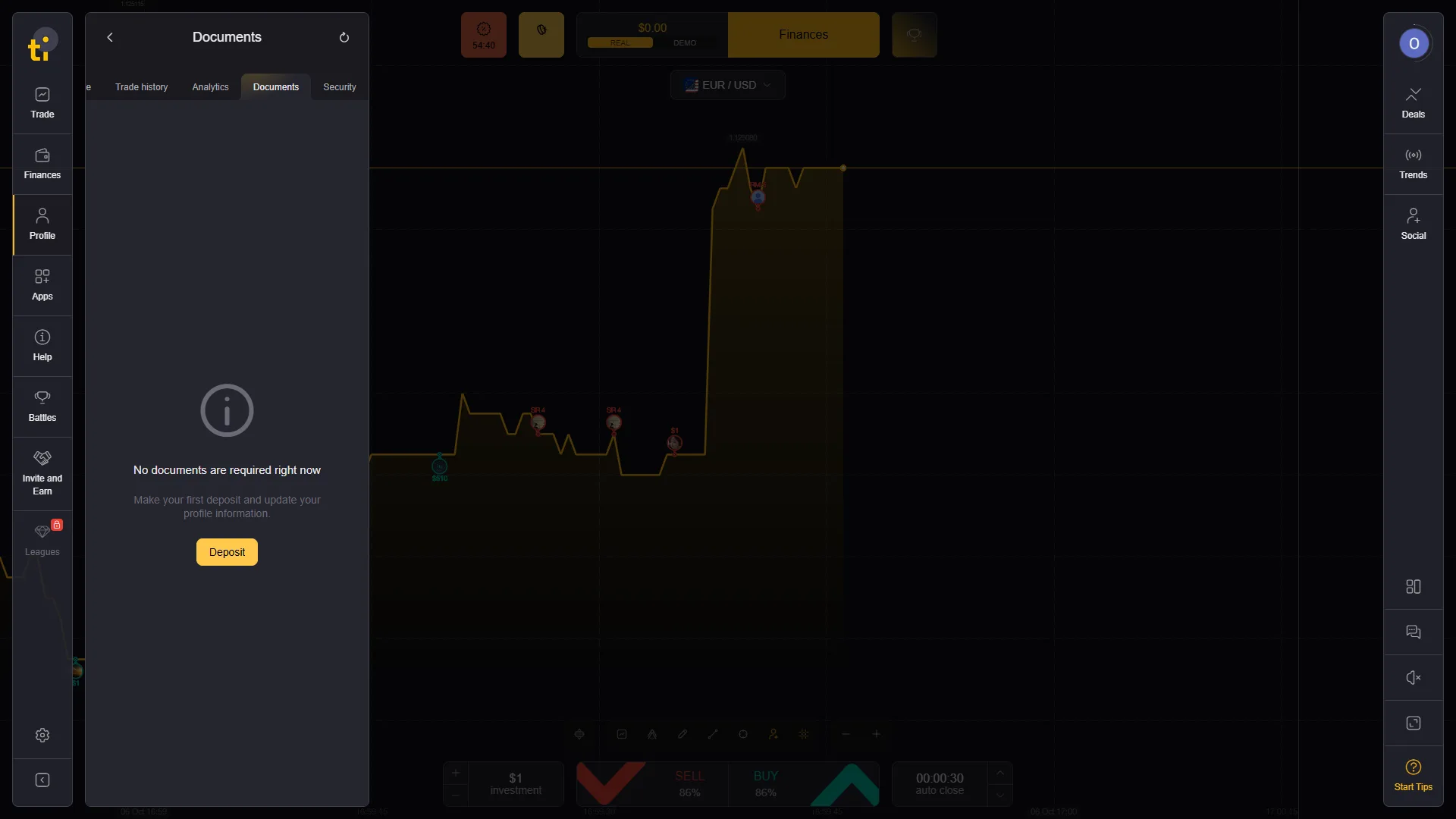
Separately, the Documents area said: “No documents are required right now. Make your first deposit and update your profile information.” This shows that verification had not yet been triggered in the checked new account.
Tickz Battles, Social Trading and Android Access
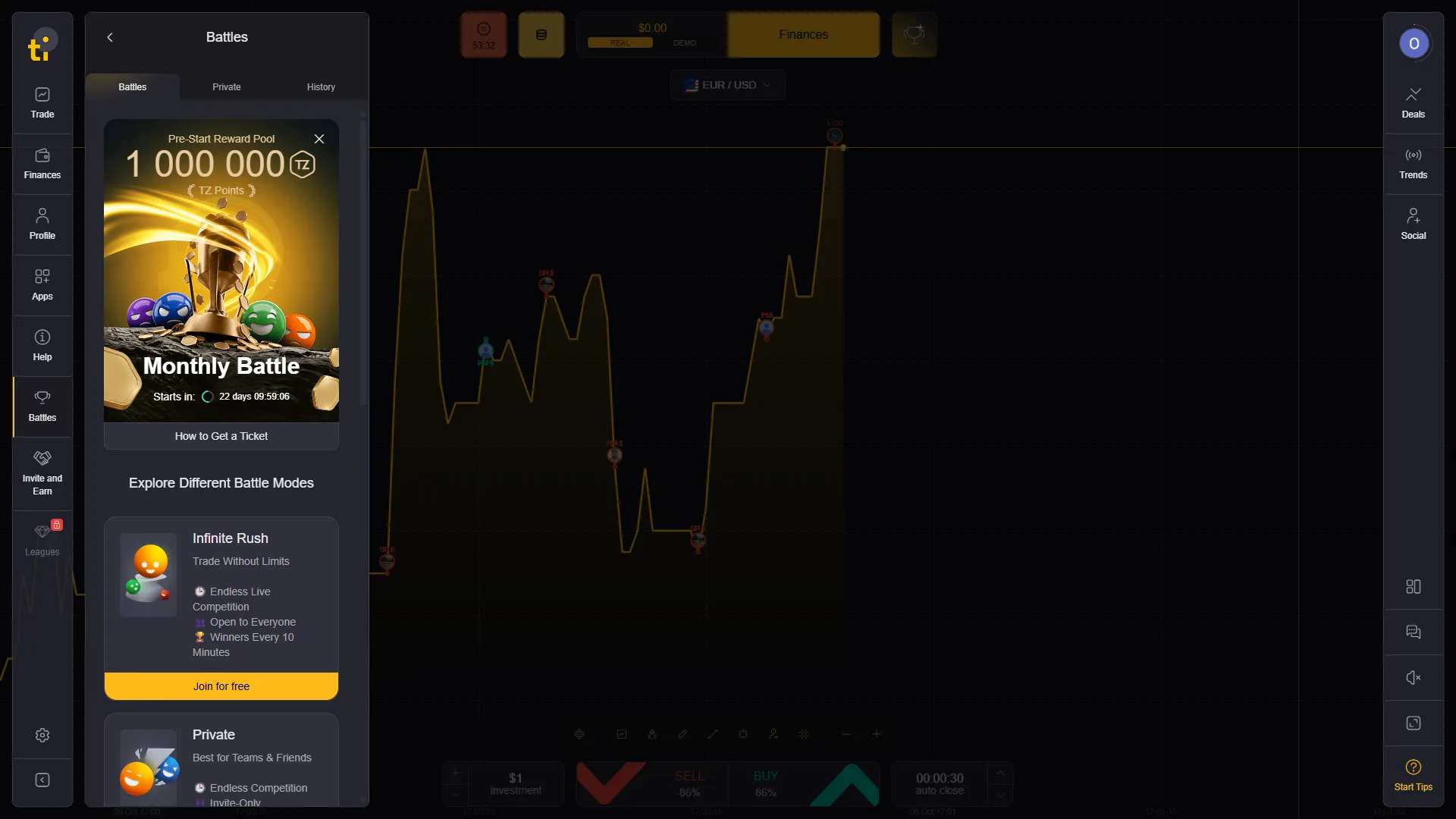
The account contains more than the standard trading screen. We observed Battles, including a Monthly Battle and other competition modes. A Social entry was also visible in the platform navigation, documenting the current product structure beyond the standard trading ticket.
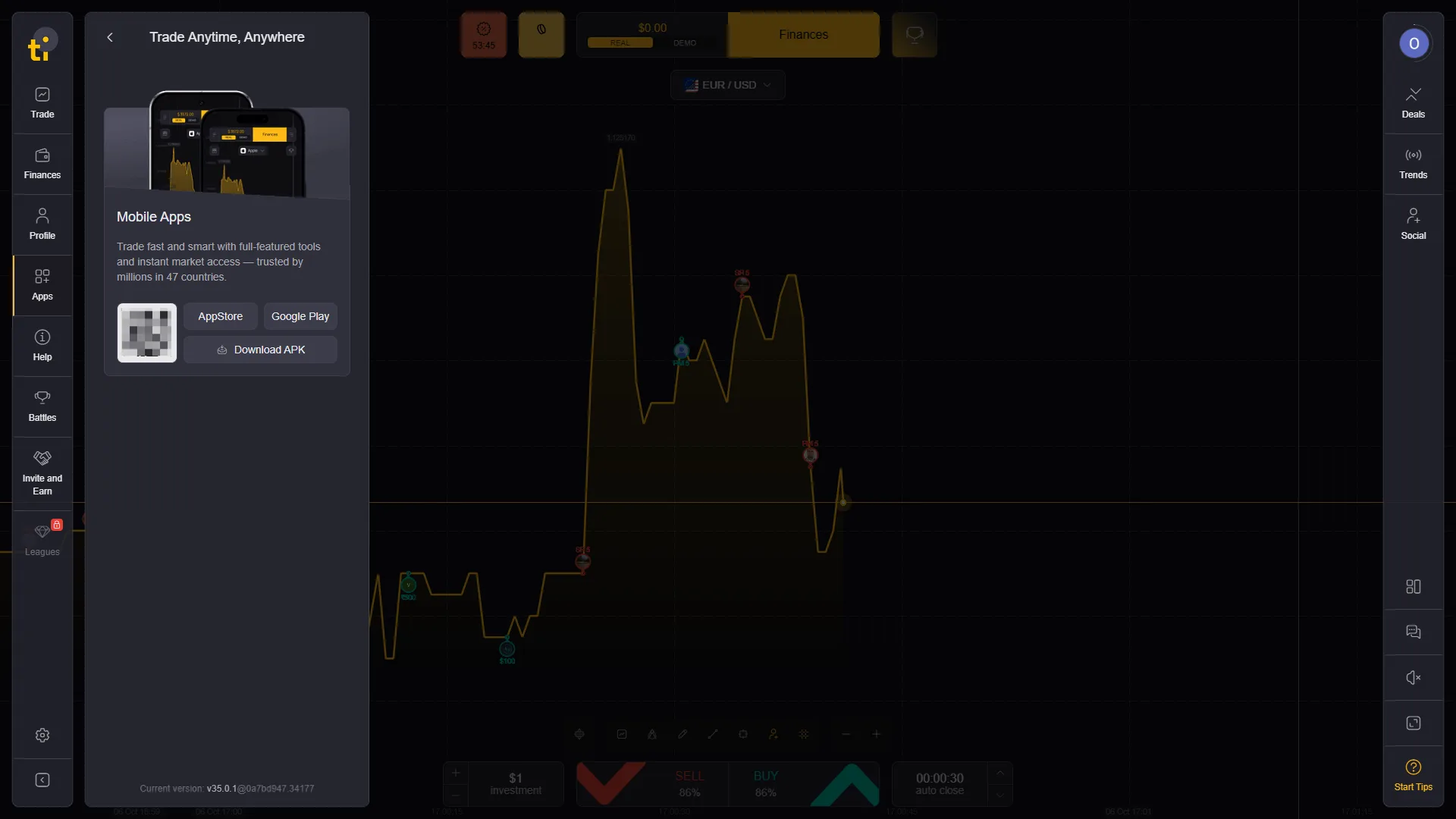
Tickz also provides mobile access. The checked Apps panel showed App Store, Google Play and Download APK options, while the partner account supplied a dedicated Android tracking route. Mobile availability can still depend on the device, store region and current distribution method.
Who Operates Tickz? Trusteo Ltd and the MISA Licence
The current main Tickz website identifies Trusteo Ltd as the operator, gives company number HY00222011, and lists Mwali International Services Authority licence T2022073. It also identifies UPTECH Ltd in Gibraltar as a payment agent.
We separately checked the Mwali registrar record. At the time of our October 2026 verification, the record for Trusteo Ltd linked tickz.com to licence T2022073 and showed the licence as Active, with an issue date of 17 February 2022.
The registrar record supports the operator/licence statement. Withdrawal performance, price-feed quality, client-fund protection and country access require their own checks. Our pre-deposit verification guide separates those questions.
Why Some Tickz Pages Show ExpertOption Information
During source verification we found an unusual documentation problem. Some pages hosted on the official-looking in-app-page.tickz.com subdomain contain ExpertOption branding, EOLabs LLC references or ExpertOption template text. At the same time, the main Tickz website and the Mwali registrar identify Trusteo Ltd for tickz.com.
That inconsistency is important because copying legal details from the wrong template could produce a false operator statement. We therefore use the main Tickz operator disclosure and the regulator record for legal identity, while treating the ExpertOption/EOLabs material as a documentation inconsistency.
We do not conclude from the shared template that Tickz is owned by ExpertOption or EOLabs. The evidence we have does not establish that ownership relationship. If the brands share technology, documentation or another operational layer, that would require separate proof.
For country access, we rely on the current Tickz account and current Tickz terms rather than the mixed ExpertOption template pages.
Tickz FAQ
What is the official Tickz website?
The main Tickz website we checked is tickz.com. This page uses a tracked partner route for commercial buttons and clearly marks those links as sponsored.
Does Tickz have a demo account?
Yes. We accessed the Tickz demo environment directly and checked Trading Mode, Events Mode, Stocks Mode, the asset selector and completed demo deals using the virtual balance.
Does Tickz offer Digital Options?
An official Tickz cardholder document uses the description “Digital Options.” The checked Trading Mode presents a fixed-time SELL/BUY workflow with auto-close and an early Close control on the open positions we tested. Events Mode and Stocks Mode are separate interfaces with different controls.
What is the Tickz minimum deposit?
The cashier in our checked Ecuador account displayed a $10 minimum deposit. Available payment methods were account- and region-specific, so the current cashier should be treated as the controlling source for a user’s own account.
What is the Tickz minimum withdrawal?
The withdrawal screen in our checked account displayed a $10 minimum withdrawal and stated that requests are processed within up to two business days. This is the processing window shown in that account; receipt timing can still depend on the payment method and provider.
Does Tickz require KYC?
Tickz has a verification flow. In our new account, the Documents screen said no documents were required yet and instructed the user to make a first deposit and update profile information. The withdrawal screen also displayed an account-specific “left for withdrawal without KYC” figure.
Who operates Tickz?
The current Tickz website identifies Trusteo Ltd, registration HY00222011, as the operator and lists MISA licence T2022073. The Mwali registrar currently lists the licence for tickz.com as active.
Why do some Tickz help pages mention ExpertOption?
We found Tickz-hosted in-app pages that contain ExpertOption or EOLabs template content even though the main Tickz website identifies Trusteo Ltd as the operator. We treat this as a documentation inconsistency and do not use it as proof that the two brands have the same owner.
Checked terminal · demo · cashier · withdrawals
Open Tickz and Check the Current Account Conditions
Use the current ticket and cashier as the controlling source for payout, timing, payment methods and account requirements. Partner promo code: G1016278001 for the supplied 120% first-deposit offer.